


AURIX
AURIX is a Mac app where your AI coding agents work side by side, with one shared memory and one set of tools. You run the show.
- Launched
- Clicks
- 15
- Categories
- Developer tools,AI
- Runs on
- macOS
- Pricing
- Paid
About AURIX
AURIX is a Mac app where your AI coding agents work side by side. You run the show.
Run any coding agent in split terminal panes, and see at a glance which one is working and which one is waiting for you.
Set up your models once. Pick the model and effort for each workspace. Your agents can't change it behind your back.
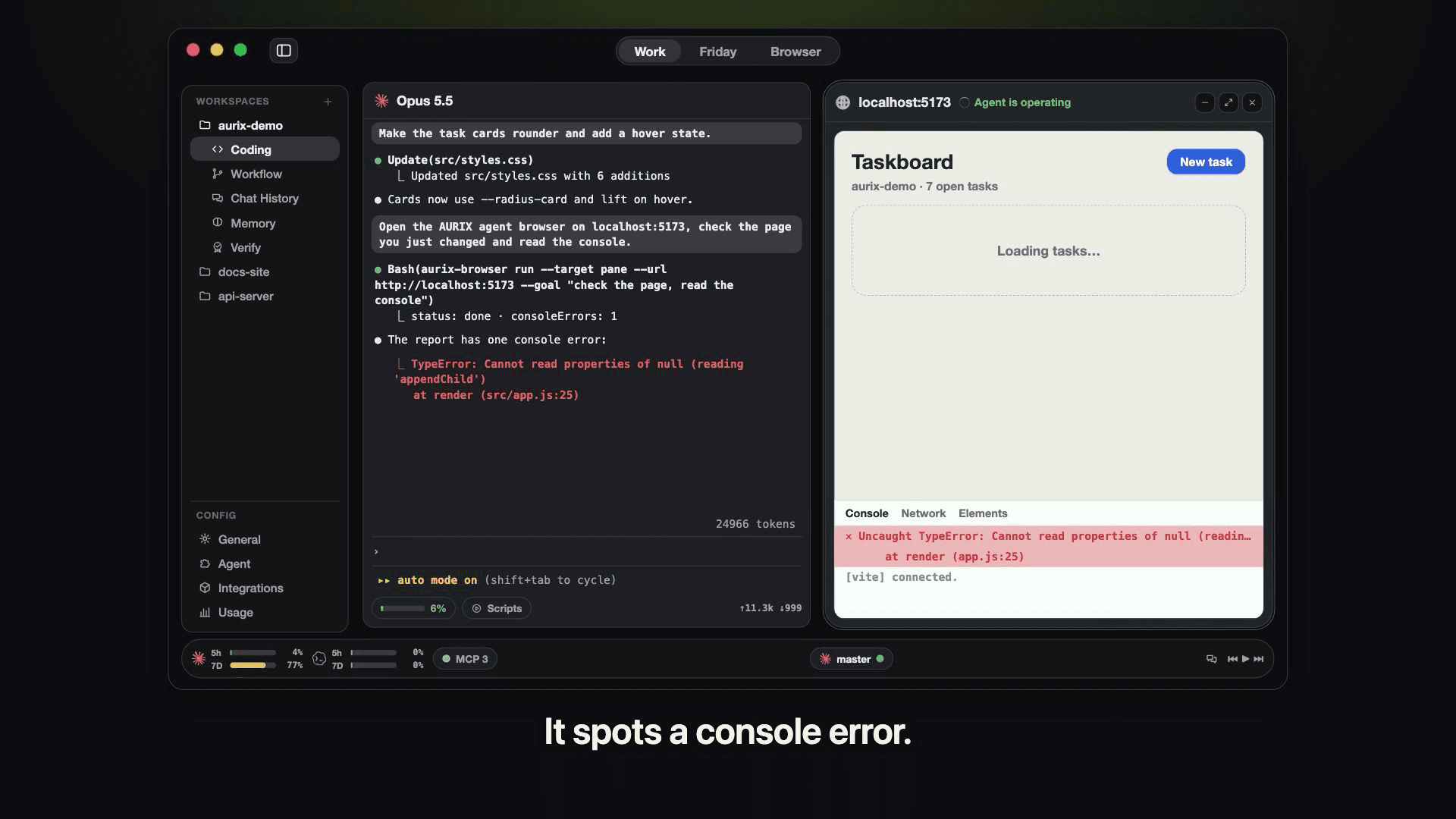
Let the agent check its own work. Your agents open pages in a browser pane and click around. You watch it live, and jump in any time.
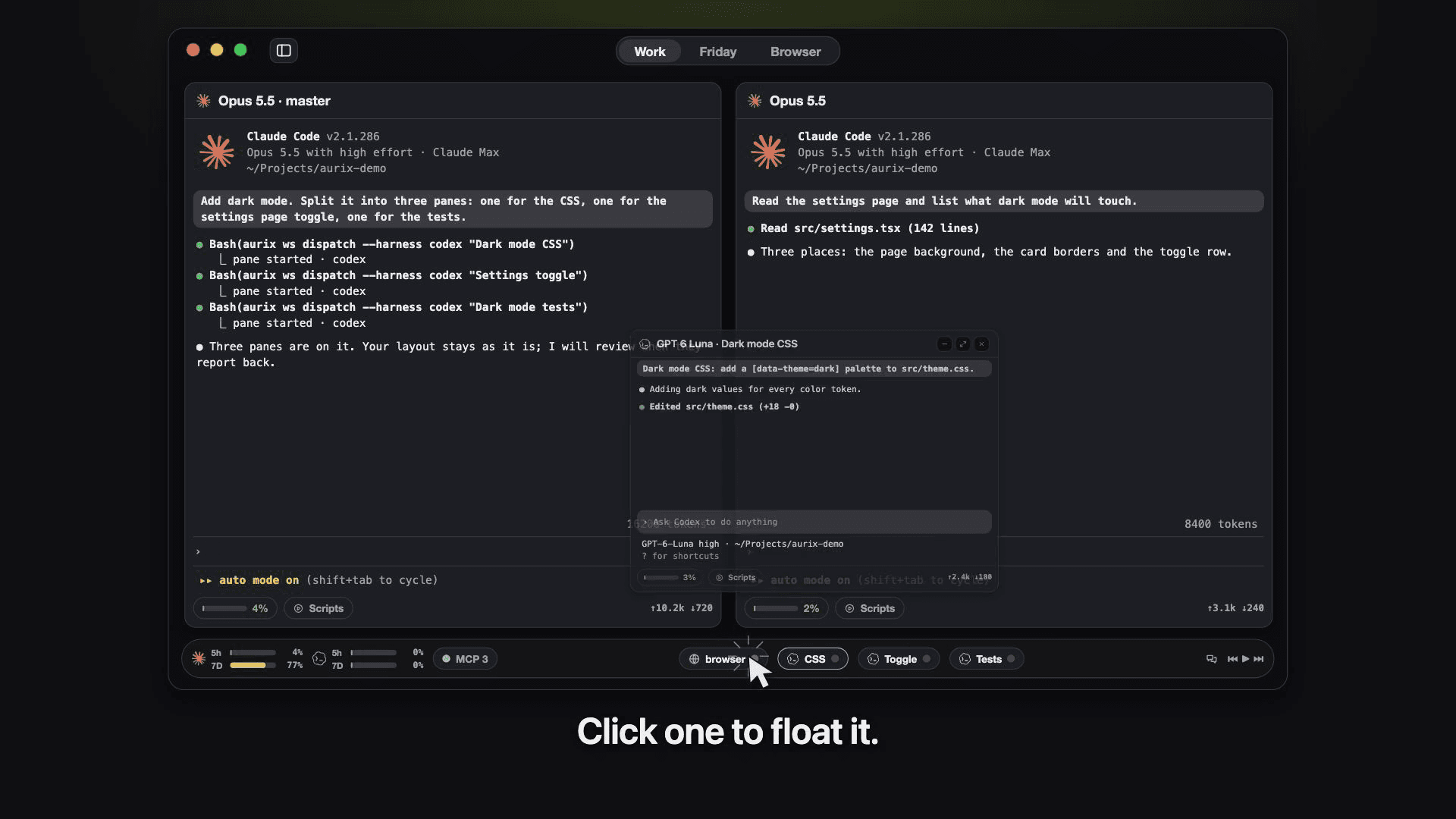
Panes stay out of your way. Hand out the work to any agent. Their panes float up when you need them.
Everything is one right-click away. Split, resize or send a saved prompt, all from one menu.
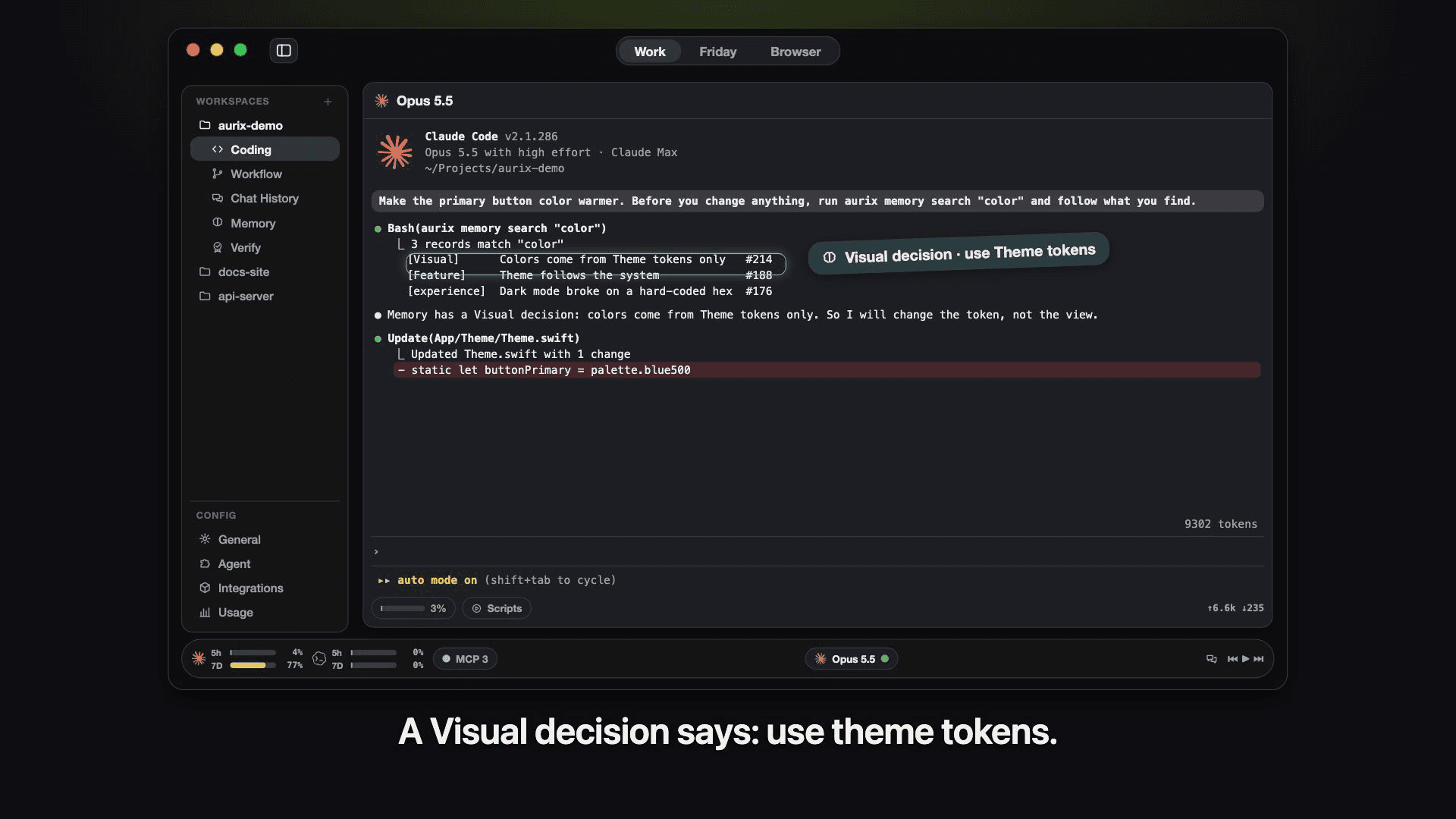
Every agent remembers what you decided. Every decision and task is written down, then checked off. The next agent starts from the facts.
Add a tool once. Every agent gets it. Install an MCP plugin one time, and all your agents can use it right away.
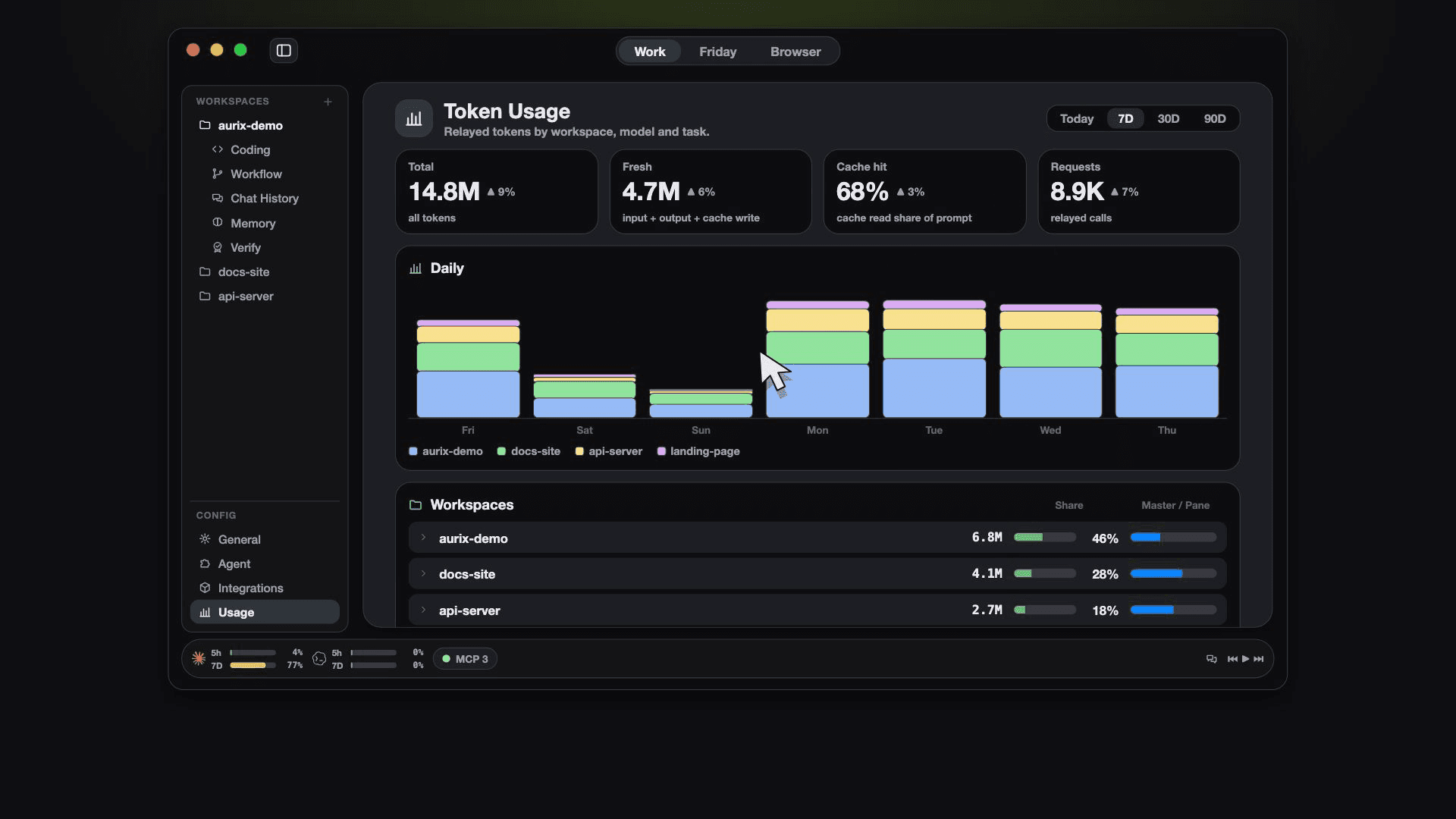
See where every token goes. Daily use by workspace, by model and by task. No surprises.
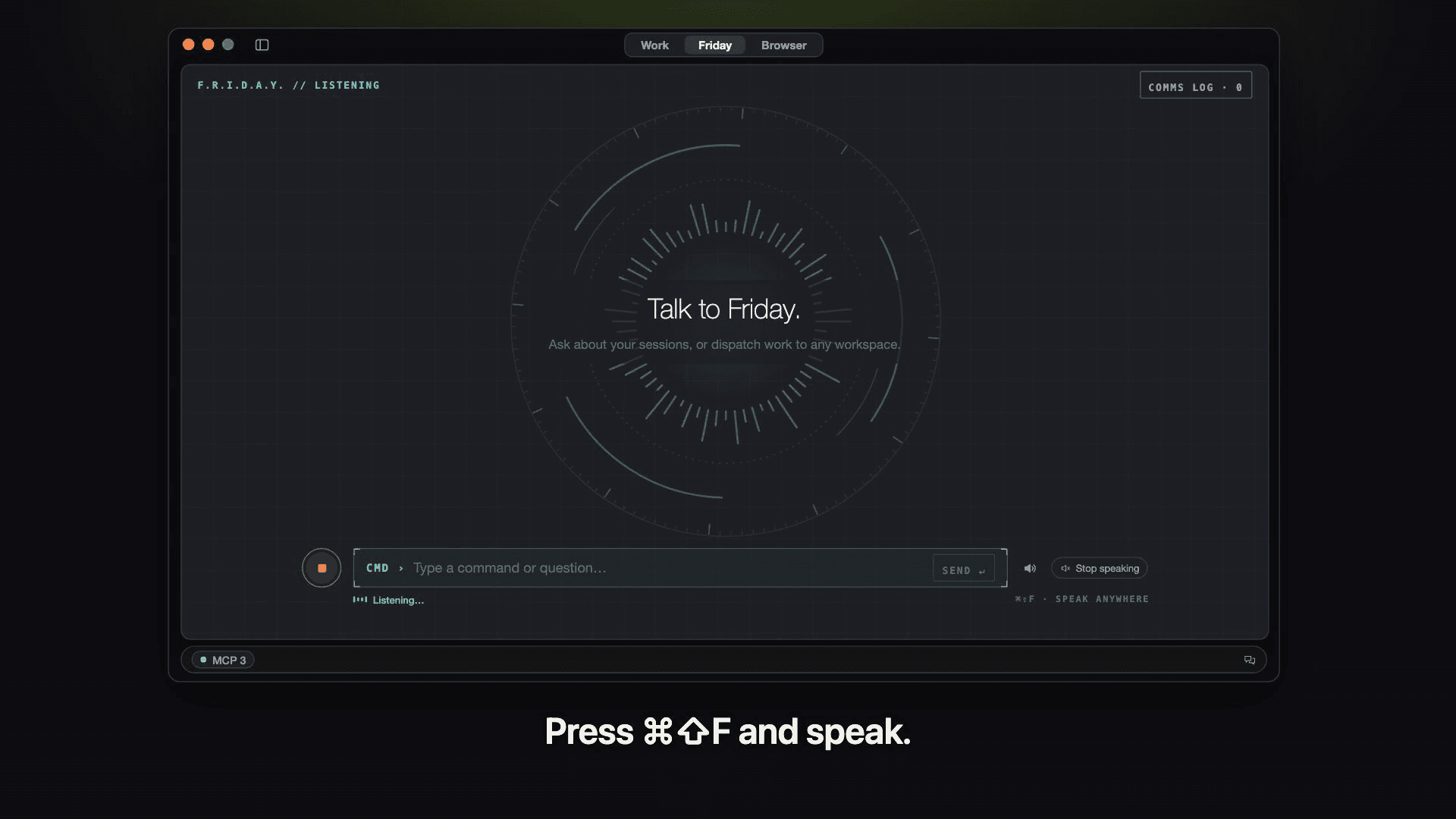
Just say it. Friday does it. Press ⌘⇧F and talk. Friday sends the job to an agent and tells you when it's done.
AURIX does not replace your agents. They still write the code. AURIX gives them one place to work together.
For Macs with Apple Silicon (M1 and newer). AURIX is not open yet. Join the waitlist at https://useaurix.com and we'll tell you the day it is.
What AURIX does that nothing else does
Every coding agent shares one memory, one set of plugins and one token ledger, and you can hand out work just by talking.
Written up on SpacerrApps
Apps like AURIX

Denpex3 clicks
Investigate CUDA, PyTorch, NCCL and vLLM failures using log evidence and next safe steps. Try local diagnosis in the free VS Code extension or limited free cloud diagnoses on denpex.com.
Developer tools, AI, DevOps

Podium2 clicks
Podium is an open-source, agent-native issue tracker and coordinator that turns your idea and your agent setup into a working team of Claude Code, Codex and Cursor agents.
Developer tools, AI, Open source

Agent Ridge0 clicks
Agent Ridge finds the security flaws in your online store before attackers do. AI-driven security audits for e-commerce sites and web platforms, with visual evidence and PDF reports.
Security, AI, Developer tools

Kadmo: AI Agents for Vibe Coding2 clicks
Run Claude Code, Codex and other AI coding agents as a team on your own cloud, with roles, playbooks and a gate at every handoff.
AI, Developer tools, DevOps

RedModel2 clicks
Uncensored AI chat and API for open-ended conversation, reverse engineering, and red teaming. Comes with RedCLI, a custom harness for red teaming and mobile phone use.
Developer tools, AI, Security

Answer me with HTML2 clicks
Agent skill that turns Claude's answers into readable one-page HTML explainers. Works offline.
Developer tools, Open source, AI
6 comments
Felix Brandt
Can I choose a different model and effort level for each workspace?
AnonymousMaker
Yes. Model and effort are saved per workspace. Go to General → Workspace and pick the workspace's tab at the top. You'll see two cards: Master, for the main agent pane, and Sub-pane, for the worker panes the master dispatches. Each card has its own harness (Claude Code, pi or Codex), model and effort, so one project can run a heavier model on high effort while another stays on something lighter and cheaper.
A few details: - The effort picker only lists levels the chosen model supports. If you switch to a model that doesn't support your current effort, it gets cleared rather than silently ignored. - Leaving effort unset means AURIX doesn't pass a flag at all, so the harness uses its own default. - Changes apply to the next pane you open in that workspace. Panes already running keep the settings they started with, so nothing restarts under you mid-task.
Caleb Doyle
Can agents use the shared memory to pick up a task another agent started?
AnonymousMaker
Yes, that's actually how handoffs work in AURIX. Every task lives in the shared Memory as a structured record, not in one agent's chat history. The record holds the objective, scope, numbered requirements, a status history and links to the commits made against it. Work for a task also happens on its own git worktree and branch, which stays put after an agent stops.
So when a second agent picks up task #N, it runs `aurix memory show task#N` to see what was asked and what's already been committed. It then gets dispatched into the same worktree and carries on from the branch's real state. It can also pull in related decision records and "experience" notes, which explain why things were done a certain way and not just what was done.
One honest caveat: it doesn't replay the first agent's conversation. The handoff runs on the task spec, the code on the branch and whatever the earlier agent wrote back to Memory. In practice that has turned out more reliable than handing over a long transcript, because the next agent starts from facts that have been checked rather than a half-finished train of thought.
Priya Nair
How does AURIX prevent agents from overwriting each other’s changes when they work side by side?
AnonymousMaker
Hi, thanks for the question! For task-based parallel work, AURIX isolates agents at the Git level rather than letting them edit the same checkout. - A separate worktree per task. When work is dispatched against a task, AURIX automatically creates or reuses a dedicated Git worktree on its own issue/<N> branch. That gives the agent an isolated copy of the repository instead of having multiple task agents edit the same working tree. - Parallel work is split into sub-tasks. If a piece of work needs several agents in parallel, it is broken into sub-tasks. Each sub-task is dispatched independently and gets its own task worktree, so the isolation boundary stays explicit rather than having several agents race over one checkout. - Merges fail safely instead of silently overwriting. When the task is finished, AURIX rebases its branch onto the current base branch and merges it with --ff-only. If the rebase hits a conflict, AURIX aborts the rebase and leaves the worktree intact for resolution rather than choosing one agent’s changes automatically. - Destructive Git operations are guarded. AURIX’s built-in Git gate blocks operations such as git reset --hard, force-pushes and checkout-dot style