


Enterprise Hub AI
Enterprise Hub AI connects business evidence, surfaces risks and missing approvals, and links personal priorities and program oversight to governed workflows.
- Launched
- Clicks
- 206
- Categories
- AI,Productivity,Automation
- Runs on
- Web, Self-hosted
- Pricing
- Paid
About Enterprise Hub AI
Enterprise Hub AI helps teams turn business evidence scattered across systems into clear priorities, reviewable decisions, and governed workflows.
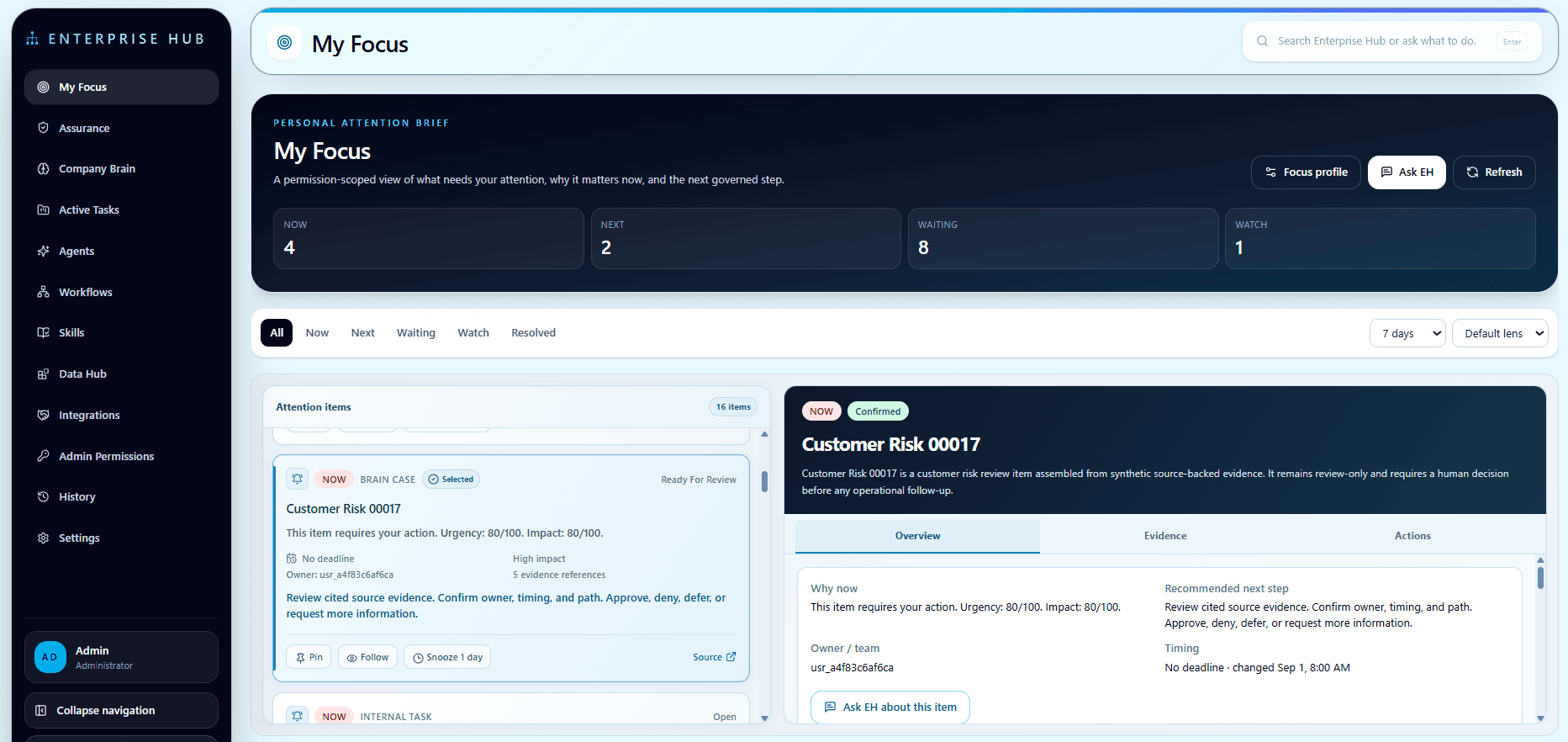
My Focus brings together the items that need your attention, why they matter, and the recommended next step.
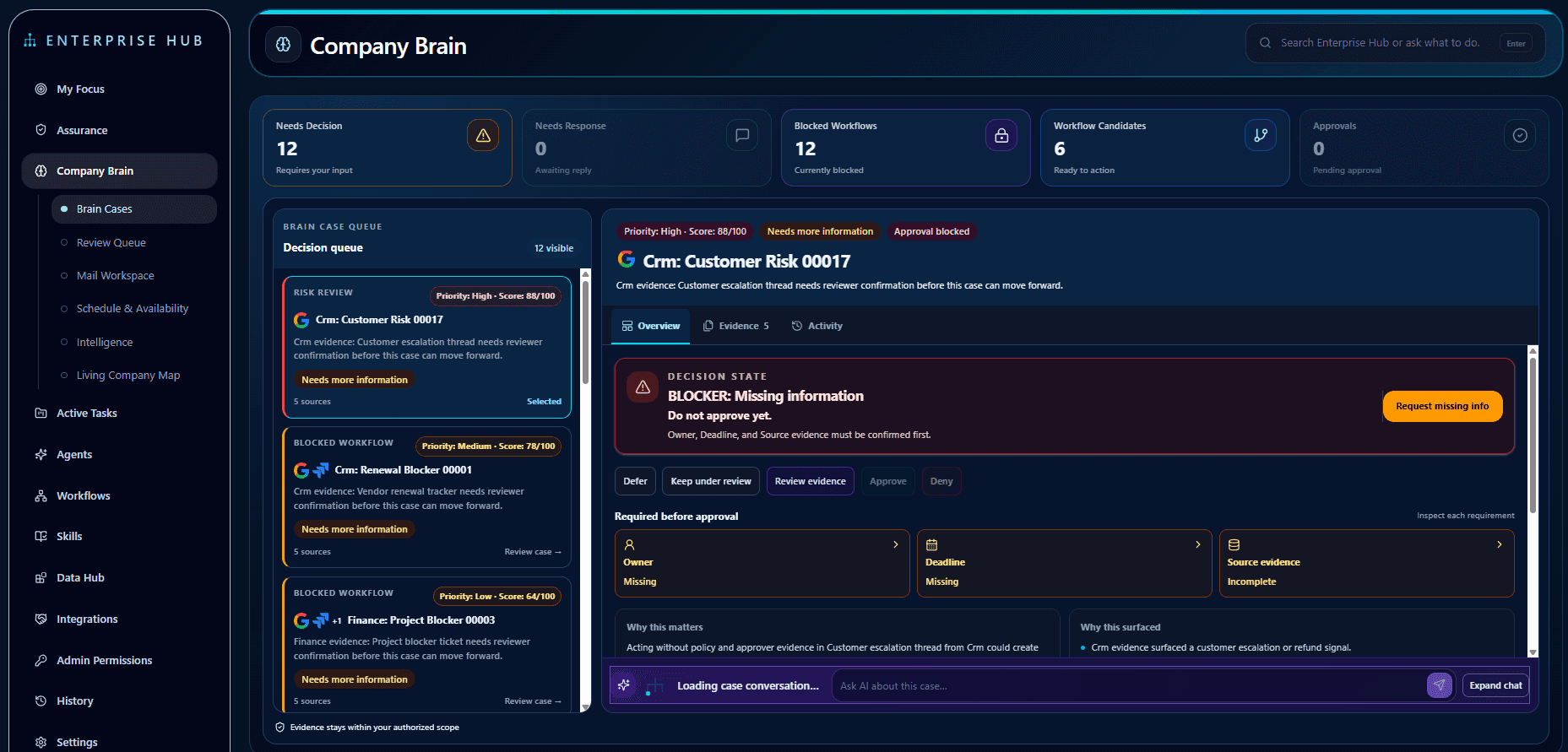
Company Brain organizes evidence into Brain Cases. Reviewers can inspect supporting sources, identify missing information, and approve, deny, defer, or request more information before work moves forward.
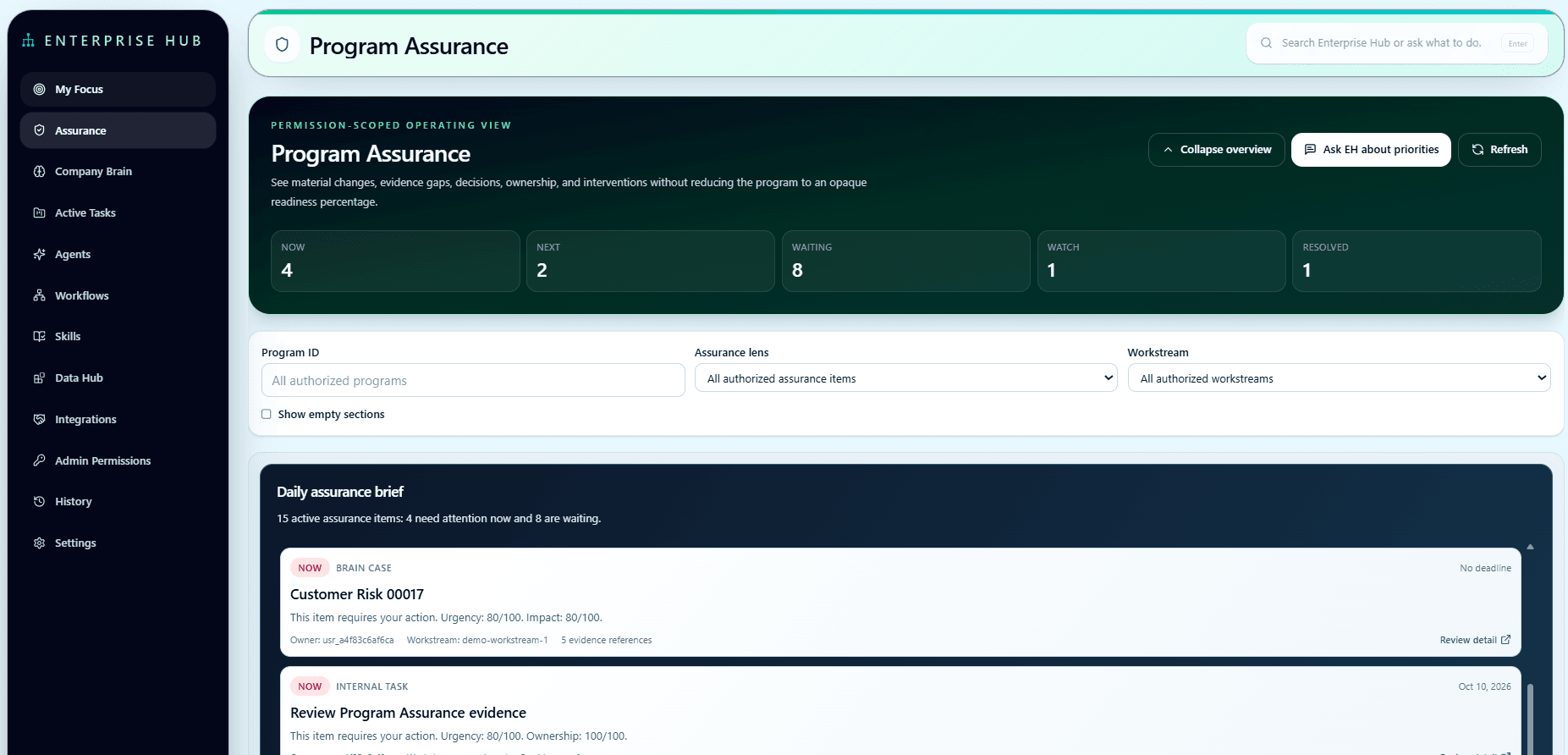
Program Assurance gives teams an operating view of priorities, evidence gaps, ownership, and blocked work across a program.
EH keeps human review central to consequential decisions. Available capabilities depend on supported integrations, source permissions, and configuration.
Deployment and onboarding are scoped directly with the EH team. Customer-led installation in your AWS account and EH-led setup are available, with responsibilities and terms agreed before deployment.
Software starts at $500 USD per month for one organization, including 10 users, with additional users at $25 per user per month. Customer-led installation has no installation fee. EH-led installation is quoted separately. Cloud infrastructure and AI usage are additional.
Request a demonstration at enterprisehubai.com. Bring a workflow whose evidence, approvals, and decisions are spread across systems so we can assess fit and confirm the supported scope.
What Enterprise Hub AI does that nothing else does
Connects personal priorities and program oversight to evidence-backed Brain Cases, helping teams review sources, resolve gaps, and approve next steps.
Who Enterprise Hub AI is for
Operations, program-delivery, and enterprise IT teams that need to review cross-system evidence, prioritize work, and track program blockers, approvals, and next steps.
Written up on SpacerrApps
Apps like Enterprise Hub AI

Top AI Tools0 clicks
Top AI Tools is a curated directory for comparing AI apps across business, research, coding, design, and marketing, including ones you can start for free.
AI, Productivity, Search

Nestack Agent Care0 clicks
Nestack Agent Care runs your production AI agents with monitoring, evaluations, guardrails, incident fixes and a monthly audit-ready scorecard.
AI, Automation, Monitoring

Le Scribe Audio0 clicks
Two-pass AI transcription & optional human proofreading (60 EUR/h) for interviews and meetings. Cuts manual drafting time in half with 100% editable Word (.docx) export.
AI, Productivity, Writing

DeskWink0 clicks
DeskWink (in closed beta, free during the beta) connects Claude, ChatGPT and other remote MCP apps to the folders you choose on your Windows PC or Mac. Every file change waits for your approval.
Developer tools, Productivity, AI

TwinMind0 clicks
Turns meetings, lectures and conversations into notes and action items. Free, 140+ languages, all day on your phone, no bot joins calls.
Education, Productivity, AI

Superagnt_0 clicks
Hosted MCP server that gives your agent social data, web scraping, enrichment, a Postgres DB, memory and schedules with one key.
Developer tools, AI, Automation
14 comments
Marco Bellini
How does Enterprise Hub AI control who can view sensitive cases and evidence?
AnonymousMaker
Hi Marco — cases and evidence remain scoped to the organization, source visibility, and the user’s access permissions. Bringing information into Company Brain or a program overview does not grant broader access to it. Evidence remains linked to its source, and source access revocation carries through. Permission to view information is also separate from permission to take action. The supported controls and integrations are confirmed for each deployment.
Carmen Ruiz
How are recurring patterns in Workflow Intelligence reviewed before they become workflow candidates?
AnonymousMaker
Hi Carmen — workflow candidates are proposals for review. Workflow Intelligence brings recurring patterns together with supporting source evidence, proposed steps, variants, bottlenecks, approval paths, and ownership gaps. Reviewers can inspect that context and decide what should be formalized. Discovering a recurring pattern does not automatically publish an agent or enable execution; any resulting workflow remains subject to the deployment’s permissions and authorization controls.
Ines Moreau
Can people customize which cases and tasks appear in their My Focus daily view?
Anonymous
Yes. My Focus includes saved views and controls to pin, follow, snooze, or dismiss items. Customization stays within the information each person is authorized to access.
Zofia Kowalska
Which business systems can Enterprise Hub AI connect to?
Anonymous
Enterprise Hub includes integration paths for Microsoft 365, Google Workspace, and Jira, plus limited Dataverse / Power Platform support. We confirm the available sources and actions during deployment planning.
Ravi Menon
Can teams filter the Living Company Map by relationships or supporting evidence?
Anonymous
The Living Company Map supports exploring connected relationships and their supporting evidence. Views remain permission-scoped, so people only see information they’re authorized to access.
Jonah Petersen
Can teams assign and track next steps in Enterprise Hub AI, or does it only surface them?
Anonymous
It supports follow-through as well. Internal Enterprise Hub tasks can be created and tracked through completion. Actions in connected systems depend on the specific integration, permissions, and deployment.
Owen Fitzgerald
How does Enterprise Hub AI handle conflicting information from different business systems?
Anonymous
Great question. Enterprise Hub AI preserves conflicting information rather than averaging it into a false “single truth.” Each item remains linked to its source, permissions, and freshness context. A Brain Case shows the disagreement, missing evidence, accountable owner, and review state so the appropriate person can resolve it. Until that happens, the case remains unresolved—the platform does not infer approval or completion from ambiguity.