


EventPixel
Share event photos instantly with a QR code. No app download needed. AI-powered face search, real-time gallery, live slideshow & bulk download. Free to start.
- Launched
- Clicks
- 13
- Categories
- Media,Productivity,Lifestyle
- Runs on
- Web
- Pricing
- Free plan, paid upgrade
About EventPixel
Share event photos instantly with a QR code. No app download needed. AI-powered face search, real-time gallery, live slideshow & bulk download. Free to start.
Use Cases 💍 Weddings 🎈 Birthdays 🎉 Celebrations 🎙️ Conferences 🏢 Corporate Events 📸 For Organizers
💍 Weddings 🎈 Birthdays 🎉 Celebrations 🎙️ Conferences 🏢 Corporate Events 📸 For Organizers
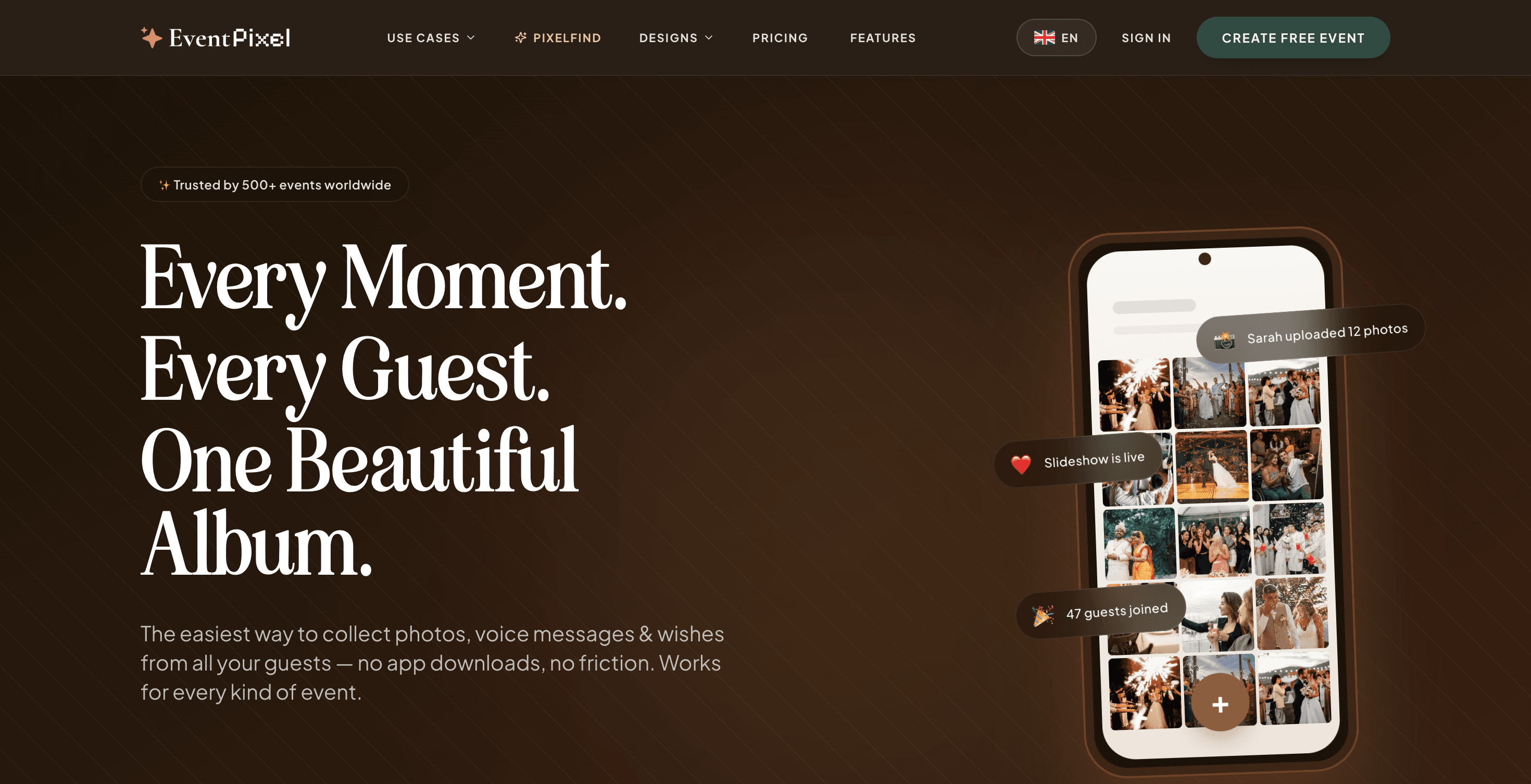
The easiest way to collect photos, voice messages & wishes from all your guests — no app downloads, no friction. Works for every kind of event.
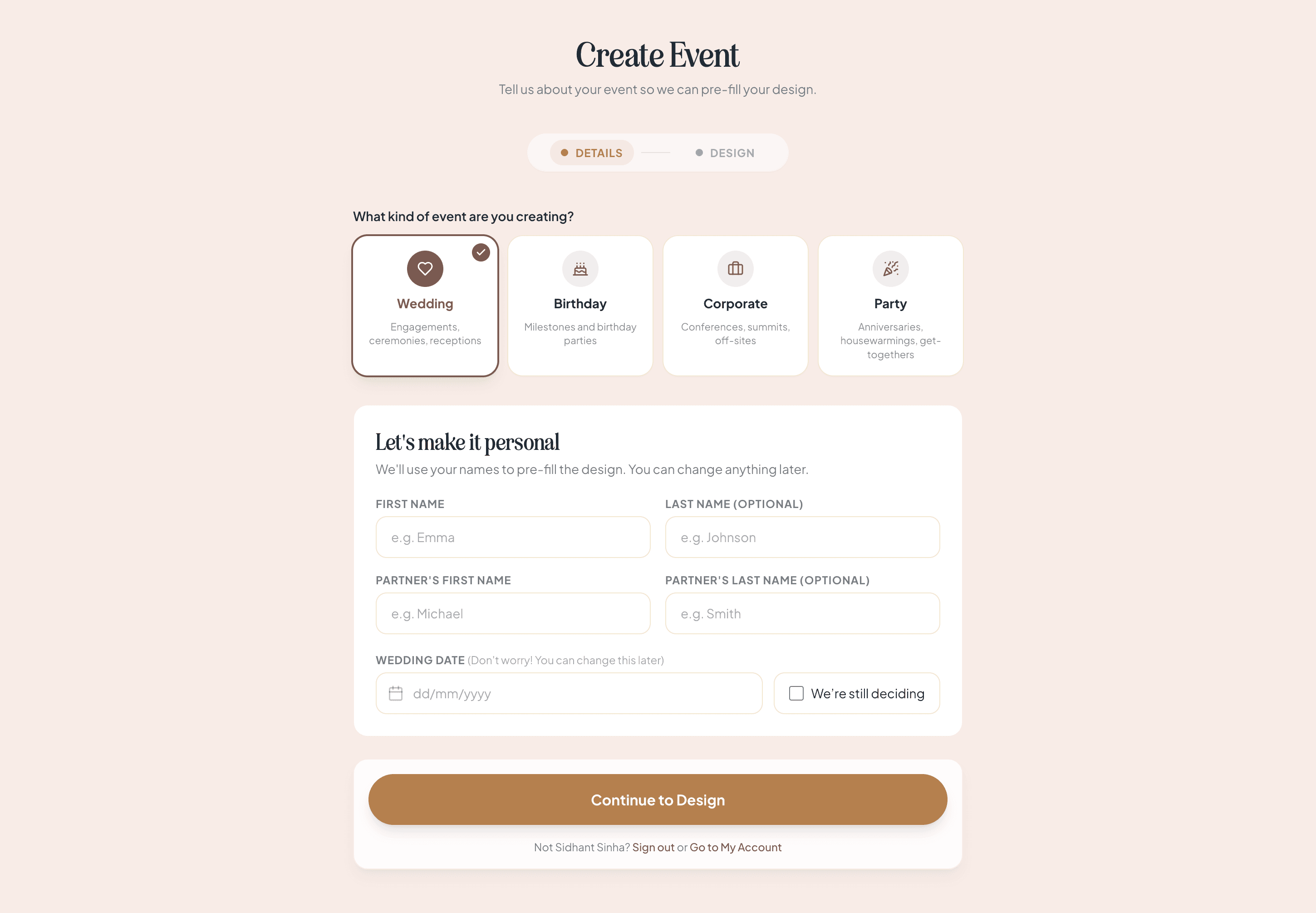
Set up your event page in minutes. Pick a template, add your details, enable the features you need.
Print your QR on table cards or share the link via WhatsApp. Guests join instantly — no app, no signup.
Photos, voice messages, and written wishes all land in one beautiful gallery. Download in one click.
Our flexible platform works for both social gatherings and corporate events.
Before a single photo is taken, your guests tap open an animated website — music, a live countdown and one-tap RSVP. Included with every paid Event plan.
Connect any device to a projector or TV. As guests upload photos and write messages from their phones, they appear instantly on the big screen. No refreshing needed.
EventPixel is fundamentally different. Our custom PixelFind AI Face Search scans the entire event gallery in milliseconds, serving each guest their personalized album instantly. No app downloads required.
Instead of scrolling through 2,000+ event photos looking for themsel
What EventPixel does that nothing else does
EventPixel combines QR-based photo sharing with AI-powered face search, letting every guest instantly find their photos across the entire event gallery — without app downloads or manual searching.
Who EventPixel is for
For couples, wedding planners, photographers, event organizers, and businesses hosting weddings, parties, conferences, and celebrations who want to collect and share guest photos instantly.
Written up on SpacerrApps
Apps like EventPixel

Sellphotos.online0 clicks
An online store for event photographers. Upload with your watermark, share one link, and guests find their photos with a selfie and pay you directly.
Photo and video, E-commerce, Productivity

ZIPZAX0 clicks
ZIPZAX is a free collection of 425 online tools for everyday digital work. No account, no installation.
Productivity, Utilities

SoundClean0 clicks
Reduce background noise in audio and video. Compare a free 10-second preview before buying the full download.
AI, Media

Letlink0 clicks
A link shortener that records the whole click on every plan and sends each device to the right place from one link.
Marketing, Analytics, Productivity

Viston AI0 clicks
Experience Viston AI in Action Don't just read about AI—experience it. Try our live AI demonstrations and see how our solutions transform business operations
Productivity, AI, Automation

8 comments
Elias Wagner
Can organizers customize the event page with their own branding, colors, and welcome message?
Sidhant SinhaMaker
Yes. Pick a design (36 wedding plus birthday, corporate, party), then change palette and fonts in the Customizer. Your own cover photo, your own hero title and welcome line, story, schedule, venue, registry. Sections can be switched off. Custom event URL and guest language too.
Marta Vidal
Can organizers approve photos before they appear in the live gallery or slideshow?
Sidhant SinhaMaker
Honest answer: no, there's no approval queue. Photos appear in the gallery and on the live wall the moment they're uploaded. Hosts and co-organisers can delete anything from Manage Event Gallery, and a deleted photo leaves the gallery, the wall and face search instantly, so in practice moderation is "remove within seconds", not "approve beforehand".
We built it that way on purpose. At a wedding nobody is sitting at a laptop approving 500 photos, and a queue means guests upload and see nothing, which kills the "it's already on the wall" moment that makes people upload in the first place.
What you do get for control: password-protect the event so only invited guests reach it, require sign-in to upload instead of anonymous uploads, hide the QR code from the wall so the link only spreads through people you trust, and switch uploads off entirely at any point.
If you have an event type where pre-approval is non-negotiable (corporate, school), I'd like to hear about it. That's the case that would change my mind.
Caleb Doyle
How does AI face search protect guest privacy, and can organizers disable it?
Sidhant SinhaMaker
Fair question, and one we get a lot. Here's exactly how PixelFind works:
Guests must sign in before searching, and can only search with a selfie of their own face. There's no way to browse faces or look up a named person. The selfie is used for one match and then discarded. It's never stored, never shown to other guests, and not visible to the host. Results only include photos already visible in that event's gallery. It never surfaces anything a guest couldn't see by scrolling, and never reaches across events. The face index belongs to that event alone. Delete a photo and it leaves search results immediately. And yes, organizers can turn it off entirely. Hide the "Find My Photos" tab under Manage Features and the event has no face search at all. You can also add an event password so only invited guests reach the gallery.
Full write-up: eventpixel.app/help/pixelfind-privacy-and-selfies
Felix Brandt
What limits apply to the free plan for event size, photo storage, and guest uploads?
Sidhant SinhaMaker
Free plan limits, no fine print:
Event size: no cap on guests. Two hundred people uploading at once is a normal Saturday. Photo storage: 100 guest photos per event. At the cap, guests see a message asking the host to activate the event. Nothing is deleted. Guest uploads: no app, no account. Each file under 10 MB (typical phone photos are 2 to 6 MB). Upload window: 30 days after the event date. Gallery viewing: 14 days after the event. Also included: event website, QR code, live photo wall, basic RSVP, and a PixelFind face search preview on those first 100 photos. Paid plans lift the photo cap to unlimited (fair use), extend the window to 3, 6 or 12 months, and the clock always runs from your event date, not the day you pay.
Details: eventpixel.app/help/free-plan-limits