


FogAway
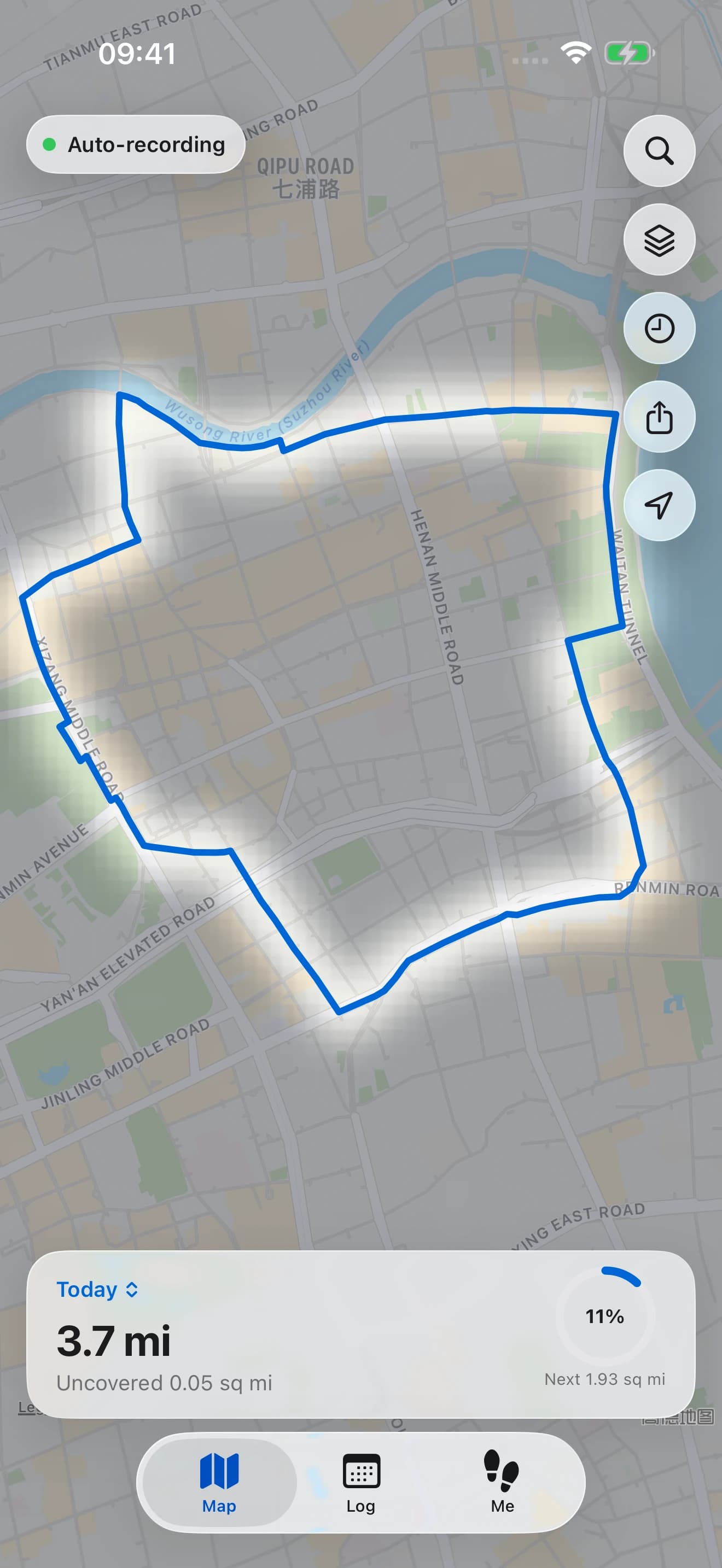
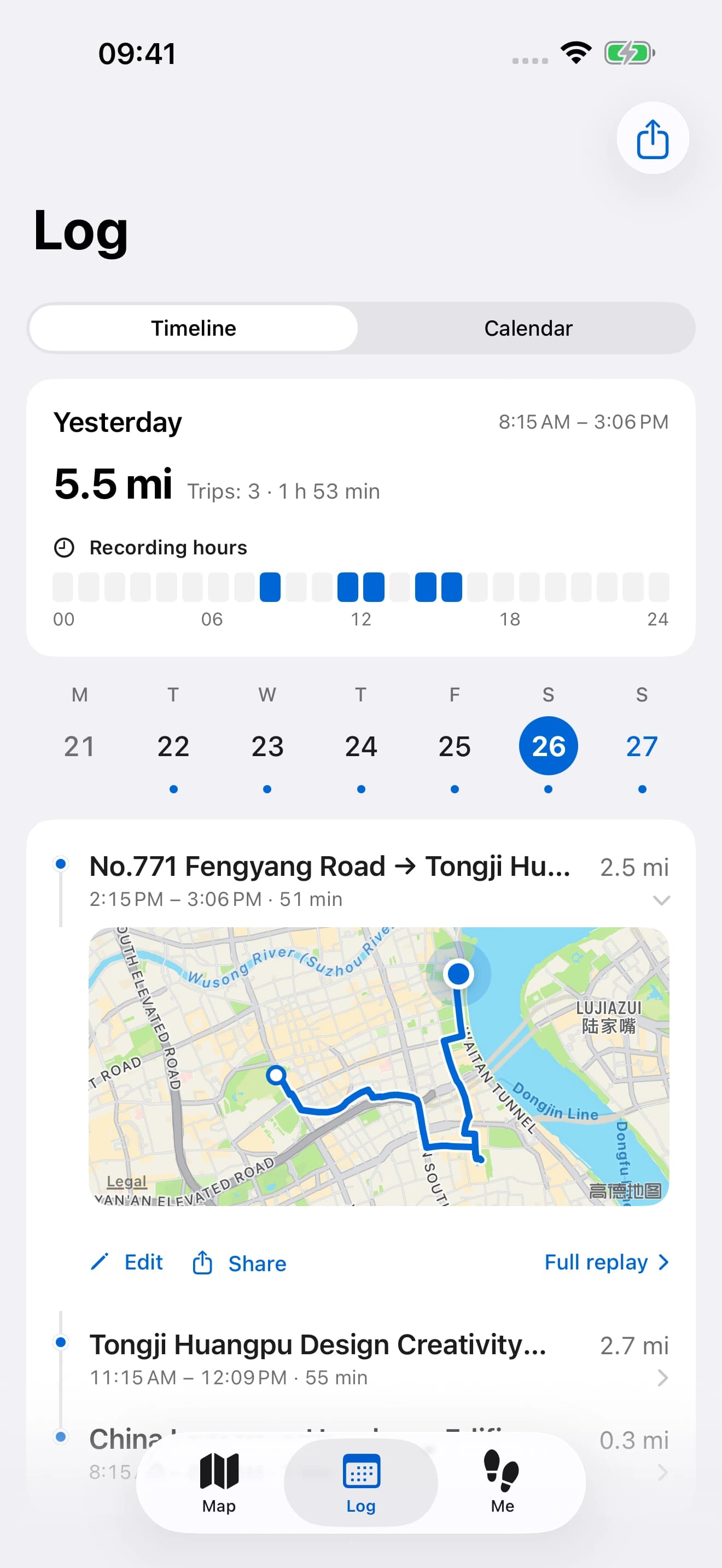
Watch the streets you explore emerge from the fog. Record your routes, revisit each day in the timeline, and share a journey. Tracks stay in your local database; you choose what to back up or share.
About FogAway
FogAway turns your walks into a map you gradually uncover. Record routes on iPhone, revisit journeys in a timeline or calendar, and see distance and exploration statistics. Share a route card or replay video, import or export GPX, and use privacy zones and Face ID protection. No FogAway account is required. Tracks are stored in a local database with optional backup in your own iCloud; map, search and place-name features use Apple services. There are no advertising or analytics SDKs. FogAway supports iOS 17 or later and 12 languages. Access is available monthly, yearly or as a lifetime purchase, with a seven-day trial for eligible yearly subscribers. Download: https://apps.apple.com/app/id6812938877
Written up on SpacerrApps
Apps like FogAway

Speeku2 clicks
Short lessons that stay fun, in the variety people actually speak around you. A full dictionary behind every single word. One-time payment, fully offline.
Education, Mobile, Travel

ViraSIM0 clicks
Travel eSIM data plans for your next trip. Check your phone is compatible, compare data and validity, and manage your eSIM online or in the app.
Travel, Mobile, Communication

Rigly0 clicks
RV maintenance schedule app for Class A, B and C motorhomes, travel trailers, 5th wheels and truck campers. Chassis and house in one offline log. No AI, no cloud lock-in. Free for 1 rig.
Travel, Utilities, Mobile

Alliance at War2 clicks
3D fantasy SLG with real-time RTS controls on Android and iOS — build your kingdom, rally heroes, and fight alliance wars.
Games, Mobile, Social

Amia2 clicks
Explore relationship patterns with free Blueprints, daily connection questions and guided voice sessions alone or together.
Lifestyle, Health, Mobile

4 comments
Lena Horvat
Can I export my journeys as GPX files and import them again later?
AnonymousMaker
Yes, Lena — for recorded GPS routes. FogAway's export is a ZIP containing one GPX per day. In Settings → Data & Backup, export the archive and save it in Files; later use the import option there to select the same ZIP. Keep the ZIP intact for moving the routes between iPhones. GPX carries route points and timestamps, rather than all app settings.
The app requires paid access: US$0.99/month, auto-renewing, with local prices shown by Apple. You can still export your data if your plan ends. No FogAway account or iCloud backup is required for the archive workflow.
Are you keeping an independent backup, or moving to another iPhone? — FogAway developer
Owen Fitzgerald
Can I record and view my routes without enabling iCloud backup?
AnonymousMaker
Yes, Owen. You can record routes and revisit your saved journeys with iCloud backup turned off. FogAway stores tracks locally on your iPhone; iCloud backup is optional, and no FogAway account is required. Location permission is needed to record a route. Loading Apple Maps, searching places and looking up place names may still use the internet. — Ellis, FogAway