Halcyon
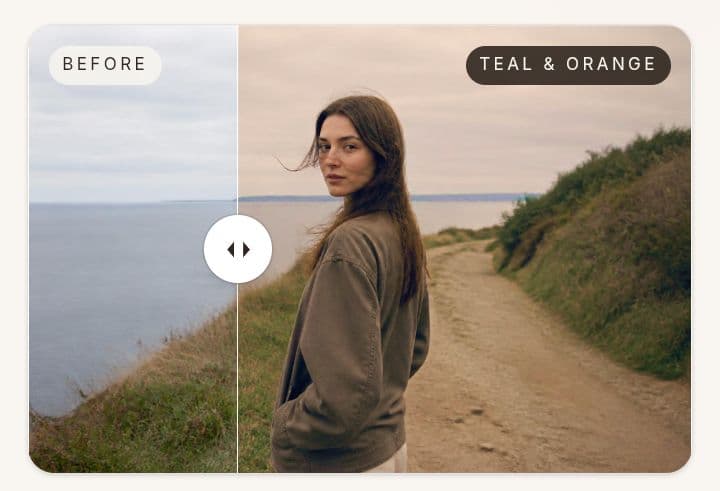
Upload a photo, pick a cinematic preset, and get a soft, dreamy color grade in seconds. Free AI photo filters — no login, no upload to the cloud.
- Launched
- Clicks
- 43
- Categories
- Photo and video,Design,AI
- Runs on
- Web
- Pricing
- Free
About Halcyon
Halcyon is a simple photo color-grading tool for anyone who wants their photos to feel more cinematic without spending ages inside Lightroom. Upload a photo, choose from handcrafted present and instantly preview the result. It is designed for quick experimentation rather than complicated editing. No account, no complicated controls, and no need to send your photos to a server. Processing happens quietly in your browser so you can try different looks and see what fits your photo best. Whether it is a travel photo, a portrait or just something sitting in your camera roll. Halcyon is for people who want better colors without becoming a color-grading expert.
What Halcyon does that nothing else does
Cinematic color grading with instant browser-based previews, no login, and no cloud upload.
Who Halcyon is for
Photographers, creators and casual photo editors who want cinematic color grading without complicated editing software.
Written up on SpacerrApps
Apps like Halcyon

My Tools bench6 clicks
Free online image converter. Convert JPG, PNG, WebP and AVIF in your browser. No upload, no sign-up, no file size limit — your images never leave your device.
Image, AI, Design

Jeda.ai2 clicks
Jeda.ai — the first patented AI Workspace. 18 AI models generate mind maps, flowcharts & 300+ frameworks on one canvas. Free to start.
AI, Productivity, Design

GetMotionTransfer3 clicks
Create short character and dance clips from an image and a reference motion video. GetMotionTransfer runs in the browser and uses paid generation credits.
AI, Photo and video, Content creation

Songifted2 clicks
Turn names and memories into sung gifts. Approve lyrics before recording, hear a free 45-second preview, and unlock full songs from $49.
AI, Music

SnapPChart2 clicks
! Make sure both the time axis (X) and price axis (Y) are visible in your screenshot for accurate results.
Finance, AI, Analytics

13 comments
Marco Bellini
Can I compare the original and graded photo side by side before choosing a preset?
Tomas Keller
Does Halcyon work offline after the page loads, and which browsers support its in browser processing?
Basit JumaniMaker
You can use halcyon in any browser every smoothly and no halcyon didn't work offline
Marta Vidal
Can I download the graded photo without losing its original resolution?
Basit JumaniMaker
Yea u can
Felix Brandt
How many cinematic presets does Halcyon include, and are new looks added over time?
Basit JumaniMaker
Yea Felix we include new looks with time and for now halcyon have 60+ free presets are available with different categories
Jonah Petersen
Which photo file formats does Halcyon support, such as JPEG, PNG, or HEIC?
Basit JumaniMaker
Yea Jonah halcyon support JPG, PNG, WEBP easily.
Lena Horvat
Can I adjust the strength of a color preset, or is each look applied at a fixed intensity?
Basit JumaniMaker
No Lena you can adjust your color presets intensity there is an fix intensity but you can adjust according to your choice
Ines Moreau
Can Halcyon process high resolution photos in the browser, and does it work on mobile?
Basit JumaniMaker
No halcyon process your high resolution photos in browser easily