


Move Reminders
Build a simple workday movement habit with gentle reminders, self-reported check-ins, and consistency you can see.
- Launched
- Clicks
- 17
- Categories
- Productivity,Health,Lifestyle
- Runs on
- Android
- Pricing
- Free plan, paid upgrade
About Move Reminders
Build a simple workday movement habit with gentle reminders, self-reported check-ins, and consistency you can see.
Move Reminders gives desk workers a timely prompt, lets them choose a small reset, and lets them check in when they do it. Build consistency into the workday without turning it into a fitness programme.
When you have no plan, start small: 10 air squats, a quick stretch, or a short walk away from the desk.
You start the day focused. Meetings, emails, deep work. Then hours pass with no movement, no break, and no reset. By the end of the day your body can feel stiff, your energy drops, and your focus fades.
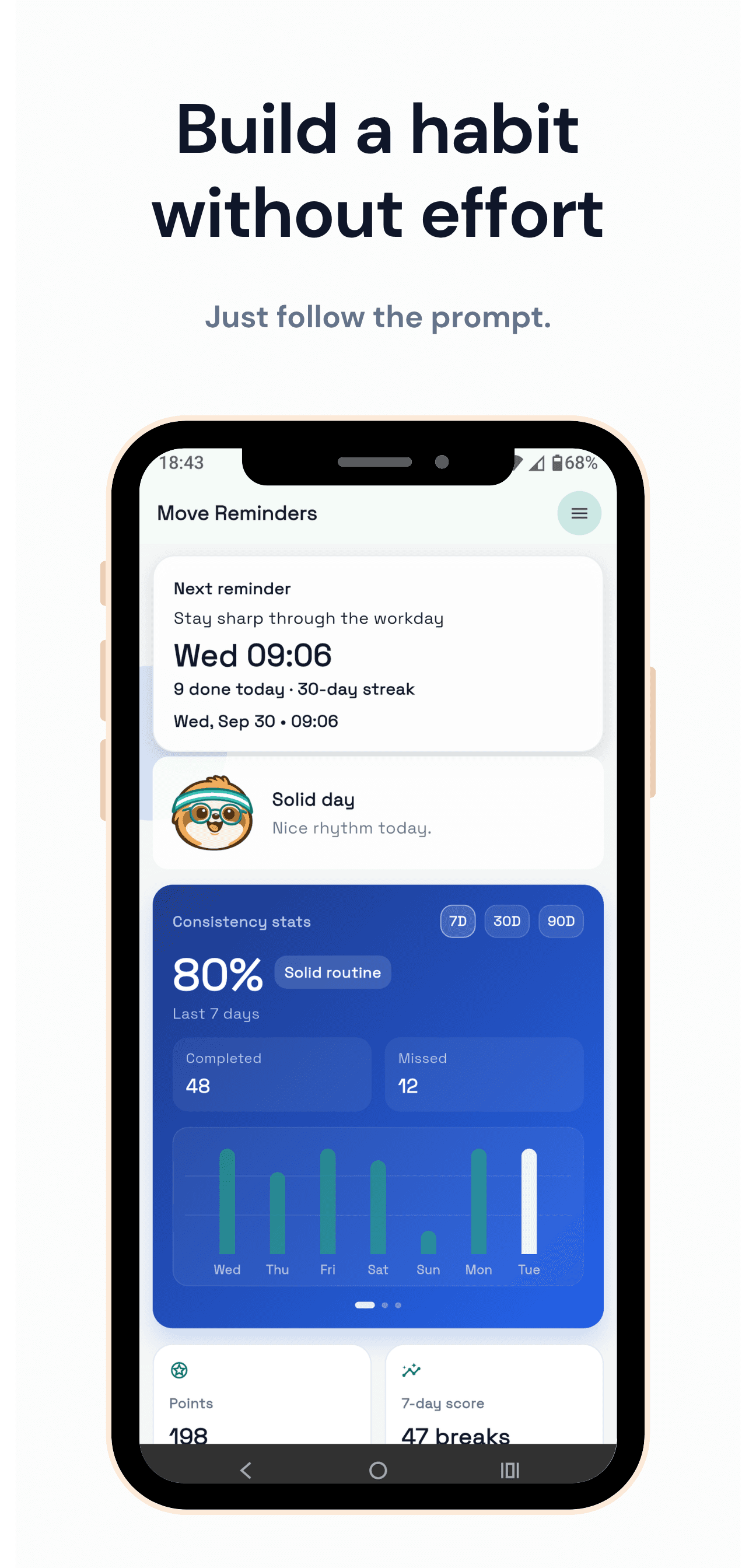
This is usually not a motivation problem. It is a habit problem. Move Reminders gives you a simple trigger at the right time, so movement becomes part of your work rhythm.
Most people do not need more motivation. They need a trigger.
You already know you should move more. Smartwatches and fitness apps often tell you what happened after the fact. Move Reminders helps you act in the moment, while there is still time to reset your day.
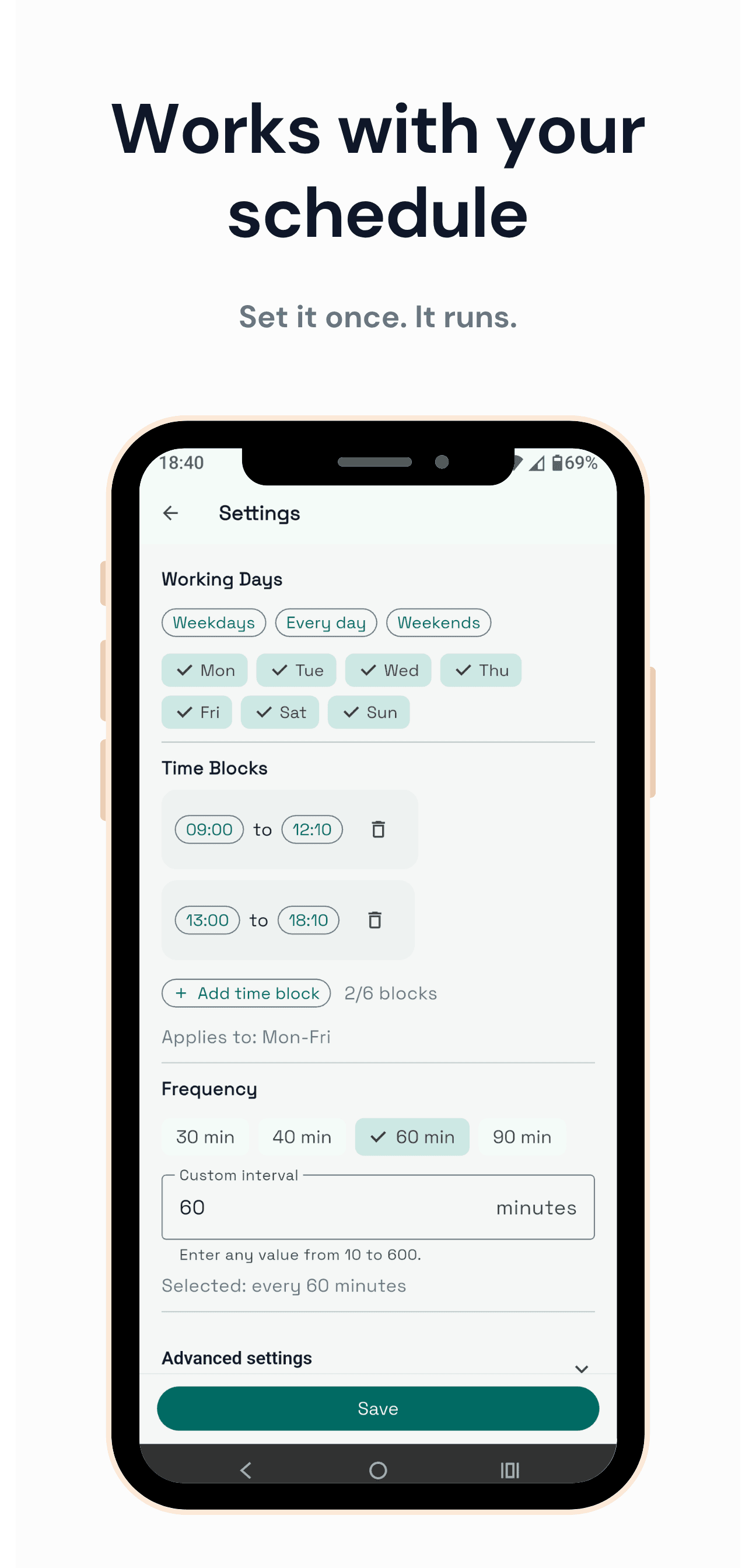
Start with a 60-minute workday rhythm, then choose 30, 40, 60, 90, or a custom interval.
Use quick movement breaks that take about 30 seconds.
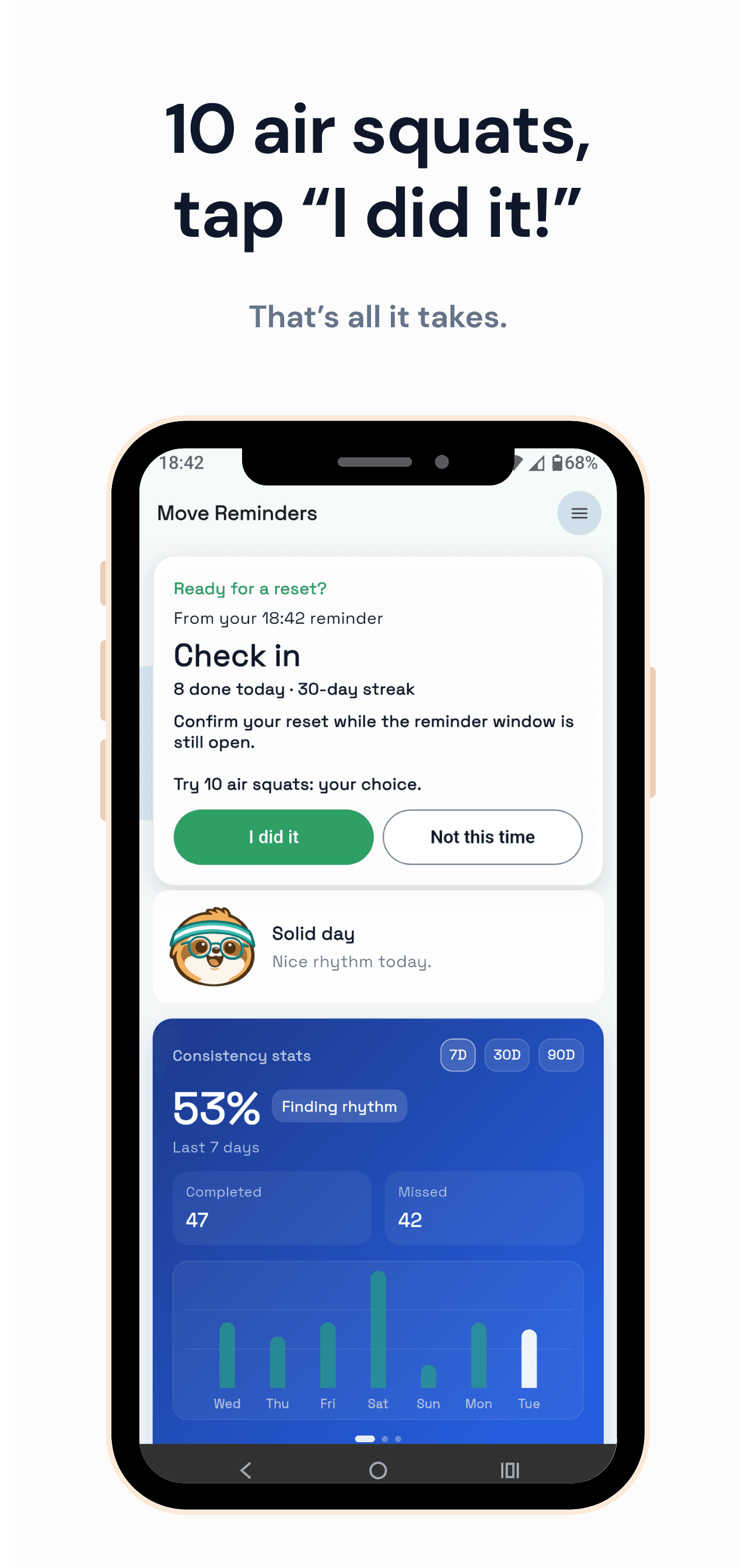
When a reminder appears, do your own suitable reset and tap to check in before the window closes.
Choose working hours and reminder frequency in seconds. The default is 60 minutes, and you can send a test reminder before relying on the schedule.
No complex workouts. Try 10 air squats
Written up on SpacerrApps
Apps like Move Reminders

Amia2 clicks
Explore relationship patterns with free Blueprints, daily connection questions and guided voice sessions alone or together.
Lifestyle, Health, Mobile

Session: Focus & App Lock2 clicks
Set a return time on iPhone or iPad, get a reminder, and optionally block distracting apps until you return to your work.
Productivity, Mobile

CupidWish - Create Gift Card Online: Free 3D Rose Gifts2 clicks
Create a surprise link for a birthday or send roses online: craft a 3D forever rose virtual gift with a voice note, WhatsApp link, and free instant QR delivery.
Productivity, Shopping, E-commerce

TwinPhone2 clicks
Call landlines and mobiles in 145+ countries from Chrome, Edge, Firefox, Brave or Safari. US & Canada $0.02/min; other rates shown before you dial.
Communication, Lifestyle, Mobile

Rabbit Link2 clicks
Rabbit brings your Android phone to your Mac, so it can stay in your pocket. Reply to notifications, browse photos and send files, over Bluetooth or Wi-Fi.
Productivity, Communication, Privacy

8 comments
Ines Moreau
Do reminders keep working if I close the app or restart my Android phone?
AnonymousMaker
Thanks for the question, Ines, yes!
Mara Jensen
How does the app show my check-in consistency over time?
AnonymousMaker
Hey Mara,
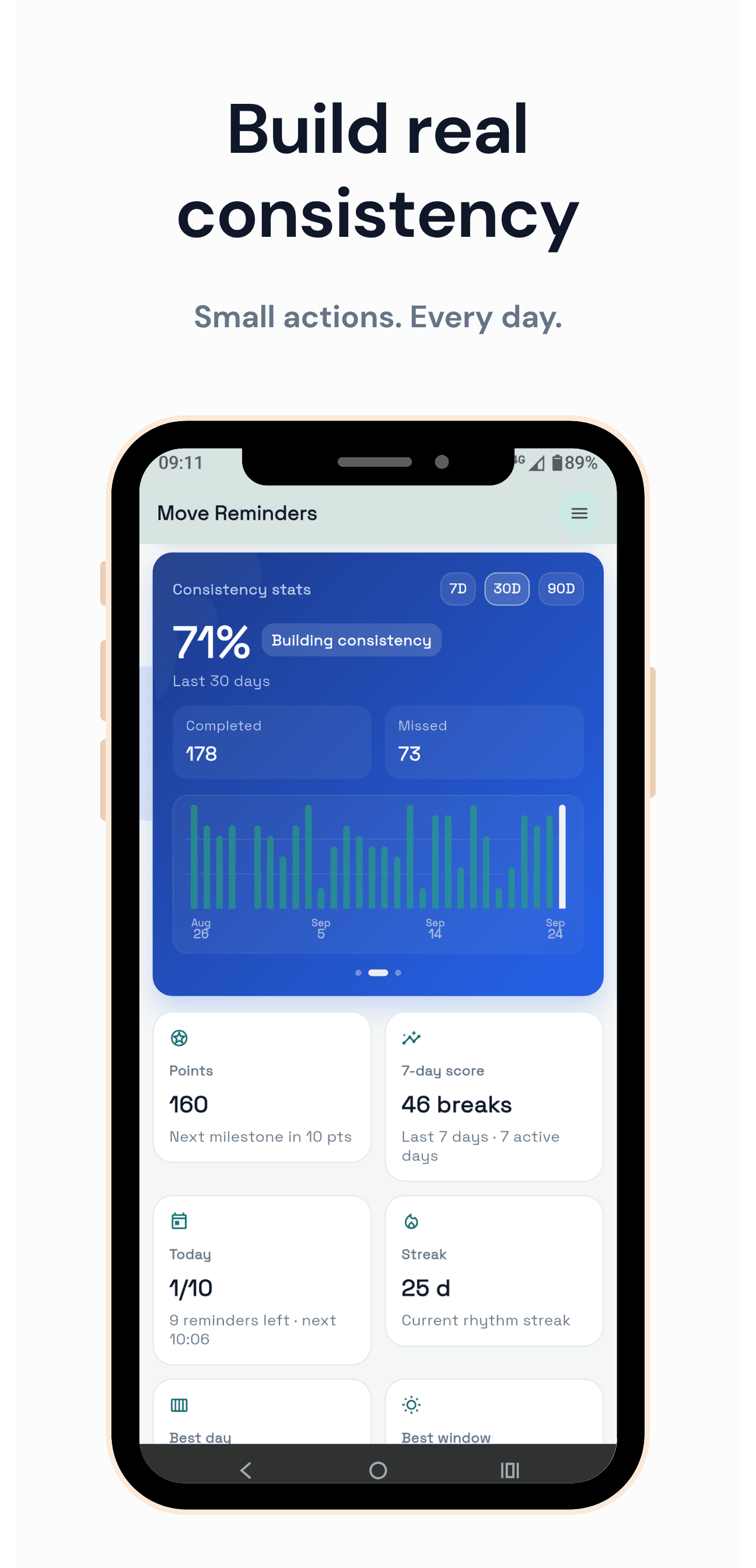
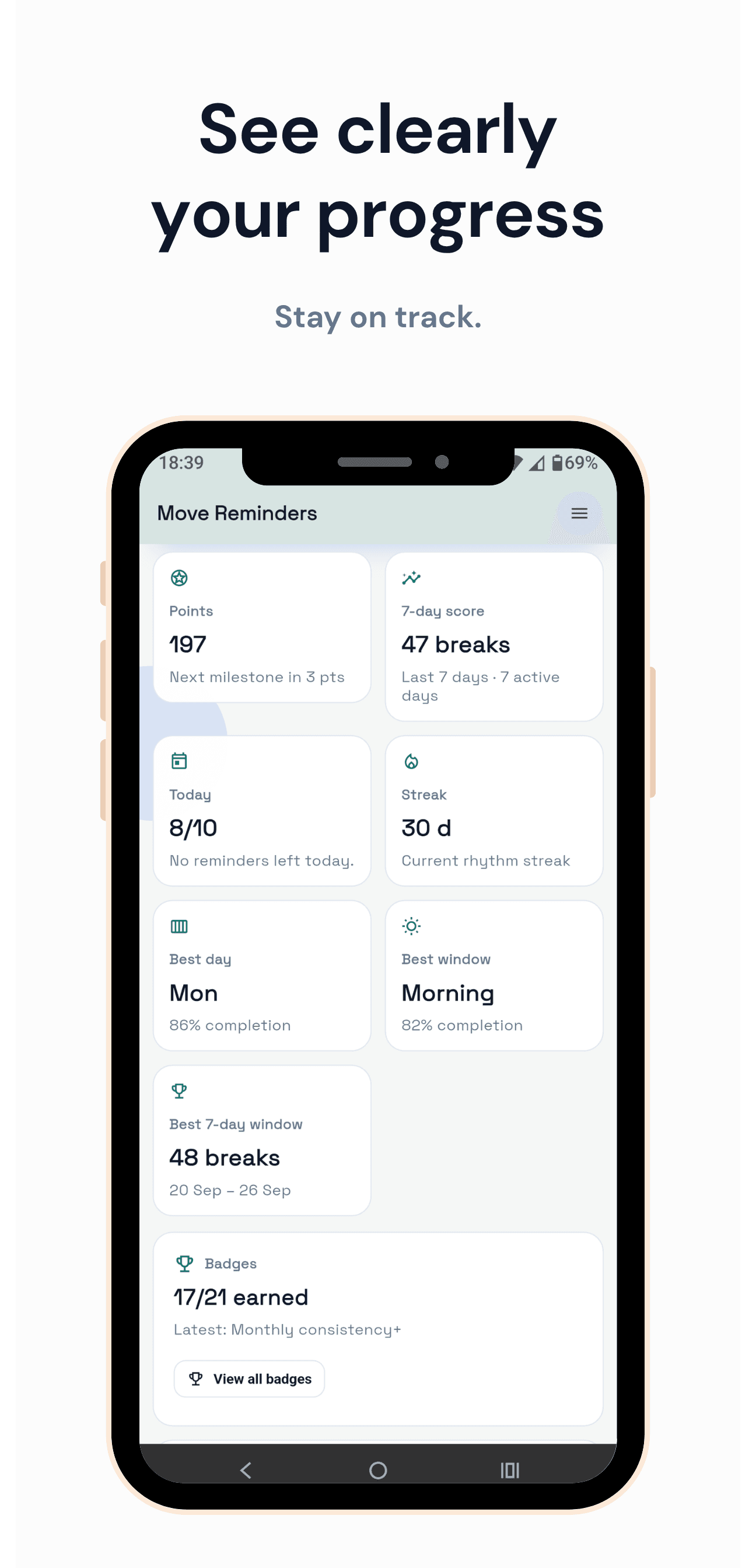
In multiple ways! Firstly, you have the consistency stats (refer to the listing screenshots), which are available for 7 days on the free plan and for 30 and 90 days on the Pro plan.
Then you also collect points as you press "I moved" within the allowed timeframe (no cheating! :)). Finally, the Pro version currently has 21 badges to unlock, and some can be unlocked multiple times.
Plenty of stats and gamification to help you build a better desk movement habit!
Elias Wagner
Can I create my own movement resets, or choose from a built in list?
AnonymousMaker
Hi Elias,
You create your own movement resets, the app will help you follow through with your own routines. The app is all about building your own healthier movement habit.
I created the app because I was working 12 hours straight at my desk with no interruptions. I needed a gamified/enticing way to know that time was passing and to do some movement.
Now, every business hour, I stand up and do 10 air squats if I am not on a call. It helped my back pain a lot, and strengthened my legs and body muscles!
Try it!
Tomas Keller
Can I choose how often reminders appear and set quiet hours for meetings?
AnonymousMaker
Hey Tomas,
You can set the frequency to however many minutes you like, from 10 to 600. You also have the possibility of snoozing the app for 2 hours at a time for unexpected schedule changes.
The free version allows some configuration around time blocks and days, while the Pro version allows for more granular settings (for example on Mondays only notify in the morning, Tuesdays all day, Wed only afternoons and so on).
Try the free version, and see if you'd like to upgrade. You can also upgrade for a week at a time to test it out, before committing.
Enjoy!