Nexus Shell
A native SwiftUI SSH client that keeps terminals, dual-pane SFTP, Docker controls, keys, and server monitoring together on Apple silicon Macs.
- Launched
- Clicks
- 23
- Categories
- Developer tools,Utilities,Productivity
- Runs on
- macOS
- Pricing
- Free plan, paid upgrade
About Nexus Shell
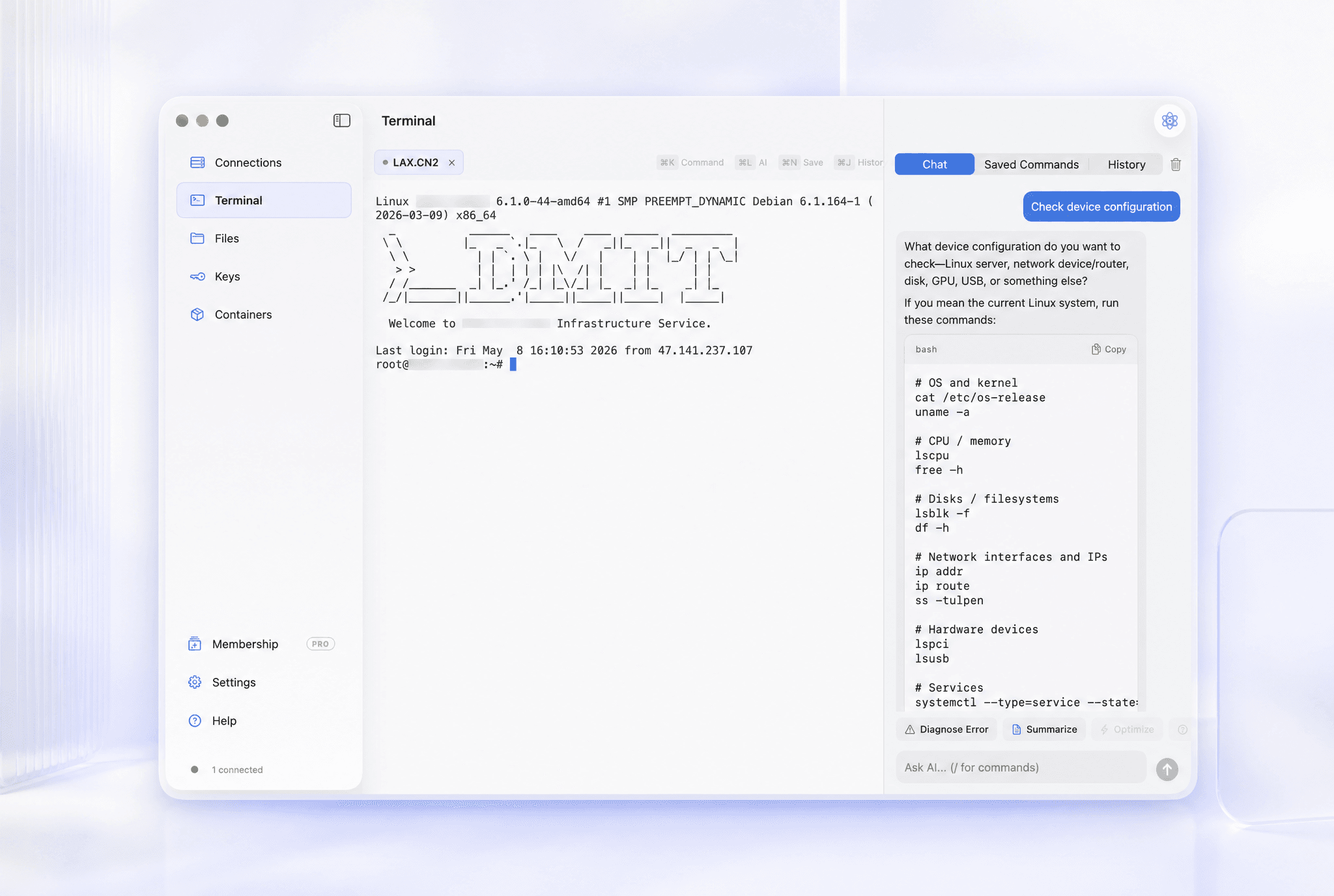
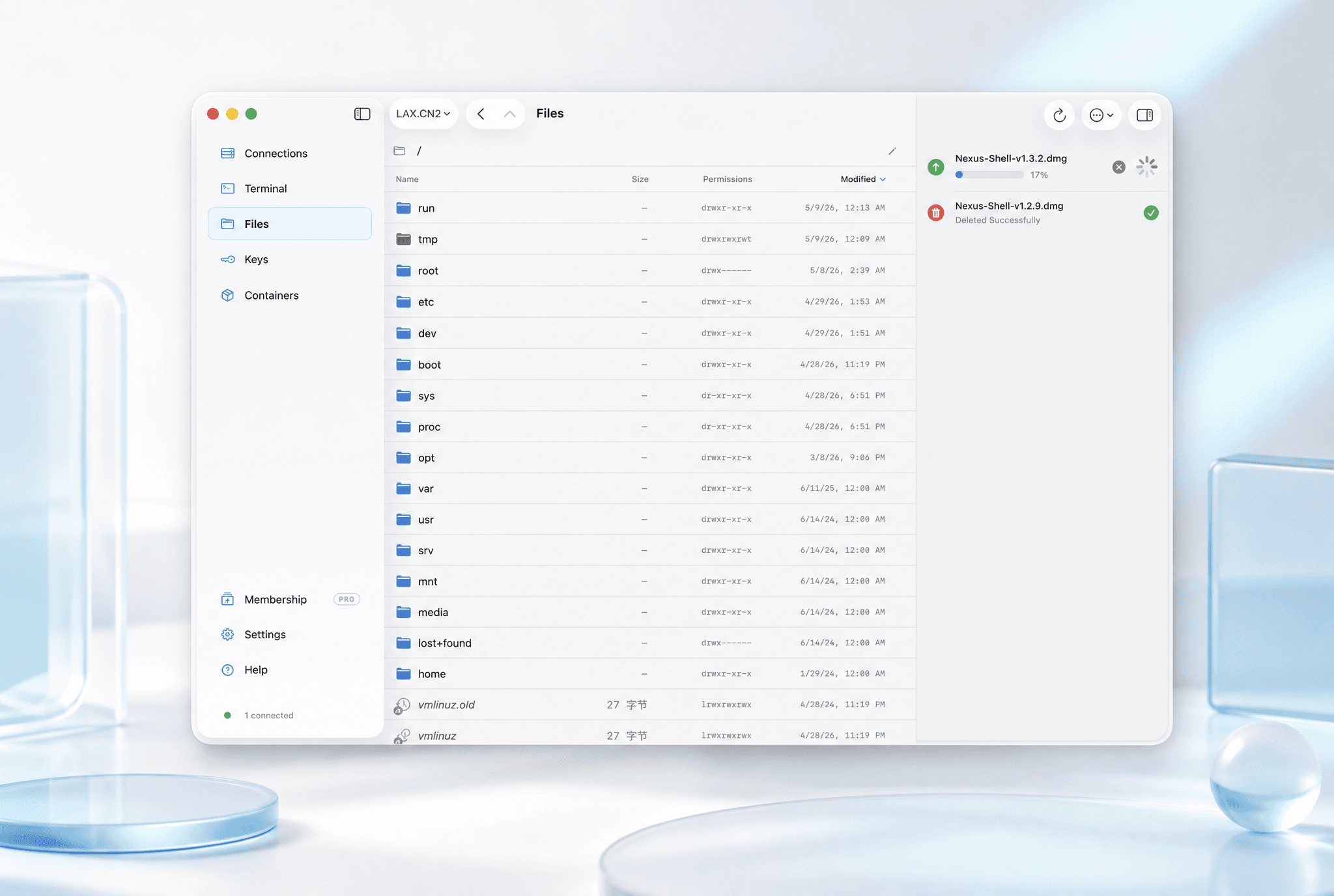
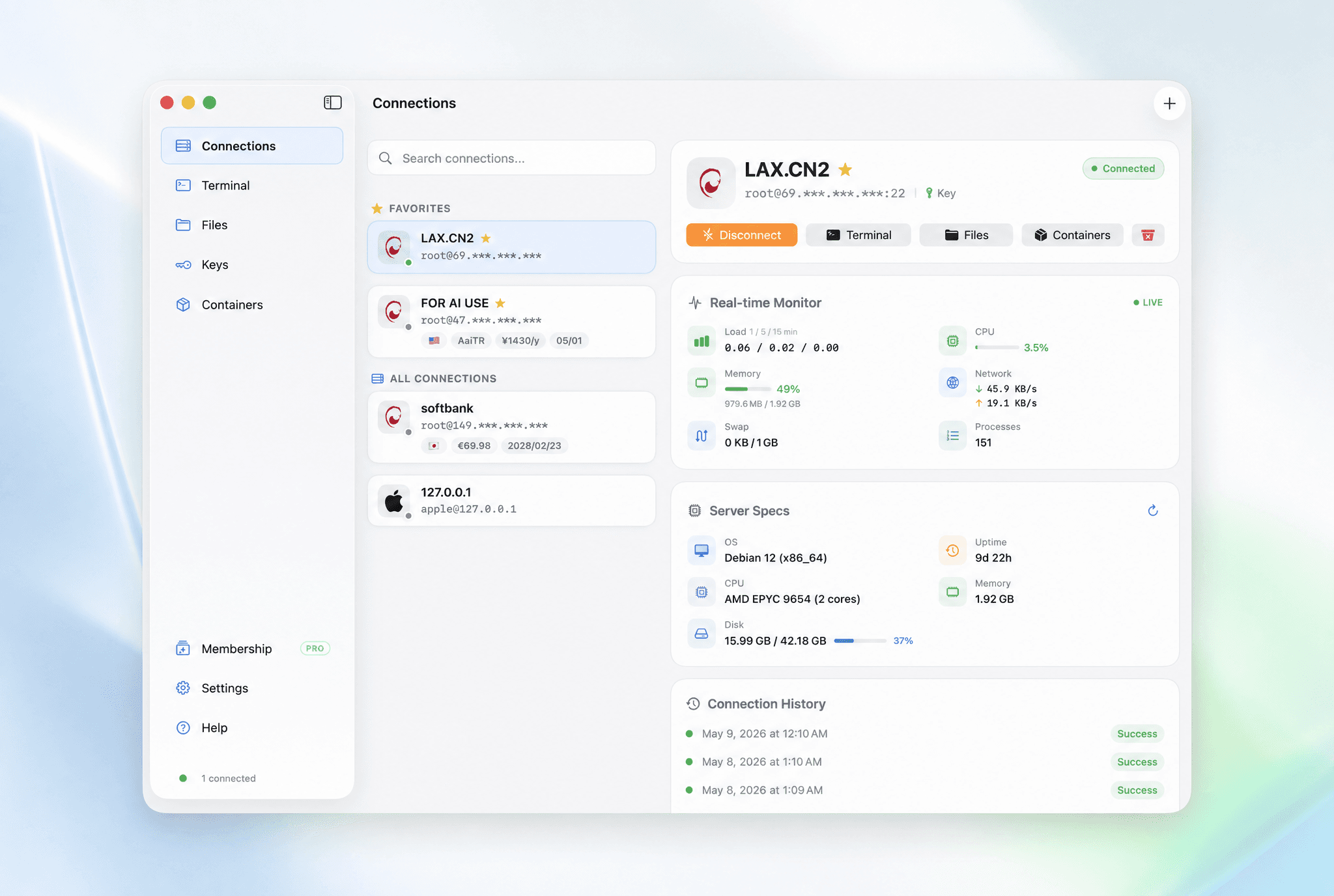
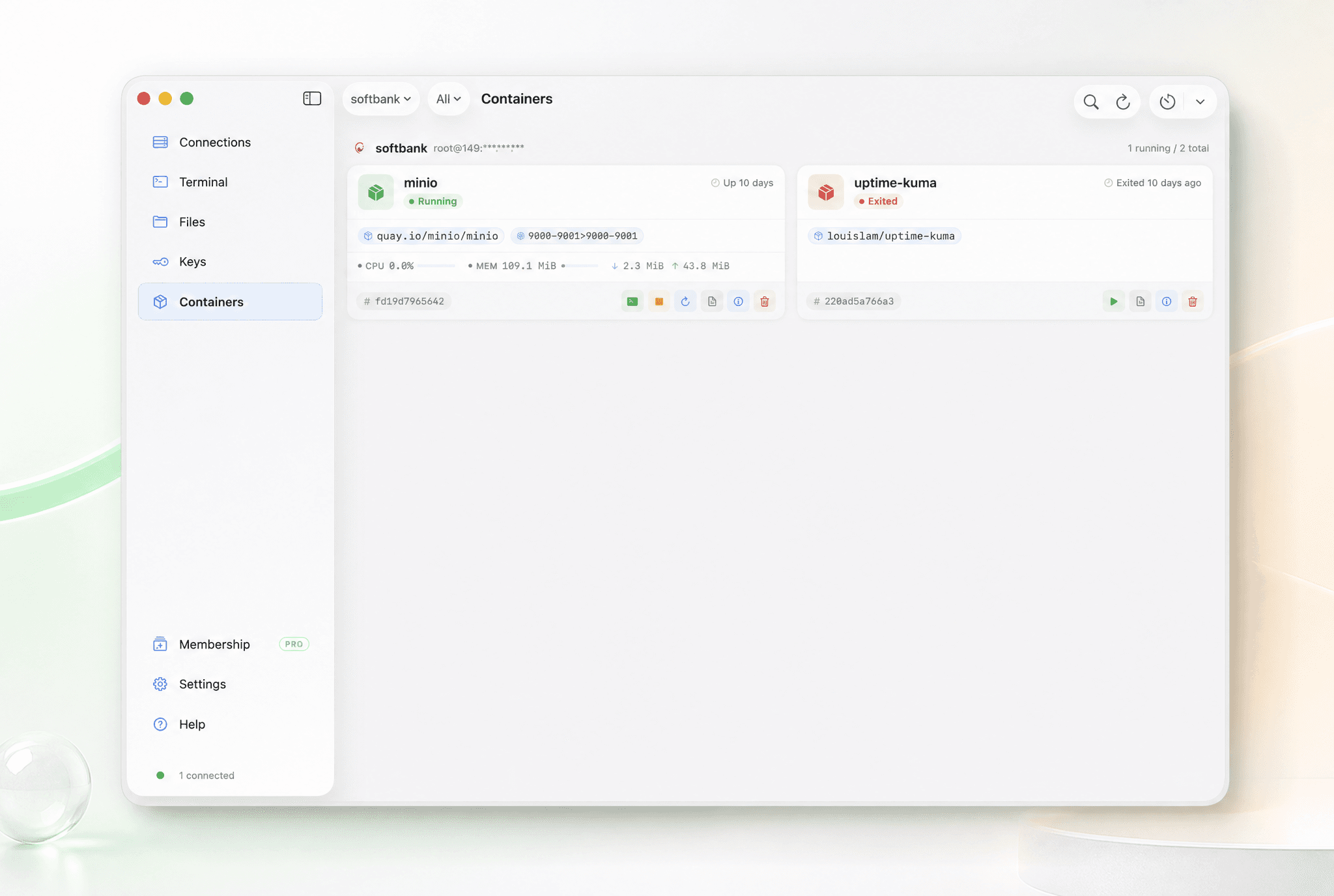
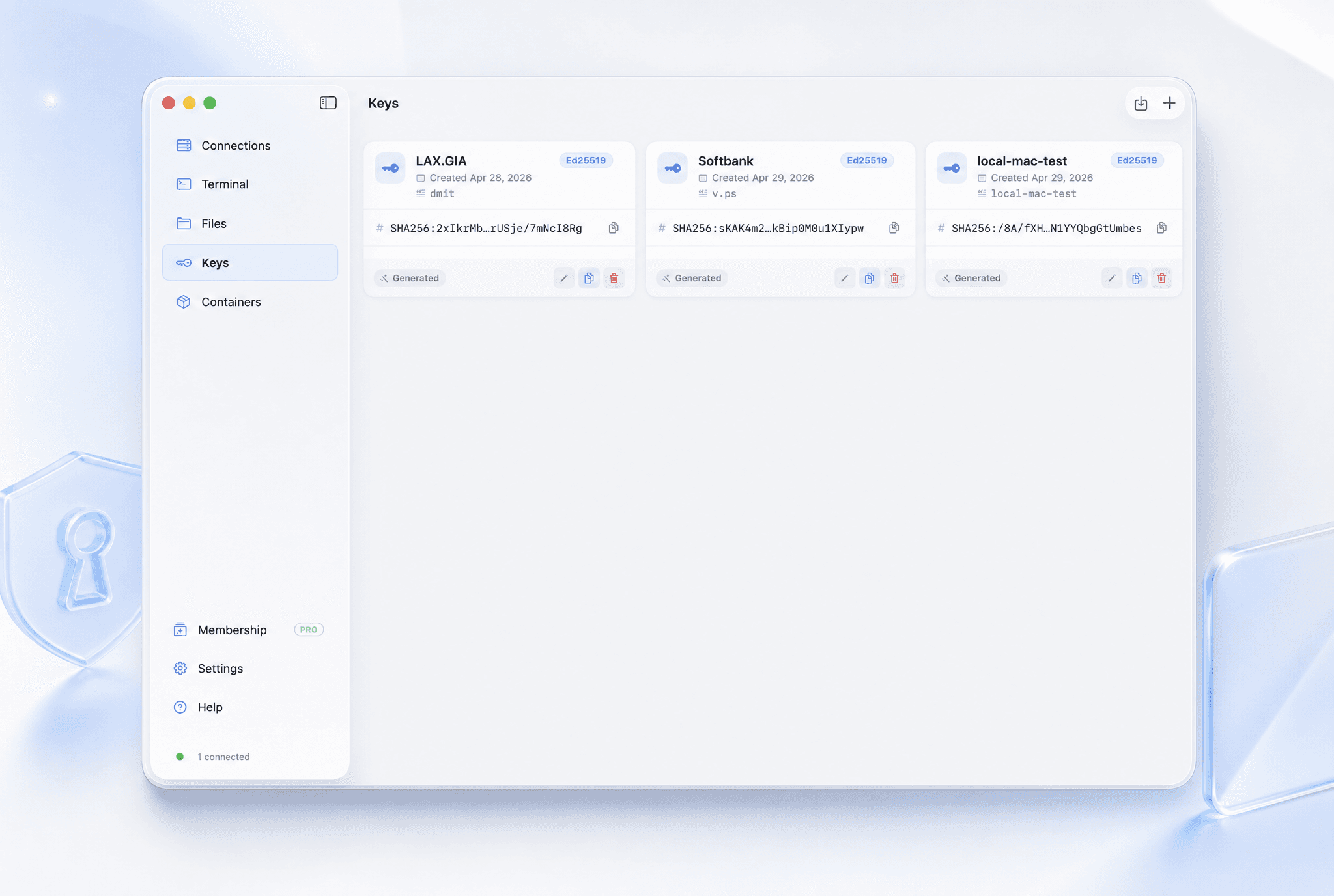
Nexus Shell is a native SwiftUI workspace for developers, sysadmins, VPS owners, and homelab users managing remote servers from Apple silicon Macs. It brings multi-tab SSH sessions, dual-pane SFTP, SSH key management, Docker controls, server and network monitoring, and encrypted local session logs into one focused app. The goal is to keep common remote-server work visible and easy to navigate without turning the client into a collection of unrelated features. Basic personal SSH use is free. Pro is a one-time purchase with a seven-day trial and no subscription.
Who Nexus Shell is for
Developers, sysadmins, VPS owners, and homelab users managing remote servers from Apple silicon Macs.
Written up on SpacerrApps
Apps like Nexus Shell

Keymap4 clicks
Keymap is a macOS menubar app that shows every menu shortcut in the app you're using. Double-press ⌘ to summon the panel. Local and private.
Productivity, Utilities, Developer tools

MockBase3 clicks
A real HTTPS endpoint that answers how you tell it to: conditional responses, stateful CRUD, deliberate failures, and every request visible live.
Developer tools, Utilities, Productivity

CheckMyDisk20 clicks
Stop guessing what is taking up your storage. CheckMyDisk maps your entire drive into an interactive visualization.
Utilities, Monitoring, Developer tools

Volumora3 clicks
See what fills your Mac, remove hidden app leftovers, find duplicates, search instantly, and monitor performance. Private, native, and sold once — no subscription.
Utilities, Productivity, Privacy

Calcul Heure11 clicks
Calcul heure de travail, heures supplémentaires et salaire en quelques secondes. Gratuit, sans inscription, 100% RGPD. Compatible Sage, Cegid, ADP, Silae.
Productivity, Open source, Utilities

12 comments
Elias Wagner
What limits apply to the free personal SSH use, and which features are unlocked by the one time Pro purchase?
Maker
The Free tier is intentionally narrow: connection management and the multi-tab SSH terminal, for personal non-commercial use. Pro is a lifetime one-time purchase (currently $12.88, with no subscription or auto-renewal) and unlocks seven gated areas: the terminal AI assistant (using your own API key), dual-pane SFTP and remote editing, SSH key management and password-to-key migration, Docker controls, live server monitoring, encrypted local session logs, and scheduled network-quality / SSH-security monitoring. Commercial use and future feature updates are also included.
New accounts can use the full Pro feature set for 7 days, once per email address and device. It then downgrades to Free automatically and nothing is charged. Agent Bridge is separate from those Pro gates: it is available only in the direct-download/Homebrew build, not the App Store/TestFlight build.
Viktor Lindqvist
Can I choose which SSH sessions are saved in the encrypted local logs, and how are those logs protected?
Maker
Yes. Session logging has a global switch, and each server can override it, so you can disable recording for specific connections while leaving it enabled elsewhere. The app records terminal output and session events only; it does not capture your keystrokes.
Completed log segments are compressed and encrypted locally with AES-GCM using a device-specific key, then stored under Nexus Shell's Application Support data. The recordings are not uploaded or included in iCloud sync. You can choose 7, 30, 90, or 365 days, or keep them indefinitely, and set both total-storage and per-session limits; older data is pruned automatically when those limits are reached.
Hana Suzuki
Can Nexus Shell use keys from the macOS Keychain or SSH agent, and does it support passphrase protected keys?
Maker
It does not currently reuse arbitrary SSH identities from the macOS Keychain or your existing SSH_AUTH_SOCK. You import the private key into Nexus Shell and assign it to a connection.
Passphrase-protected private keys are supported: the app asks for and verifies the passphrase during import. In the direct-download build, Nexus Shell starts its own isolated ssh-agent for system-SSH sessions rather than sharing the user's agent; the passphrase is supplied to ssh-add without being written to disk. The App Store/TestFlight SSH backend uses the imported key material and passphrase directly.
In both editions, the saved key is kept in Nexus Shell's encrypted credential storage and is not exposed to Agent Bridge clients.
Owen Fitzgerald
What server and network metrics does the monitoring view show, and how often are they updated?
Maker
The live server panel shows CPU usage (including iowait), memory used/total, 1/5/15-minute load averages, RX/TX network rates, process count, and swap when available. It refreshes every 5 seconds by default, and you can set it from 2 to 30 seconds.
The separate network-quality monitor measures ping RTT/loss, TCP upload/download throughput, and optional UDP loss/jitter. Those checks can run manually or on a schedule from 5 minutes to 24 hours (15 minutes by default).
Live polling is read-only and pauses when the app window is not visible.
Mara Jensen
Can the Docker controls manage Docker Compose projects, or only individual containers?
Maker
Right now, the Docker UI manages individual containers: list/status, start, stop, restart, delete, logs, details, live stats, and opening a shell. It does not yet group or operate Docker Compose projects as stacks. You can still run docker compose commands in a terminal, but Compose-aware controls are not part of the Docker panel today.
Ravi Menon
Can the dual pane SFTP view transfer files between your Mac and a remote server, or only between remote folders?
Maker
Yes — it transfers directly between your Mac and the connected remote server. Drag from the local pane to upload, or from the remote pane to the local pane (or Finder) to download; multi-select works in both directions. It does not currently do direct remote-to-remote transfers between two servers.