SearchTriage
Turn your Google Search Console export into a practical SEO audit with prioritised recommendations for content, CTR, page updates and internal links.
About SearchTriage
Turn your Google Search Console export into a practical SEO audit with prioritised recommendations for content, CTR, page updates and internal links.
Turn your Google Search Console data into an SEO audit you can act on.
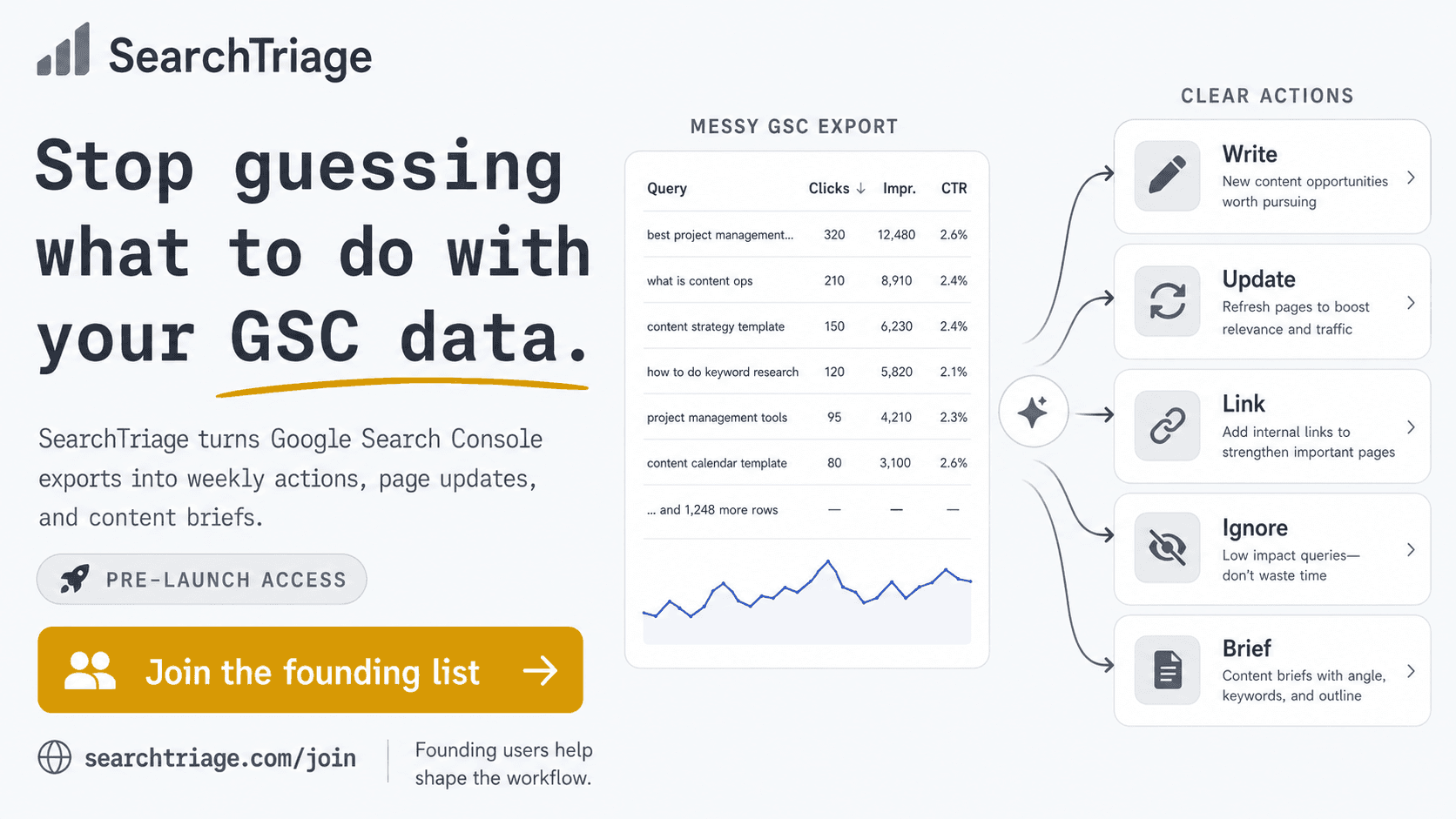
SearchTriage analyses your Google Search Console exports and site context, then gives you a prioritised plan for what to write, update, link, fix, or ignore.
It is a search-performance and content audit built from your own data, not a generic technical site score.
No ranking promises. No automatic site changes. Every recommendation is tied to your own GSC evidence.
Google is already testing your site. See what to do next.
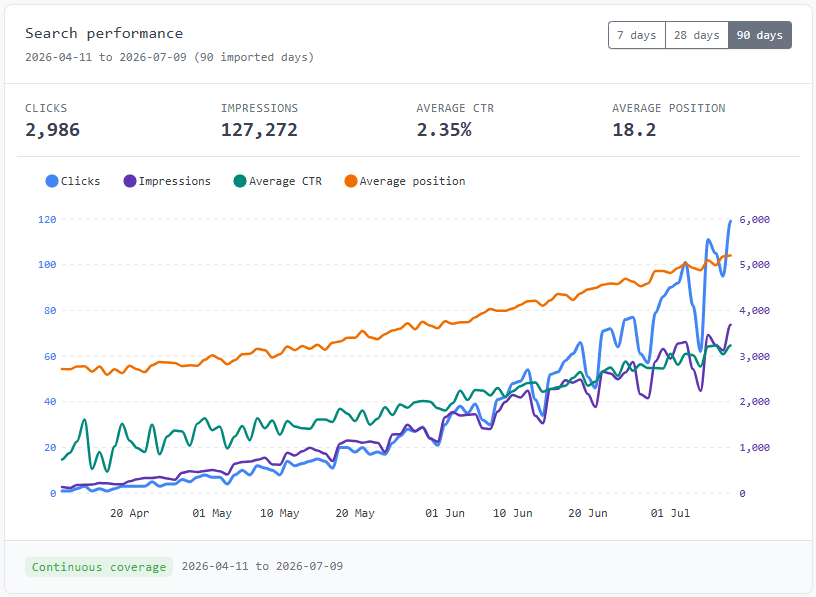
Search Console shows clicks, impressions, CTR, position, queries, and pages. SearchTriage audits the patterns between those numbers and prioritises the work most likely to be worth your time.
Every useful finding leads to one of five practical decisions.
Find useful queries that your existing content does not answer clearly.
Find pages with traction that need stronger titles, answers, sections, or search-intent alignment.
Find related pages that should be supporting each other with useful internal links.
Find weak CTR, unclear search packaging, or the wrong page ranking for a useful query.
Set aside tempting searches that do not fit your audience, offer, or publishing priorities.
See the opportunities hidden inside your GSC data.
The most useful signals rarely sit in one column. SearchTriage looks at the relationship between qu
What SearchTriage does that nothing else does
SearchTriage turns Google Search Console into a prioritised SEO work queue, showing you exactly what to fix or improve next, and why.
Who SearchTriage is for
SearchTriage is for site owners, SEO consultants and small teams who use Google Search Console and want clear priorities without drowning in dashboards, reports or endless data.
Written up on SpacerrApps
Apps like SearchTriage

RankArena7 clicks
A live product leaderboard where founders bid for rank, challenge competitors, and see the real attention each position earns.
Marketing, Analytics, Launch platforms

Sendezeit2 clicks
Turn one real source into native posts for X, TikTok, and YouTube. Review each version, schedule from one place, and keep every destination tied to the original source.
Marketing, Productivity, Content creation

SnapPChart2 clicks
! Make sure both the time axis (X) and price axis (Y) are visible in your screenshot for accurate results.
Finance, AI, Analytics

Makerio.io34 clicks
Share your product updates, milestones, new features, and projects on Makerio — and give your work more opportunities to be discovered by builders, search engines, and AI.
Marketing, Launch platforms, SEO

Outvote3 clicks
Submit a product for free and compete on a public leaderboard ranked by daily votes. No account or login required; one vote per browser per product per day.
Marketing, Launch platforms, Social

Findleadly8 clicks
Search any city for local businesses with no website, weak reviews or poor Google presence.
Sales, SEO, Marketing
11 comments
Hana Suzuki
What site context can I add besides my Google Search Console export, and how does it change the audit recommendations?
Ravi Menon
Can SearchTriage use your sitemap or site structure to make more accurate internal linking recommendations?
Lars JansenMaker
Sure can:)
Zofia Kowalska
Is my Google Search Console data stored after the audit, or can I delete it immediately?
Lars JansenMaker
For the free SEO Analyzer, the raw GSC upload is deleted immediately after it’s parsed, whether the audit succeeds or fails. Only a limited evidence set and private report are kept temporarily, then removed automatically.
For a SearchTriage account, imported data is stored privately so you can keep history and compare audits over time, subject to the plan/retention limits.
Marco Bellini
What features are included in the free plan, and what requires a paid upgrade?
Lars JansenMaker
Yep — there are two free options.
The free plan gives you a limited version of SearchTriage with a GSC import, a few findings, a sample brief and sample audit.
There’s also a completely separate free SEO Analyzer at https://searchtriage.com/free-seo-analyzer — no paid plan needed, and it’ll analyse a GSC export and return a few useful findings.
Paid plans mainly add ongoing imports, more findings, tracking, briefs, page updates, internal linking suggestions, exports and higher usage limits.
Mara Jensen
How does SearchTriage decide which pages or queries should be updated first?
Lars JansenMaker
Pretty much the system is based on my own 25 years of SEO experience. Effectively the system guidelines and prompts are written by myself to provide the best results based on my own continuous R&D:)
Jonah Petersen
Can I upload a standard Google Search Console export, and what date range or file size limits apply?
Lars JansenMaker
Absolutely! You can upload a standard Google Search Console export directly — CSV, ZIP and XLSX exports are all supported, so there’s no need to reformat the files first.
There’s no fixed date range you have to use. For a regular SearchTriage review I’d recommend the last 28 days as a good starting point, and then using the same range consistently for future imports so the comparisons stay meaningful.
For uploads, we have set VERY generous limits:) Let me know if you need anything else. Feedback always welcome!