


Local Music Organizer
Built by a music collector for collectors. Organize Music.app libraries, recover missing files, compare recordings, clean metadata, convert audio and enjoy three original spectrum players.
About Local Music Organizer
# Local Music Organizer: Built by a Collector, for Collectors
Local Music Organizer is a native macOS application for people who have spent years building and maintaining their own music collections. It combines Music.app library management, duplicate detection, missing-file recovery, metadata maintenance, audio analysis, format conversion, recording comparison and three original spectrum players.
The application works with locally available audio files. It is not a streaming service and does not require an Apple Music subscription.
## How It Started
I've been collecting digital music since the early days of iTunes. Over the years, my library grew enormously. I replaced MP3 recordings with lossless versions, collected different releases and masterings, experimented with audio formats and changed my playback equipment many times.
My first problem was surprisingly simple. I never liked Apple's shuffle playback. Some artists appeared too often, several songs from the same album could play close together, and other parts of my collection seemed to be ignored.
I wrote a small randomizer for myself, with better separation between artists, albums and individual tracks.
While working with my Music.app library, I began discovering other problems: duplicate records, missing files, broken links, incomplete albums, inconsistent metadata and multiple versions of recordings.
Solving one problem led to another. Eventually, the randomizer developed into a complete music library management application.
I decided to release it because I believe there are still many people who enjoy owning recordings, maintaining carefully selected libraries and listening to music without depending entirely on streaming subscriptions.
## Library Index and Dashboard
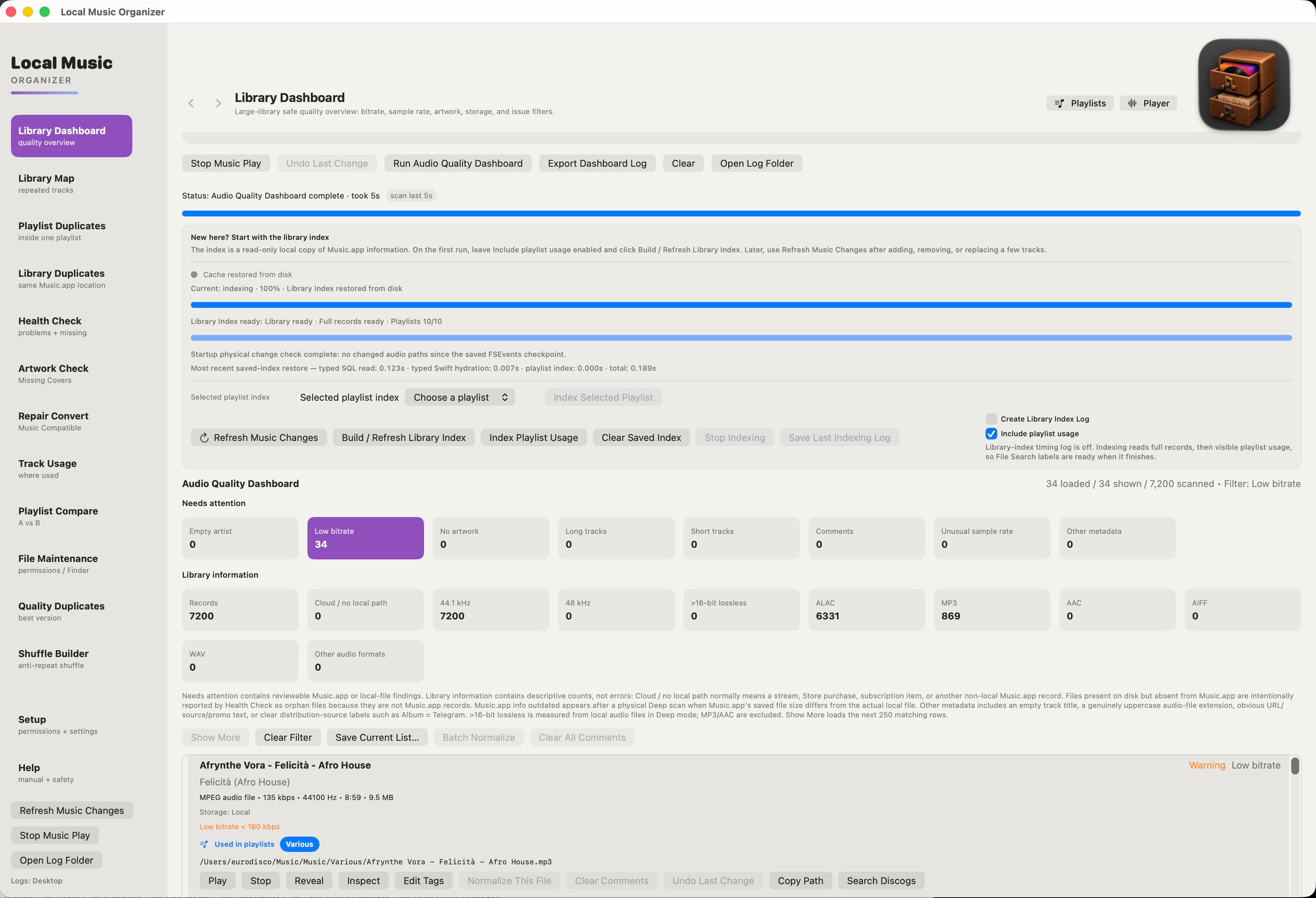
Local Music Organizer maintains a separate SQLite index of Music.app records, physical file locations and playlist relationships.
This makes it possible to analyze large collections efficiently without repeatedly reading the entire Music.app library. The index can be saved between launches, refreshed incrementally and updated for selected playlists.
Library Dashboard provides an overview of audio formats, technical properties, missing information and records requiring attention.
Importantly, LMO does not modify or rebuild Music.app's private database.
## Duplicate Detection and Playlist Tools
The application distinguishes several types of duplicates.
**Playlist Duplicates** finds repeated entries within individual playlists.
**Library Duplicates** identifies multiple Music.app records referring to the same physical audio file.
**Library Map** reveals relationships between recordings and playlists.
**Quality Duplicates** helps investigate separate physical versions of the same recording.
These distinctions matter. Two library records are not necessarily two physical files, and different versions of a song may represent different masterings worth preserving.
**Track Usage** identifies the playlists containing a recording.
**Playlist Compare** shows differences and overlaps between playlists.
**Shuffle Builder**, the original feature that started the project, generates playlists using configurable artist, title and album separation rules.
## Health Check and Missing File Recovery
Health Check investigates problems that accumulate over years of reorganizing music libraries.
It can detect missing audio files, broken Music.app references, unavailable external storage, orphaned physical files and conflicting file locations.
Supported reviewed actions include repairing individual links, relinking moved folders, importing genuine orphan files and removing exact missing Music.app records.
An unavailable external disk is not automatically treated as evidence that its audio files were deleted.
**Album Completeness** uses existing Track Number, Track Count, Disc Number and Disc Count metadata to detect missing numbered positions, missing discs and inconsistent album totals.
It does not invent missing track titles or consult online databases. Optional notifications can warn about potentially incomplete newly imported albums.
## File Maintenance and Metadata Cleanup
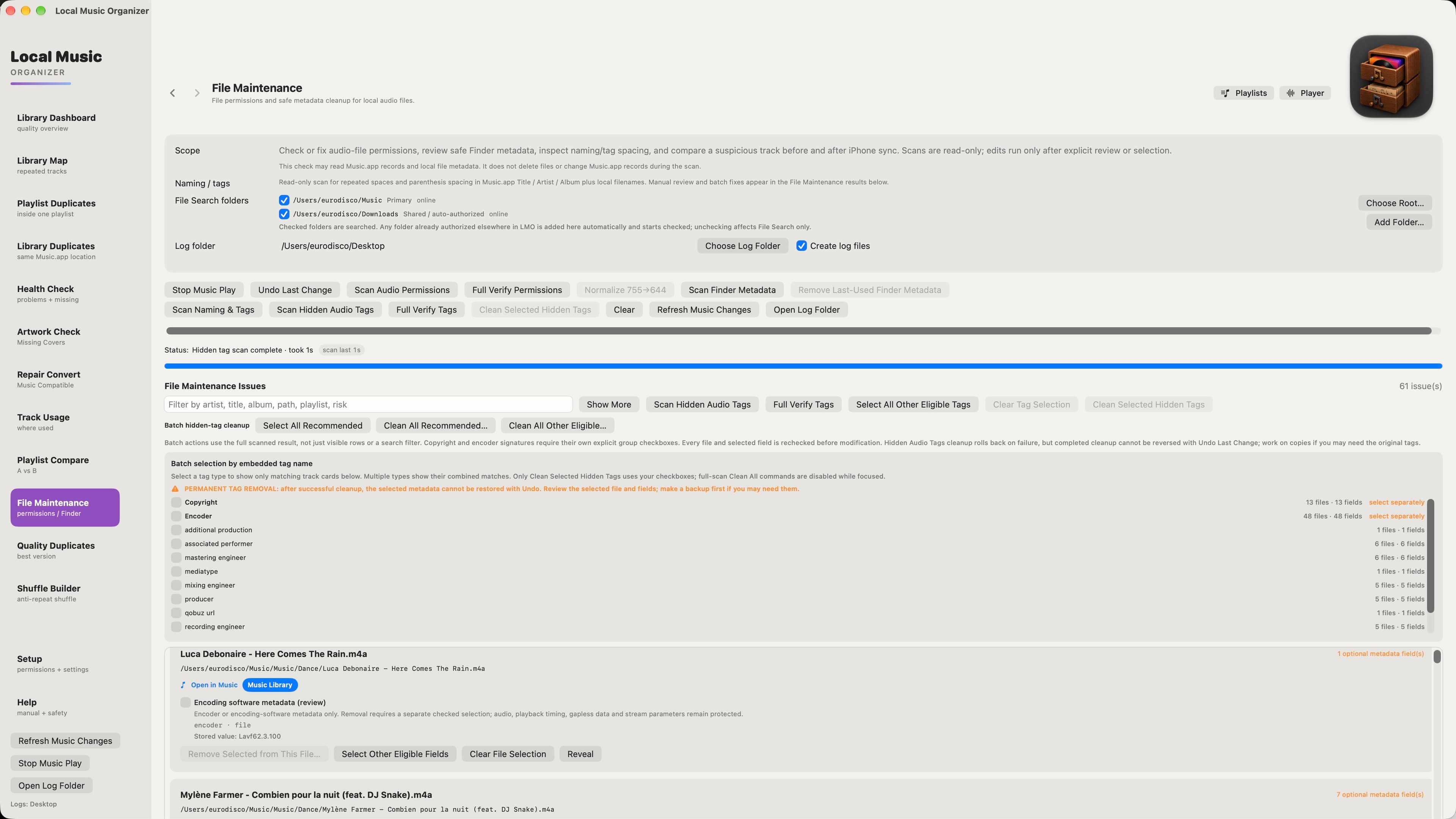
File Maintenance combines several independent workflows. Scans are read-only, and changes require deliberate user actions.
**Permissions:** Inspect audio-file permissions and correct eligible problems after review.
**Finder Metadata:** Examine extended attributes and selectively edit or remove supported last-used metadata.
**Naming and Tag Formatting:** Detect repeated spaces and incorrect parenthesis spacing in Music.app titles, artists, albums and filenames. Supported corrections and physical renames are verified.
**Hidden Audio Tags:** Find eligible embedded downloader URLs, encoder information, ripping software signatures, promotional metadata and editing-history fields.
Selected supported physical tags can be removed without re-encoding the audio. Verified M4A Encoded with (©too) metadata has a separate removal workflow.
The application distinguishes embedded file metadata from information previously stored in Music.app. Removing a Copyright or encoder field from a physical file does not guarantee that Music.app will remove an old saved display value.
Artwork, core music metadata, audio samples and playback timing remain protected. Failed supported edits use rollback safeguards. Successful embedded-tag removal is permanent, so backups are recommended.
## Audio Inspector and Authenticity Analysis
Audio Inspector examines recording formats, bitrates, sample rates, bit depth and frequency content.
Its spectrogram helps reveal technical characteristics that cannot be understood from file extensions or codec labels alone.
Fast, Balanced and Deep modes provide different analysis windows.
**Audio Authenticity Analyzer** examines spectral evidence that may suggest a recording has been converted from a lossy source into a lossless format.
Results are diagnostic indicators, not definitive judgments about recording quality.
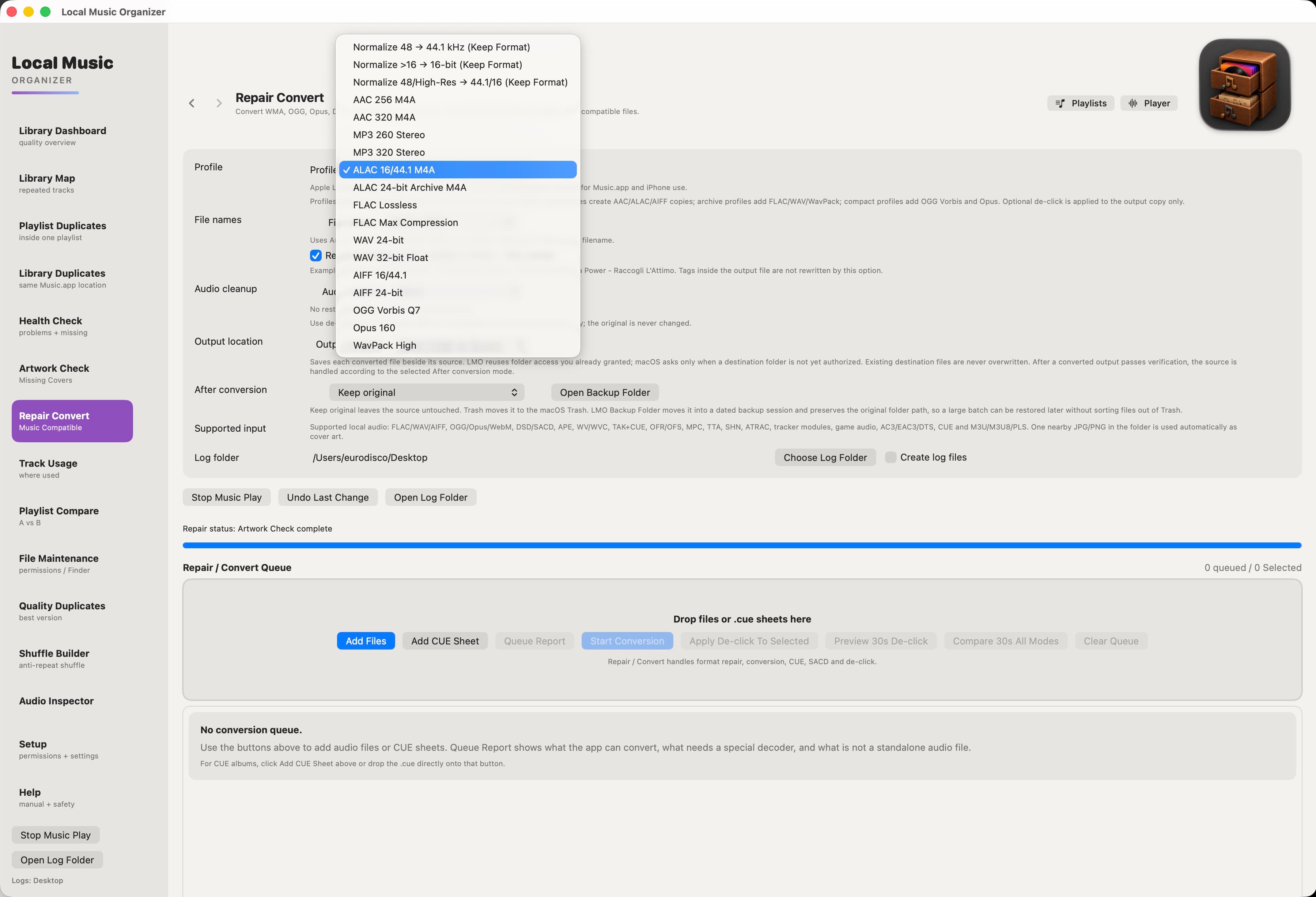
## Repair and Convert
The application includes local audio processing engines for common and specialist formats.
Supported workflows include FLAC, WAV, MP3, WavPack, DSF and other compatible sources, along with CUE album processing and SACD ISO extraction.
Additional tools provide sample-rate conversion, lossless bit-depth conversion, batch conversion queues and Vinyl De-click with short before-and-after previews.
Required codec engines are bundled with the application.
Conversions avoid silent overwrites. Original files are preserved unless the user explicitly chooses a supported source-handling operation.
## Real-Time A/B Recording Comparison
Collectors often own several versions of the same song, perhaps from different CD releases, mastering editions or encoding formats.
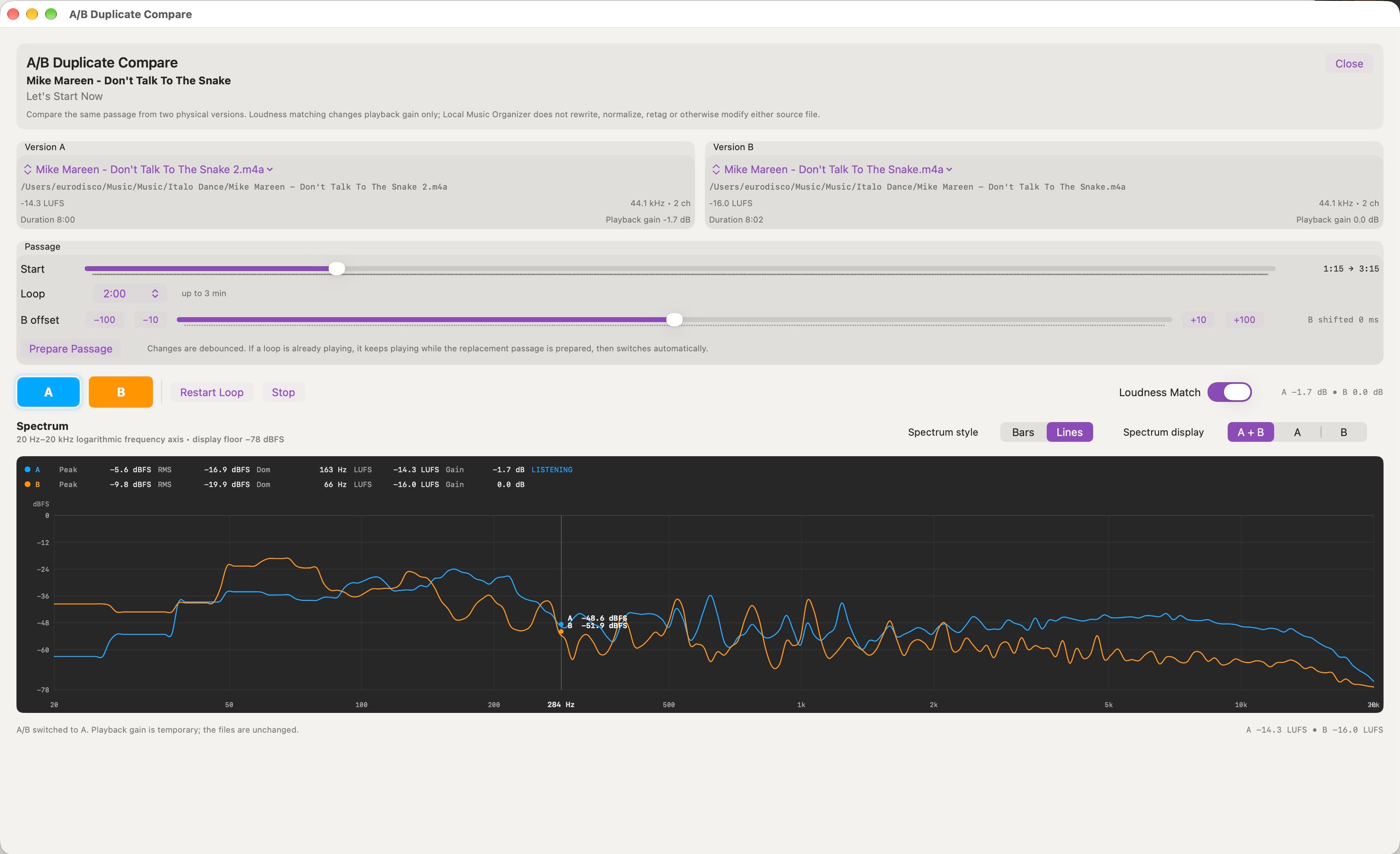
A/B Duplicate Compare allows two physical recordings to be compared through direct listening and live spectrum analysis.
Users can switch between versions, adjust their playback alignment and examine frequency spectra, peak and RMS measurements, loudness indicators and temporary listening adjustments.
The goal is to provide evidence for evaluating differences, not automatically declare one version better.
The original recordings are not modified during comparison.
## Three Original Spectrum Players
Alongside the library tools, I developed three different player interfaces.
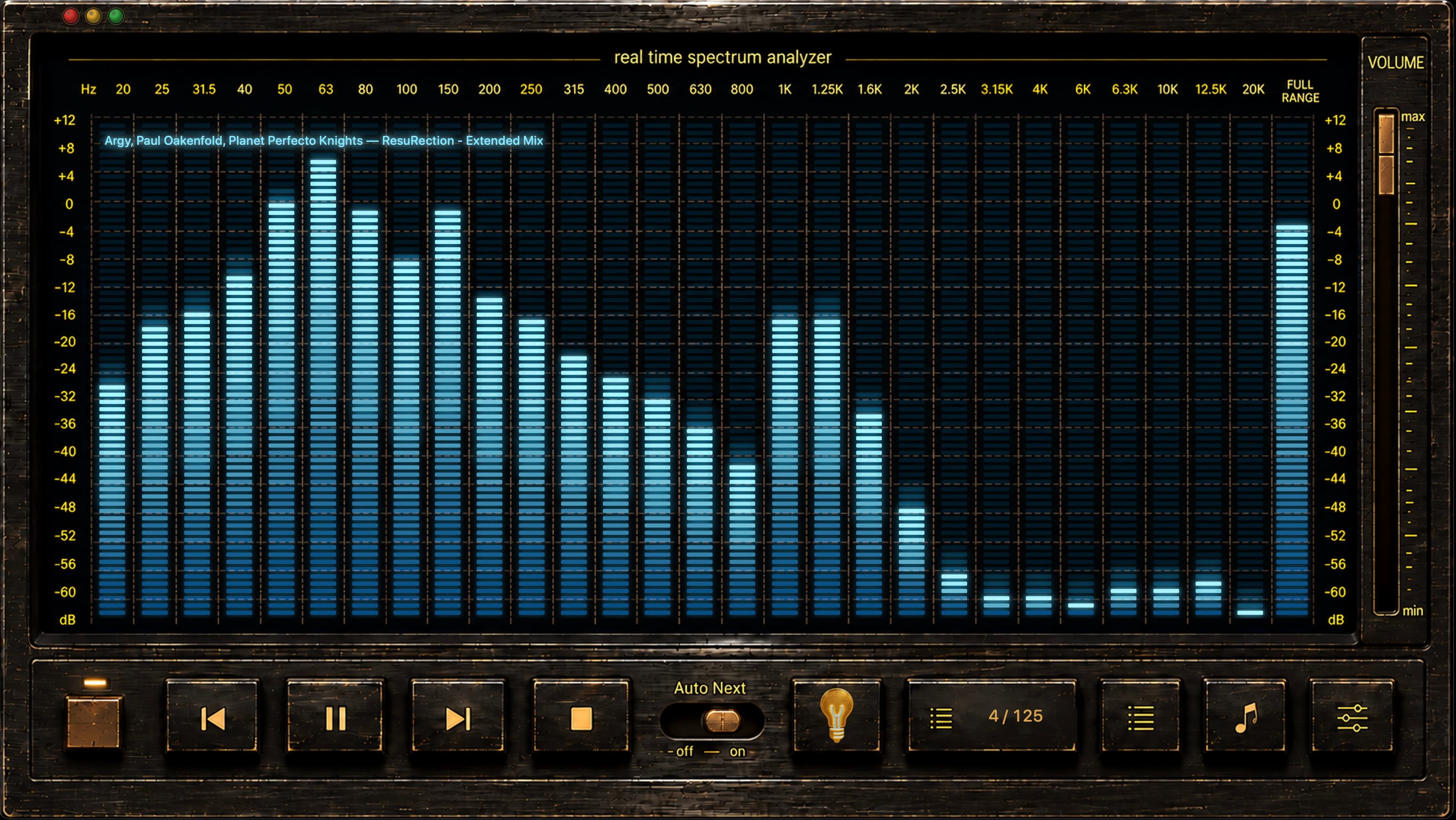
**ORIGINAL** provides a real-time multiband spectrum analyzer, waveform navigation, playback controls, technical information and queue management.
**CLASSIC** recreates the atmosphere of vintage hi-fi equipment with hardware-inspired controls, animated displays, artwork, track information and playlist navigation.
**GLASS** uses Metal graphics for interactive three-dimensional spectrum visualization, including transparent structures, reflections, lighting, perspective controls and LIVE, WAVE and OUTLINE presentations.
Compact interfaces include Elektronika Mini Player and GLASS Mini Player.
The three primary interfaces share the same playback engine and queue, so changing the visual appearance does not start a separate playback session.
## Designed for macOS
Local Music Organizer is developed with Swift and SwiftUI and integrates with Music.app, Finder, native macOS permissions, Apple Events, SQLite and Metal.
It supports Apple Silicon and Intel Macs running macOS 14 Sonoma or later.
The application works locally with physically accessible audio files, without uploading the music collection to cloud processing services.
It does not download subscription streams, patch Music.app's private database or require a streaming music account. Network and NAS workflows are outside the currently validated supported scope.
## Independent Development and Pricing
Local Music Organizer began as a personal solution to problems I encountered while maintaining my own collection.
I wanted software that could inspect a library thoroughly, explain potential problems and allow careful changes without risking years of collecting and organizing.
The application is available through the Mac App Store with a full-featured three-day trial.
**Price: $29.99 as a one-time purchase. No subscription or automatic recurring charges.**
Local Music Organizer is intended for people who still value owning their recordings, comparing versions, curating playlists and maintaining a personal collection for the long term.
Official website: https://local-music-organizer-site.pages.dev/
Mac App Store: https://apps.apple.com/us/app/local-music-organizer/id6790746382
What Local Music Organizer does that nothing else does
Combines Music.app library diagnostics, safe file recovery, metadata maintenance, audio conversion, A/B recording comparison and three original spectrum players in one native Mac app.
Written up on SpacerrApps
Apps like Local Music Organizer

IiPTV0 clicks
Use an IPTV web player online to open your own M3U playlist URL or file without registration. Browse channels and play streams supported by your browser.
Media, Video, Utilities

SoundBuddy0 clicks
A native Mac menu bar companion for microphone selection, optional Input Lock, keyboard sounds and paired Bluetooth controls. Apple silicon and macOS 14+.
Utilities, Productivity

SpotiDown0 clicks
Download Spotify songs, playlists, and albums for free with Spotidown – Free Spotify Downloader. Fast, high-quality Spotify downloader with no login required.
Music, Games, Data

Preserve Chat0 clicks
Preserve Chat turns WhatsApp chat exports into clean, readable conversation pages you can share as a link. Open a TXT or ZIP export and share only what matters.
Productivity, Social, Utilities

Reeded0 clicks
Catalog coins, photographs and provenance on your Mac. Import CSV and export PDF reports. Free for 25 coins, with a one-time purchase to remove the limit.
Lifestyle, Utilities

Discussion
Nothing here yet. Be the first to say something about Local Music Organizer.