


NOS Workspace
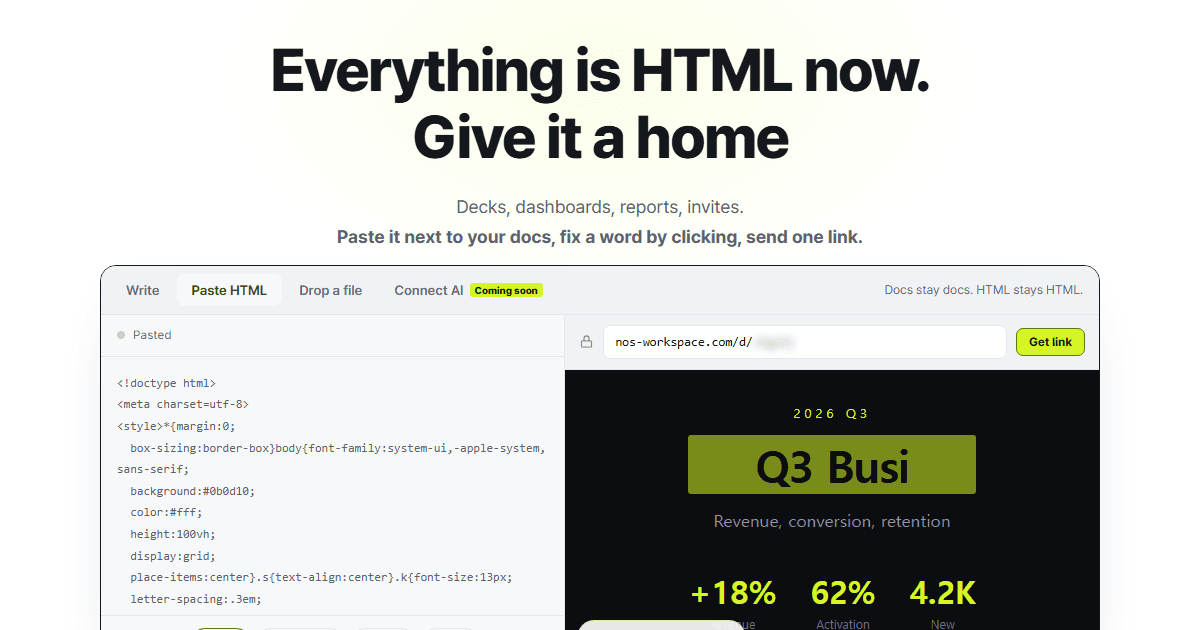
Keep HTML documents in one workspace, edit text on the rendered page, and share interactive reports, decks and prototypes through a link.
- Launched
- Clicks
- 3
- Categories
- Productivity,Developer tools
- Runs on
- Web
- Pricing
- Free plan, paid upgrade
About NOS Workspace
NOS Workspace is a workspace for HTML documents. Paste or upload HTML, keep it alongside your documents, edit text on the rendered page, and publish a shareable link. Interactive charts, animations and calculators can stay part of the document.
Use it for reports, slide decks, prototypes and client deliverables that need to remain interactive. Recipients can open a published link without a NOS account. Creating a share link requires signing in.
The free plan includes unlimited documents and three active share links. Paid plans are available. The HTML-to-Link tool lets you paste and preview HTML before signing in.
Written up on SpacerrApps
Apps like NOS Workspace

ZeroCostAI.pro0 clicks
No fake free trials. No credit card traps. 727 genuinely free AI tools tested and verified daily.
AI, Productivity, Developer tools

Pocket Invoice0 clicks
Prepare invoices, estimates and PDFs for your clients. Use the browser invoice generator without registering, or connect an AI assistant to account-based invoicing tools through MCP.
Finance, Productivity, Developer tools

Shiftscale6 clicks
Compare two cities on the whole package: take-home pay after real tax rules, the cost of running your household, and the leave, childcare and healthcare…
Productivity, Developer tools, Travel

Saasuji0 clicks
Launch your SaaS, get real feedback, and win your week. saasuji is the honest startup discovery platform — community verdicts and rankings based on genuine upvotes, not pay-to-play.
Developer tools, Marketing, Productivity

Nijia7 clicks
Understand what uses your Mac's storage—from System Data and caches to build artifacts and Git worktrees—then review what can be rebuilt before cleaning up.
Developer tools, Productivity, Utilities

1 comment
Caleb Doyle
Can I update an HTML document after sharing its link without changing the link?