


Ota
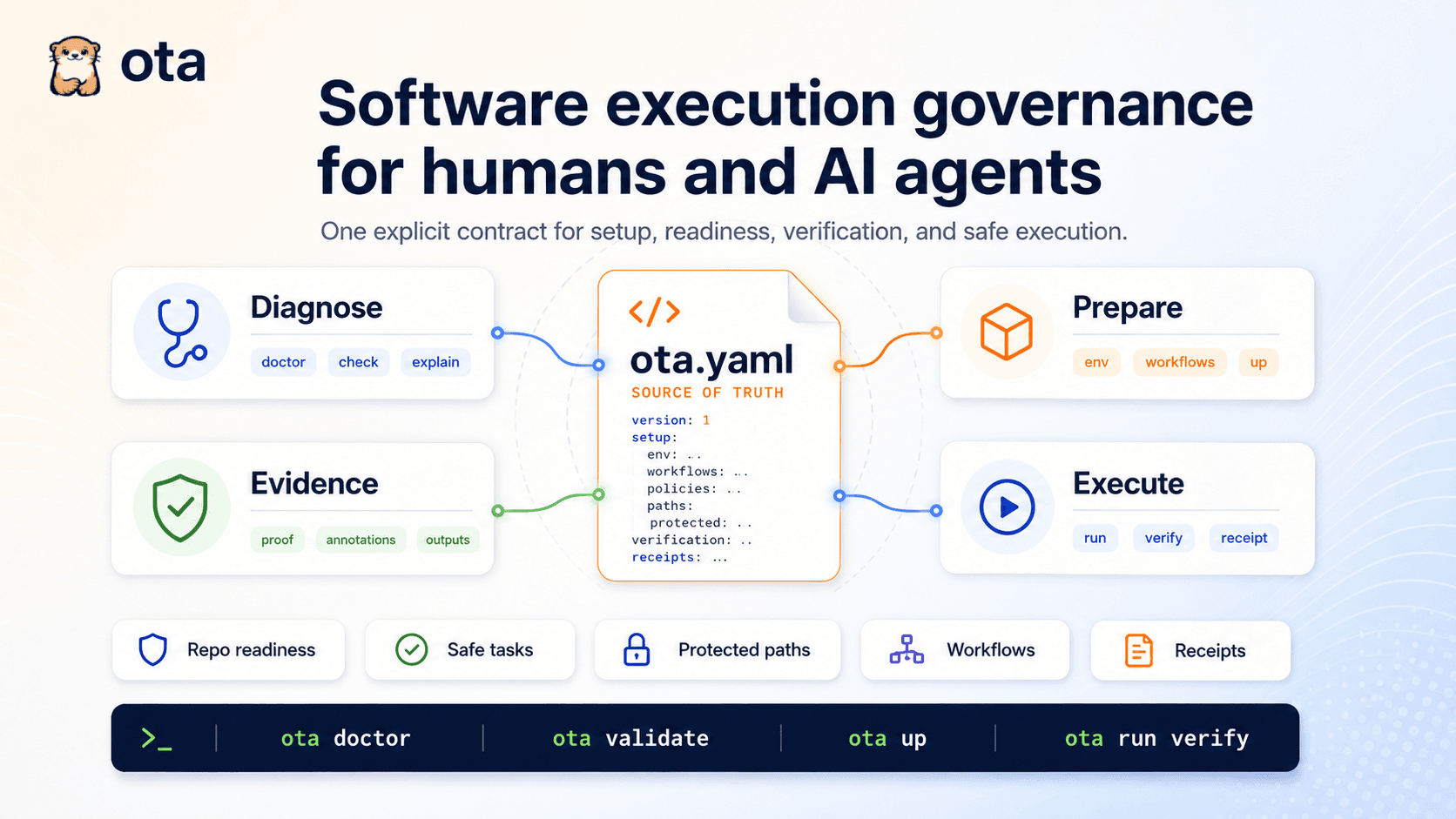
Ota helps developers make the first successful run of a repository explicit, repeatable, and easier to trust across local development, CI, automation, and AI-assisted workflows.
- Launched
- Clicks
- 10
- Categories
- Developer tools,Open source,Productivity
- Runs on
- Windows, macOS, Linux, CLI
- Pricing
- Free
About Ota
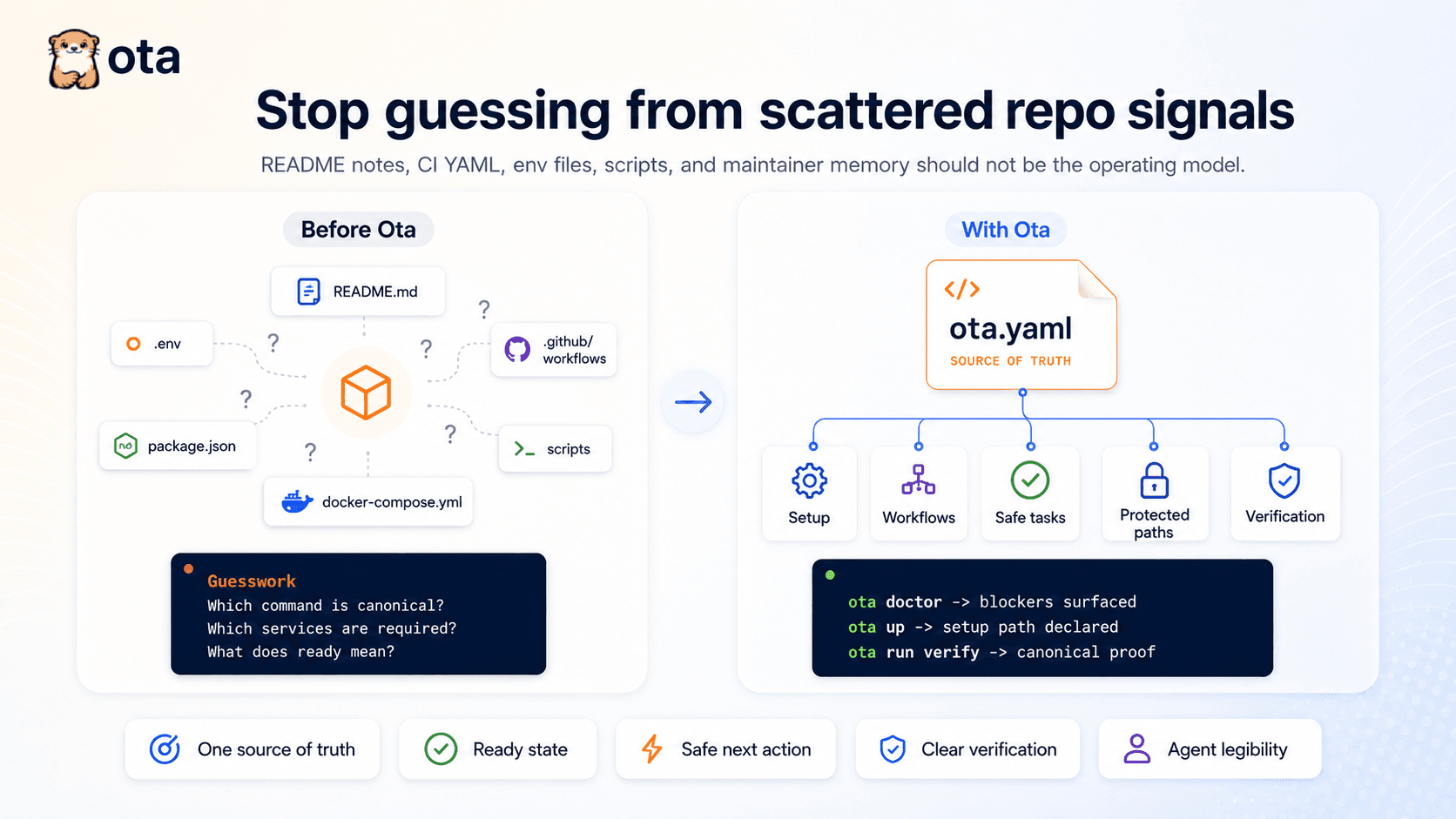
Most repos look complete until you actually try to use them. The real setup and runtime truth is often scattered across READMEs, scripts, CI config, environment files, Docker files, and tribal knowledge. That makes onboarding slower, setup drift harder to catch, and automation more brittle.
Ota solves this through a readiness contract, defined in `ota.yaml`, that describes what a repo needs in order to be runnable and operationally ready.
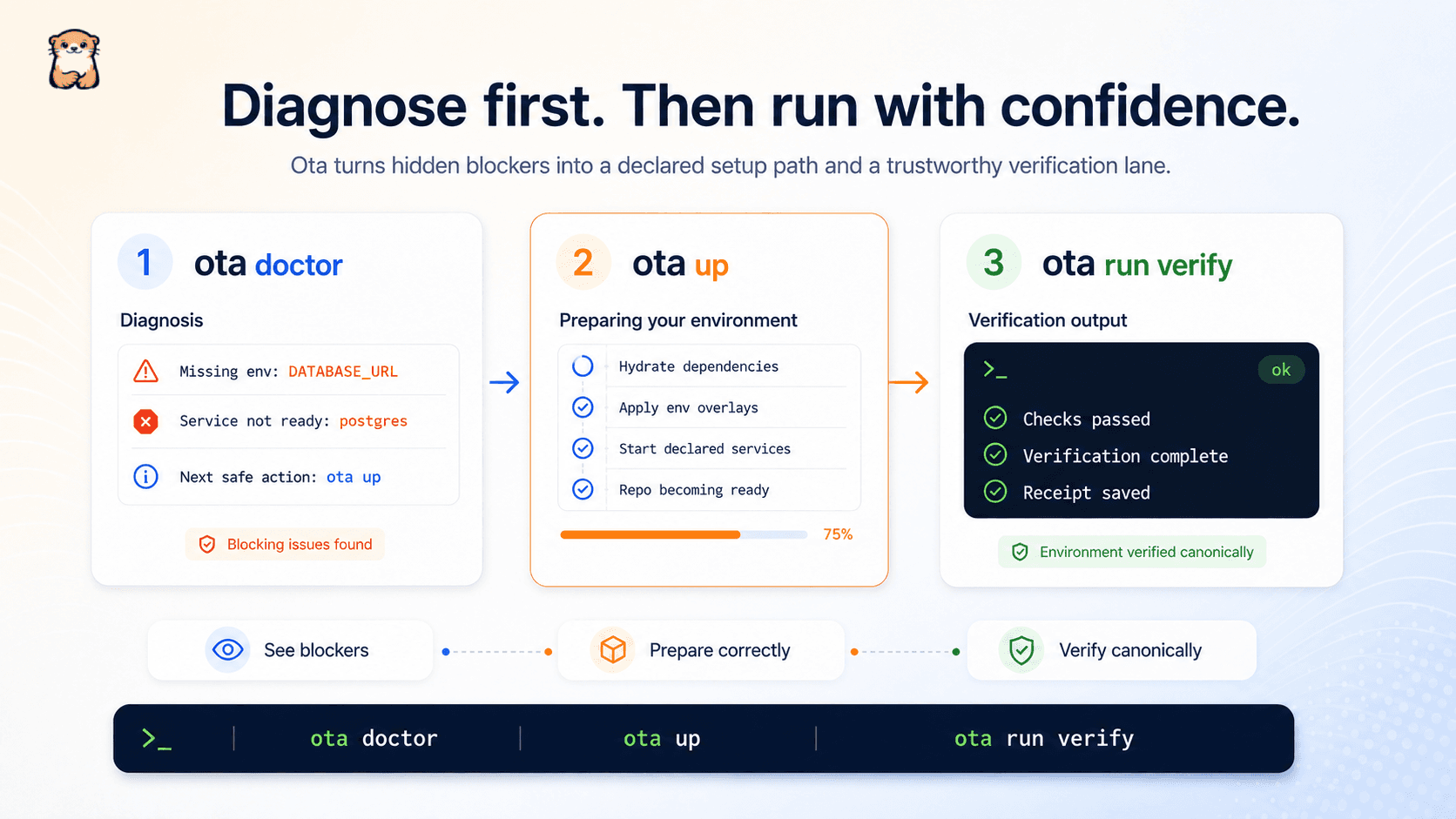
From that contract: - developers can diagnose blockers with `ota doctor` - validate the contract with `ota validate` - prepare the repo with `ota up` - and run declared tasks with `ota run <task>`.
Key features include:
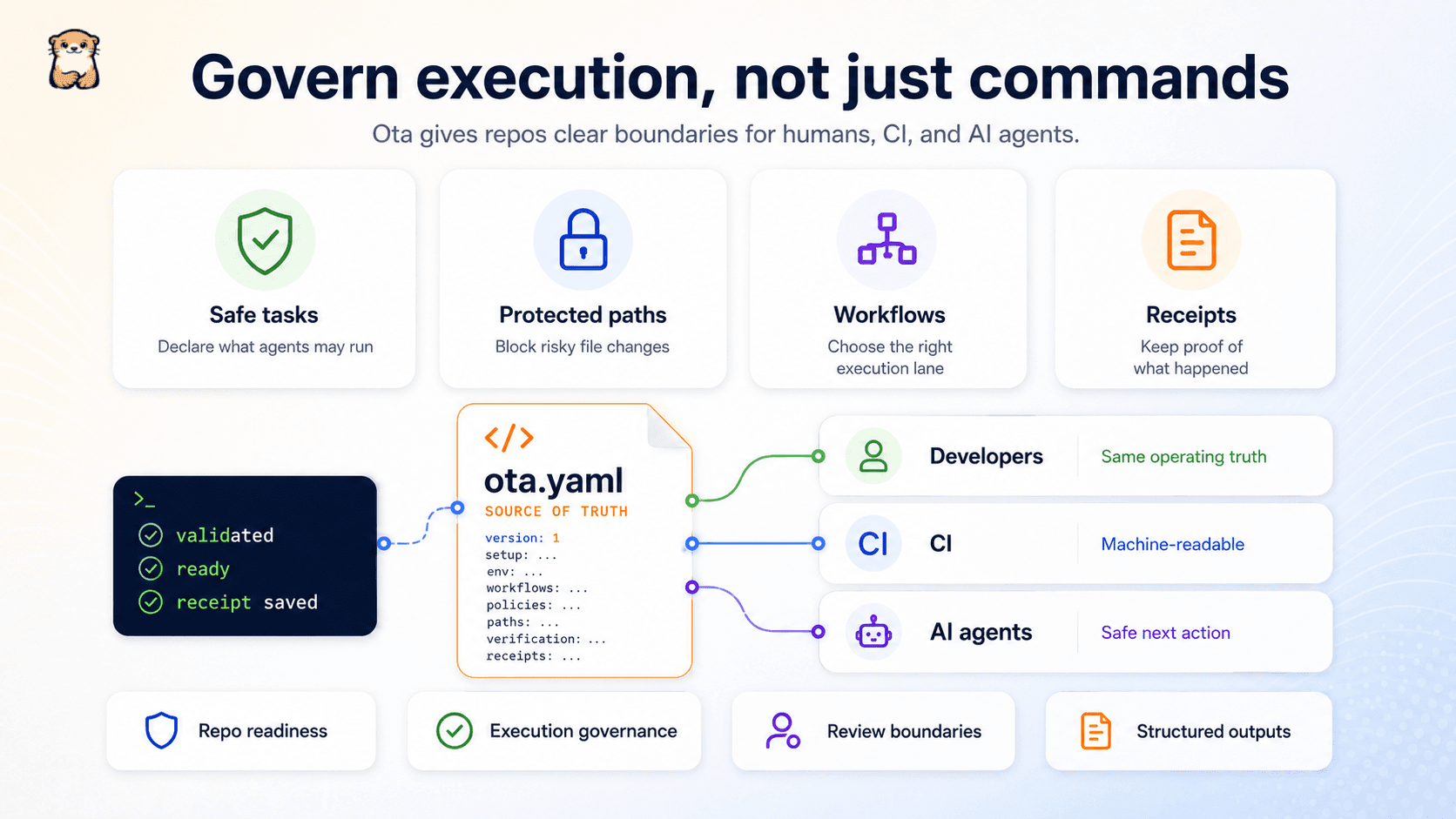
- readiness contracts - blocker detection - next-safe-action guidance - task execution - workflow-aware setup - local/container/remote execution support - CI-friendly validation - machine-readable JSON output - execution receipts - and support for humans and AI agents working from the same repo truth.
The outcome is simple: less setup guesswork, fewer repeated onboarding issues, clearer CI signals, safer automation, and a repo that can explain what it needs instead of leaving every new developer or agent to reverse-engineer it from scratch.
What Ota does that nothing else does
Ota gives repositories a machine-readable execution contract so humans, CI, and AI agents all know exactly how the repo should be prepared, verified, and run.
Who Ota is for
Ota is built for developers, maintainers, teams, and AI-assisted development workflows dealing with unfamiliar, inconsistent, or operationally unclear codebases.
Written up on SpacerrApps
Apps like Ota

QwickBridge0 clicks
Qwickbridge Sync connects QuickBooks Online and Desktop with business apps through custom integrations, reducing manual work and improving data accuracy.
Productivity, Developer tools, Open source

Zipic0 clicks
Zipic compresses and converts images 100% on-device. Its zipic CLI returns per-file JSON, exit codes and supports --dry-run; the official Agent Skill runs batches from Claude Code or Codex.
Developer tools, Productivity, Photo and video

Launchy0 clicks
Every week, a fresh batch of handpicked product launches. Launchy is a curated product launch platform that publishes a new batch of handpicked products every week.
Developer tools, Launch platforms, Productivity

ToolRoots1 clicks
Local alternatives to the tools you already pay for. Made in your country, hosted in your region, answering to your rules.
Developer tools, Productivity

Roxi0 clicks
Roxi is a proxy subscription service run by a small independent team. The free tier gives 30 minutes of full-speed access daily, and the link works with Clash Verge Rev, v2rayN, Hiddify and NekoBox.
Developer tools, Privacy, Security

2 comments
Elias Wagner
How does Ota handle secrets and environment variables when running tasks locally, in CI, or on a remote machine?
Faith MbonuMaker
`ota.yaml` declares which secrets a task requires; it does not store them. Locally and in CI, Ota uses environment-provided values and keeps declared secrets out of receipts. Remote execution currently fails closed rather than exposing secrets through shell commands. Where does secret handling break when your tasks move between local, CI, and remote execution, and what should Ota guarantee?