


SafeSweep
Safe Windows cleanup with review-first scanning, large-file tools, and reversible optimization.
- Launched
- Clicks
- 21
- Categories
- Utilities,Security,Productivity
- Runs on
- Windows
- Pricing
- Free plan, paid upgrade
About SafeSweep
Safe Windows cleanup with review-first scanning, large-file tools, and reversible optimization.
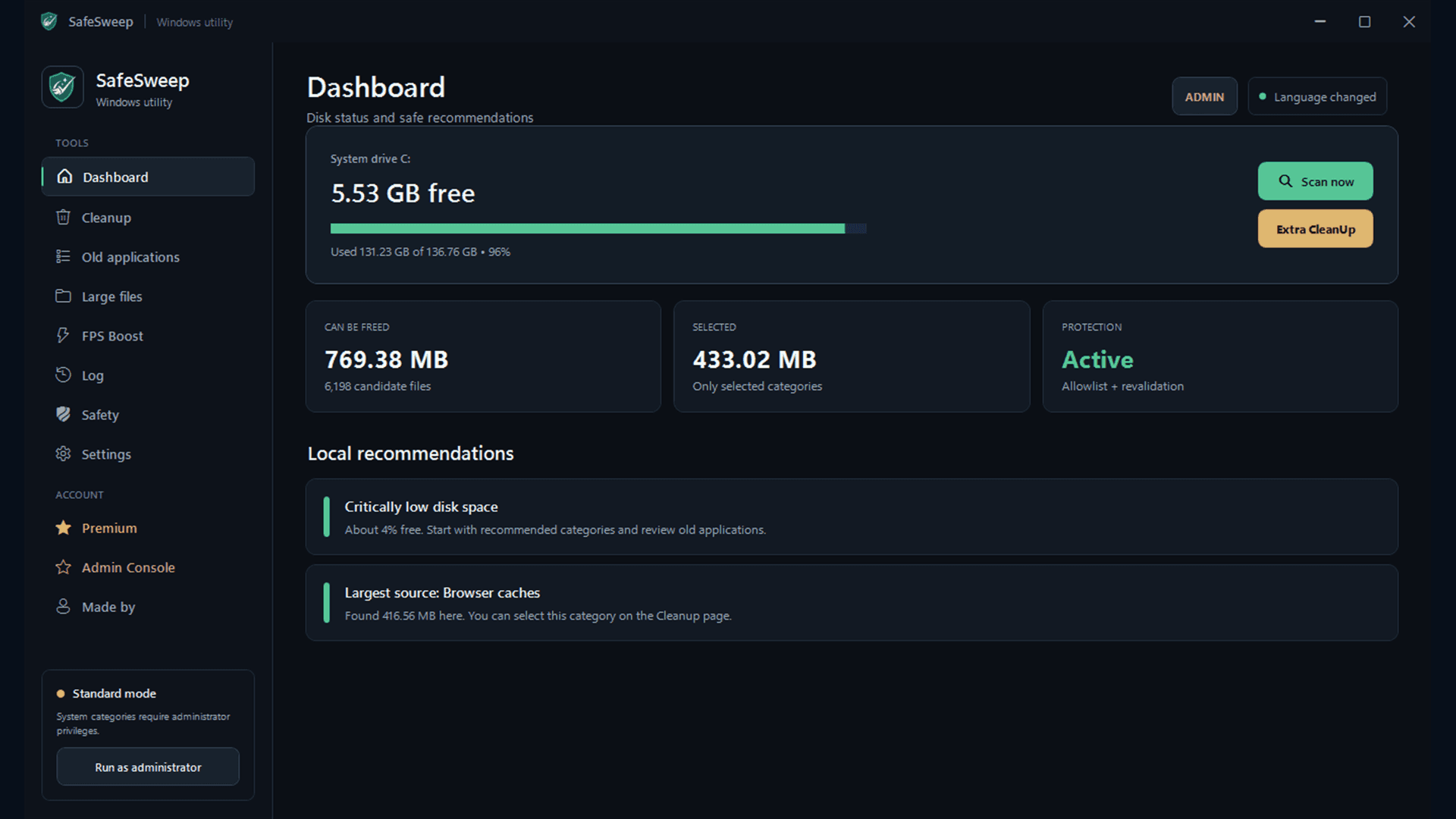
SafeSweep scans first, shows what is taking space, and cleans only the categories you confirm. Personal files are not automatic cleanup targets.
SCAN MODE Review first Nothing is removed during scanning.
SafeSweep separates finding, reviewing, and removing so you stay in control from start to finish.
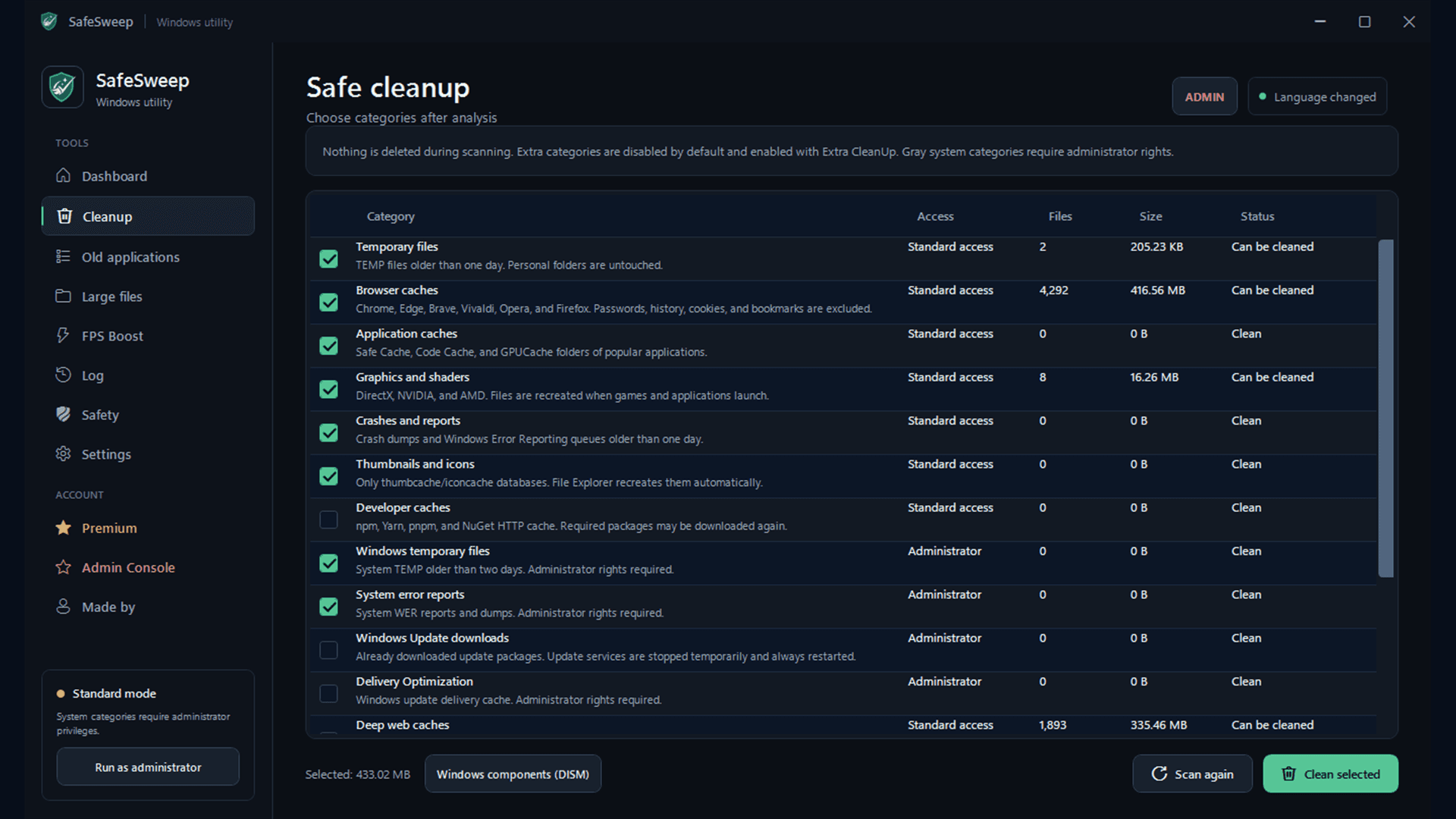
Find supported temporary files, caches, and safe leftovers.
See categories, file counts, and estimated space before cleanup.
Choose what to clean. Unselected categories remain untouched.
Standard when you want safe. Extra when you want deeper.
Standard Cleanup focuses on common supported junk. Premium Extra CleanUp searches additional temporary locations while keeping personal folders outside the automatic removal list.
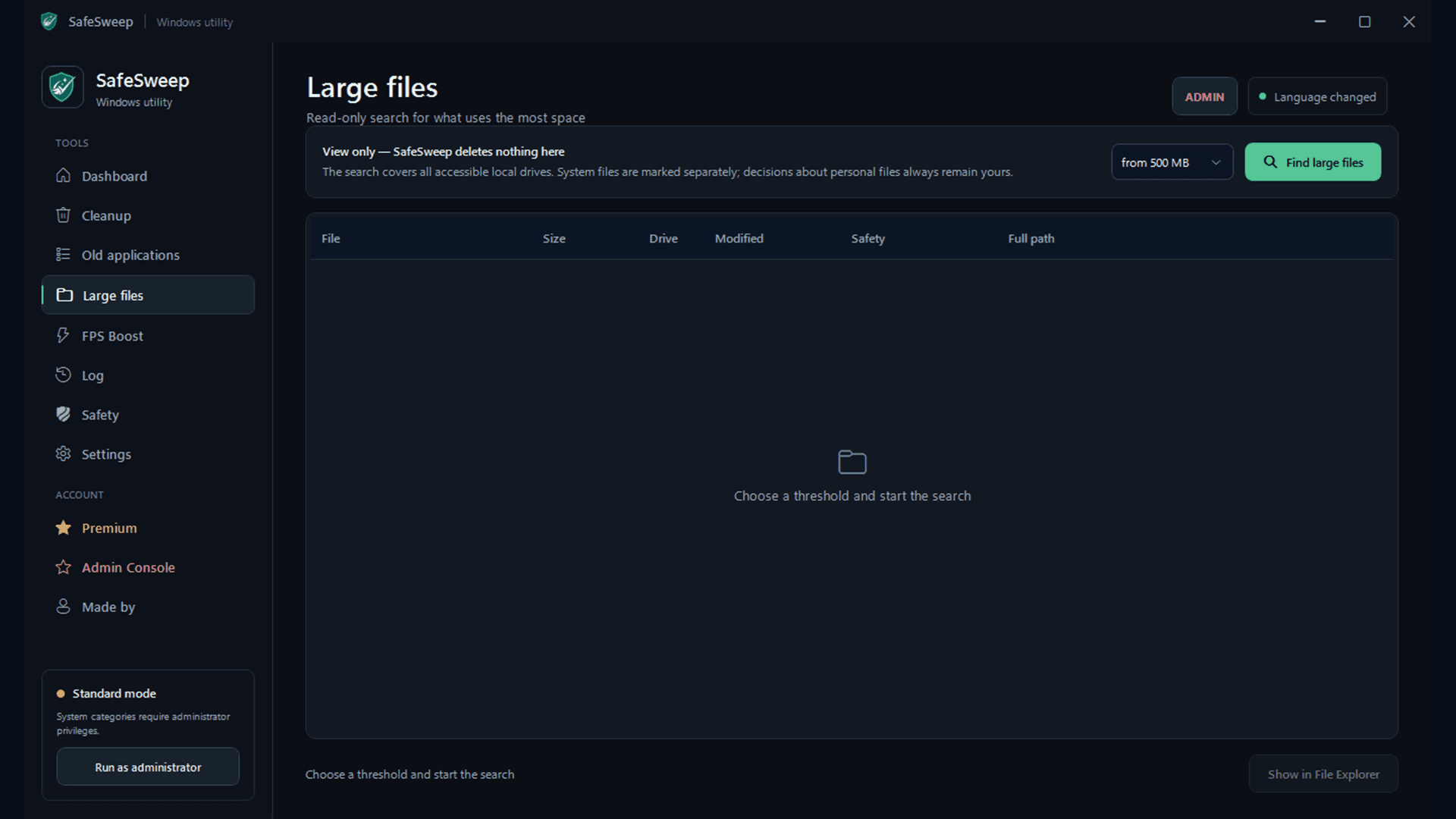
Find the files taking the most space. SafeSweep shows them; it does not silently delete them.
Surface software you may have forgotten, then hand removal back to Windows instead of deleting app folders.
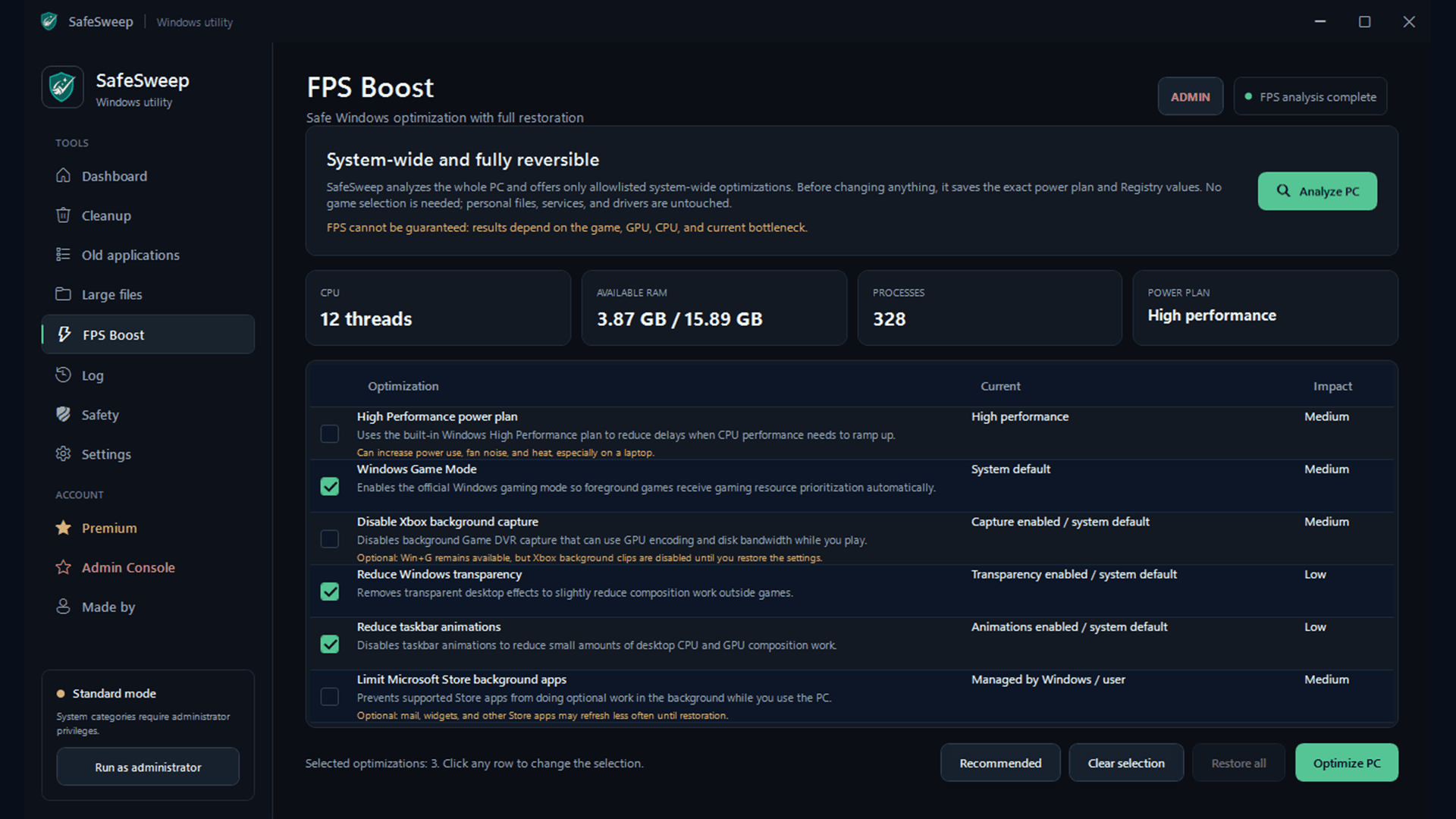
Premium can apply supported Windows performance changes without choosing a game first. A restore record is saved, and the app keeps the restoration path available.
Trust should come from visible rules, not big promises.
SafeSweep is designed around an allowlist of supported cleanup locations, a read-only scan first, and explicit confirmation before removal.
01 Personal folders are excluded from automatic cleanup targets.
02 Large files are shown, not auto-d
Who SafeSweep is for
Windows users who want to free up storage and review junk before deleting it, without touching personal files.
Written up on SpacerrApps
Apps like SafeSweep

Nijia10 clicks
Understand what uses your Mac's storage—from System Data and caches to build artifacts and Git worktrees—then review what can be rebuilt before cleaning up.
Developer tools, Productivity, Utilities

Memoe7 clicks
Hold one key from any app, say it, and Moe answers out loud. You can also type. Uses the ChatGPT or Claude plan you already pay for.
Productivity, AI, Utilities

Export Calendar - CSV & ICS0 clicks
Export Calendar lets you save selected calendar events to CSV or ICS for backups, spreadsheets, migration, and sharing. Everything is processed privately on your device.
Productivity, Utilities, Privacy

Strata17 clicks
Mac disk cleaner: see what fills your disk, clear junk, backups and System Data to the Trash. macOS 13+, universal. 14-day free trial, $9.99 once.
Productivity, Utilities

Top Proxy1 clicks
Top Proxy is an international proxy marketplace to compare mobile, residential and datacenter IPv4/IPv6 providers by price and tech facts.
Productivity, Utilities

7 comments
Мирон АнтоненкоMaker
Maker update: SafeSweep 1.13.4 is now available.
This release focuses on the cleanup experience: faster scans, expandable category groups, and progress/cancel controls for longer operations. You still review the results and confirm your selection before anything is deleted.
For anyone wondering what Extra CleanUp adds, the optional categories now include Cargo, Poetry and Composer caches, plus older rotated JetBrains logs. These new categories start unselected; projects and personal folders are not automatic cleanup targets.
Standard cleanup is free on Windows 10/11. Premium adds Extra CleanUp and other optional tools. The installer is still unsigned, which is disclosed on the website.
Download: https://safesweep.sk1ff.chatgpt.site/
Zofia Kowalska
What extra temporary locations does Premium Extra CleanUp scan, and is it a one time purchase or a subscription?
Мирон АнтоненкоMaker
Extra clean up, cleans more spaces by cleaning up stuff like cache, and much more (you can look in the app if you want the full list).
All the subscriptions you can look and buy on the website.
Caleb Doyle
What changes does the reversible optimization make, and how can I undo them?
Мирон АнтоненкоMaker
It only changes the options you select: the Windows power plan, Game Mode, Xbox background capture, transparency and taskbar animations, Store-app background activity, and optional power throttling. It doesn’t touch drivers, network settings, services, game files, or personal files. Before applying anything, SafeSweep saves the exact original values in an encrypted restore record. To undo everything, open FPS Boost and click Restore All. If applying a change fails halfway through, SafeSweep also rolls it back automatically.
Tomas Keller
Can the large file tool help me review files in personal folders without automatically deleting anything?
Мирон АнтоненкоMaker
Yes