


ScreenWeaver
Free screenwriting with PDF and Final Draft export, script-linked storyboards, continuity, and visual workflows. Start writing on ScreenWeaver.
- Launched
- Clicks
- 29
- Categories
- Writing,Photo and video,AI
- Runs on
- Web
- Pricing
- Free plan, paid upgrade
About ScreenWeaver
Free screenwriting with PDF and Final Draft export, script-linked storyboards, continuity, and visual workflows. Start writing on ScreenWeaver.
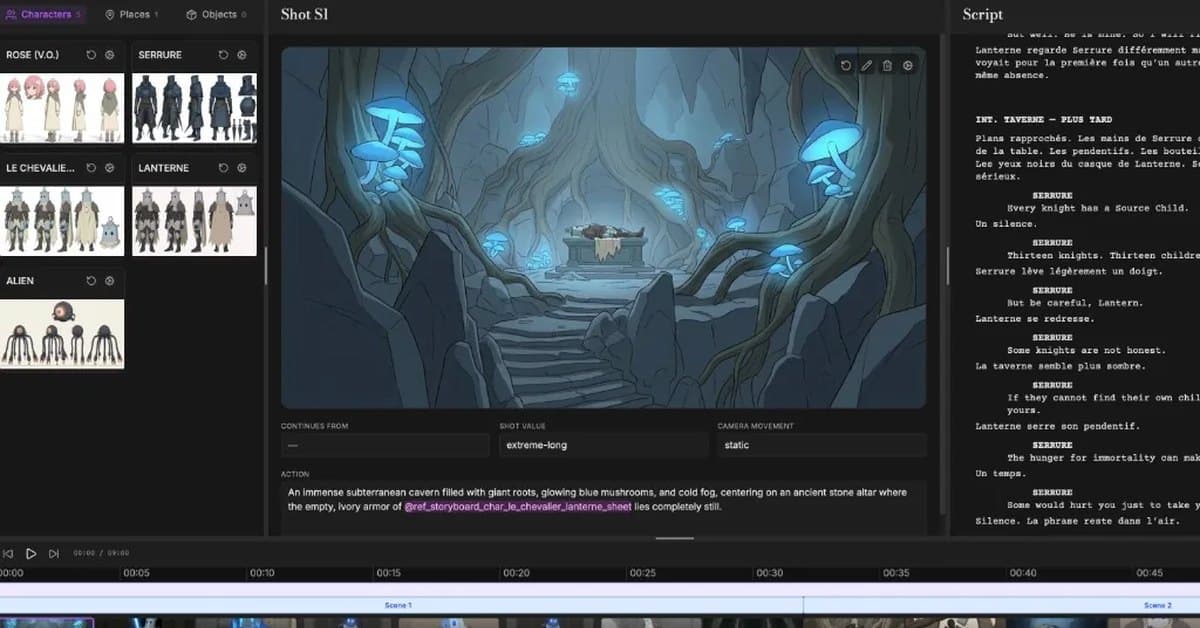
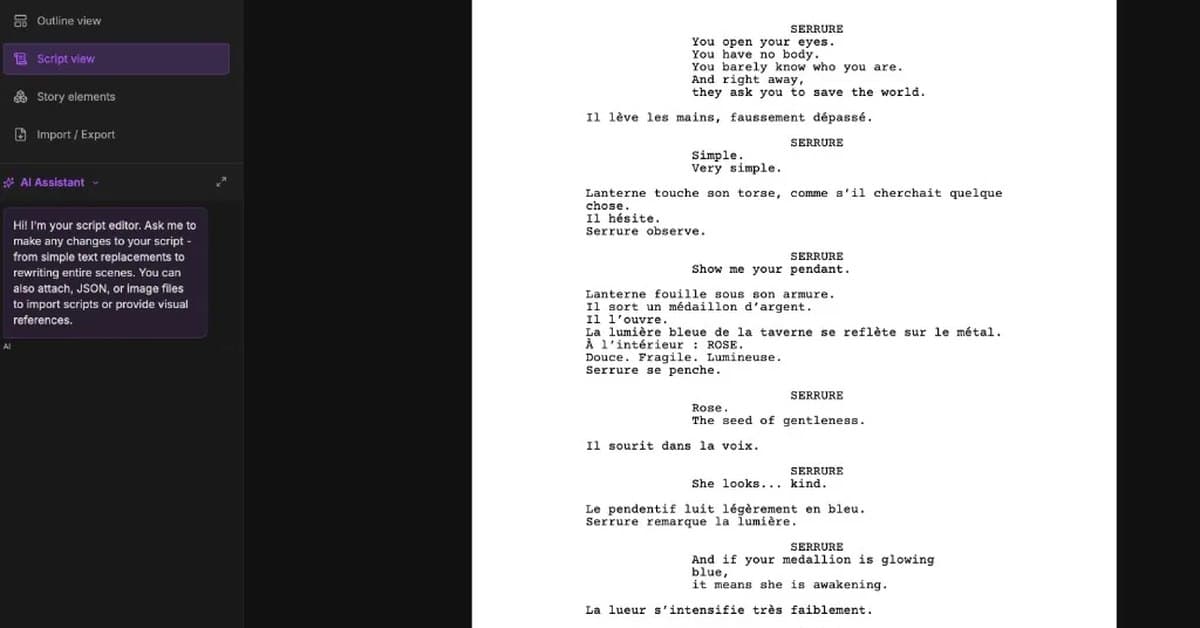
ScreenWeaver is a full AI production interface : your script generates the storyboard automatically , workflows come ready to run , and you produce your film, series, or ad.
The pipeline you saw above runs a music video and a 3D animated scene just as well. Write the story, get the boards, ship the format you need.
A story becomes a track, and the visuals cut to the beat.
Boards become a rendered 3D scene. Same characters, same shots.
International festival-recognized films have been written and produced with ScreenWeaver.
ScreenWeaver is already being used as a creative workspace for real AI film productions, from cinematic shorts to animated series pilots selected, nominated, and awarded by international festivals.
Idea → first draft · Format 2026 · Affordable & TCO · Free tier costs · Software alternatives · Revision passes · Free tools
The outline lives in one place; the script lives in another.
Visual references scatter across folders and chat threads.
Storyboards drift away from the screenplay they came from.
Continuity breaks as drafts, boards, and notes multiply.
You rebuild the same intent again and again for every tool and every teammate.
The film exists in pieces, never as one connected system.
ScreenWeaver is one workspace where writing, structure, visual planning, and workflows stay attached, so the script s
What ScreenWeaver does that nothing else does
The script stays the source of truth. Edit a line and the storyboard, the shot list and the runtime estimate move with it, instead of drifting apart in three separate files.
Who ScreenWeaver is for
Screenwriters, directors and small production teams who need the script, the boards and the schedule to stay in agreement. Not for people who only want a text editor.
Written up on SpacerrApps
Apps like ScreenWeaver

Verie0 clicks
Verie brings photo effects and AI image editing into a browser workspace. Start with a photo or a written idea and try looks such as Y2K, VHS, glitch and film grain.
Photo and video, AI, Image

Hotel Lobby AI0 clicks
Create an orange-studio duet video from two portrait photos, with left/right positions, optional movement directions and MP4 download. Generation requires sign-in and prepaid credits.
AI, Photo and video

Sora2 Hub0 clicks
An AI image and video generation platform that turns a prompt or an uploaded photo into finished visuals with synchronized audio, entirely in your browser.
AI, Photo and video, Video
Koi0 clicks
Dictate in any Mac app, offline and unlimited, and ask an AI that sees your screen, points at things and does them for you. Try it free for 3 days.
Productivity, AI, Writing

VoiceVibe0 clicks
Talk to your computer. Press a key and say what you need: dictate, rewrite, chat, generate images, hear text read aloud or launch an AI agent with a task.
Productivity, AI, Writing

Restore Old Photos - Retrocap0 clicks
Restore old photos with AI. Retrocap repairs scratches and tears, colorizes black-and-white photos, sharpens faces and animates portraits on iPhone and Android.
Photo and video, AI, Mobile
9 comments
Ines Moreau
Can ScreenWeaver turn a completed script into a 3D scene, or does it only create storyboard images?
Felix Brandt
How does ScreenWeaver sync storyboard shots and edits to a music track’s beat?
ShikiShikiMaker
Hello, not currently.
Carmen Ruiz
How does ScreenWeaver keep characters, shots, and continuity consistent when the script changes?
ShikiShikiMaker
Three different mechanisms handle this, and it's worth separating them because they behave differently.
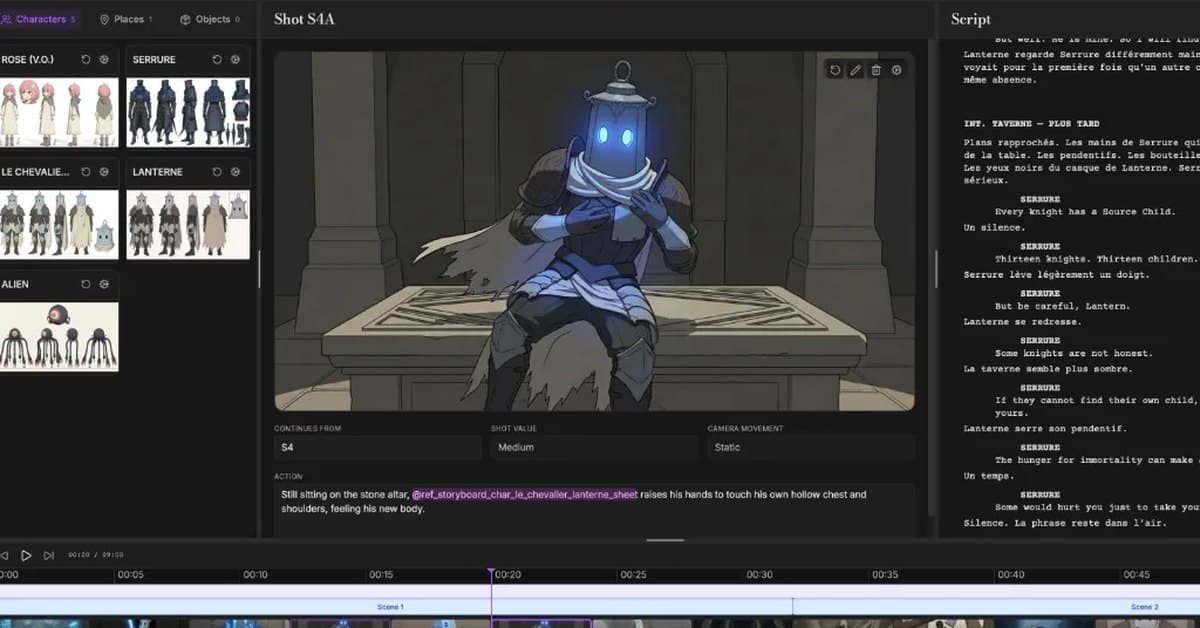
Characters stay consistent through reference sheets. When you type a new character name in the script, ScreenWeaver creates an entity for them. Each entity gets a reference sheet built from its description, and that image is what keeps the face consistent. When a shot's action text references a character, the generator doesn't just pass the name as text, it injects the actual reference image into the request, with an explicit character consistency instruction. Same idea for locations. So the character looks the same across shots because every shot is literally generated against the same reference image, not because the model is remembering anything.
Shot to shot continuity uses a "continues from" link. A shot can be marked as continuing from a previous one. When it is, it inherits that shot's framing and camera movement, and the previous shot's generated image gets passed in as a visual reference. That's what keeps a sequence of shots in the same space and lighting rather than drifting. The AI shot breakdown sets these links automatically, and you can change them yourself.
Mara Jensen
What limits apply to the free plan, such as project count, exports, or AI generations?
ShikiShikiMaker
Hey. The free plan (Screenwriter) is a real writing tool with no limits on projects or pages, plus PDF and Final Draft export. It doesn't include the storyboard or any AI generation though. Storyboard access is part of our Beta offer at $9.99/mo, that's where you get storyboard generation straight from your screenplay. Video generation itself isn't available yet for anyone during the beta, it's targeted for September 15, 2026.
Let me know if you have more questions!
Jonah Petersen
Can the script linked storyboard be edited by hand, or is it generated only from the script?
ShikiShikiMaker
Hello :) Yes, both are possible: the storyboard isn't locked to script-only generation.
Shot text (ACTION/description): Fully editable by hand in a text field, saved as you edit. It's only read-only if a project is opened in read-only/collaborator mode. Shot list: You can manually add, delete, and reorder shots via drag-and-drop, independent of any regeneration. No silent overwrite: Batch/auto-generation only targets scenes that have no shots yet. If a shot already exists (whether generated or hand-edited), editing the script won't trigger it to be silently regenerated or overwritten. To start a scene over from scratch, you'd have to explicitly clear it first. Images: Same logic, a generated image can be replaced with your own uploaded image at any time.