


SimplShot
Free, open-source macOS app to capture, annotate, and polish screenshots, images, and PDFs. Batch capture, reusable templates, OCR, watermarks — no account needed.
- Launched
- Clicks
- 11
- Categories
- Photo and video,Utilities,Productivity
- Runs on
- macOS
- Pricing
- Free
About SimplShot
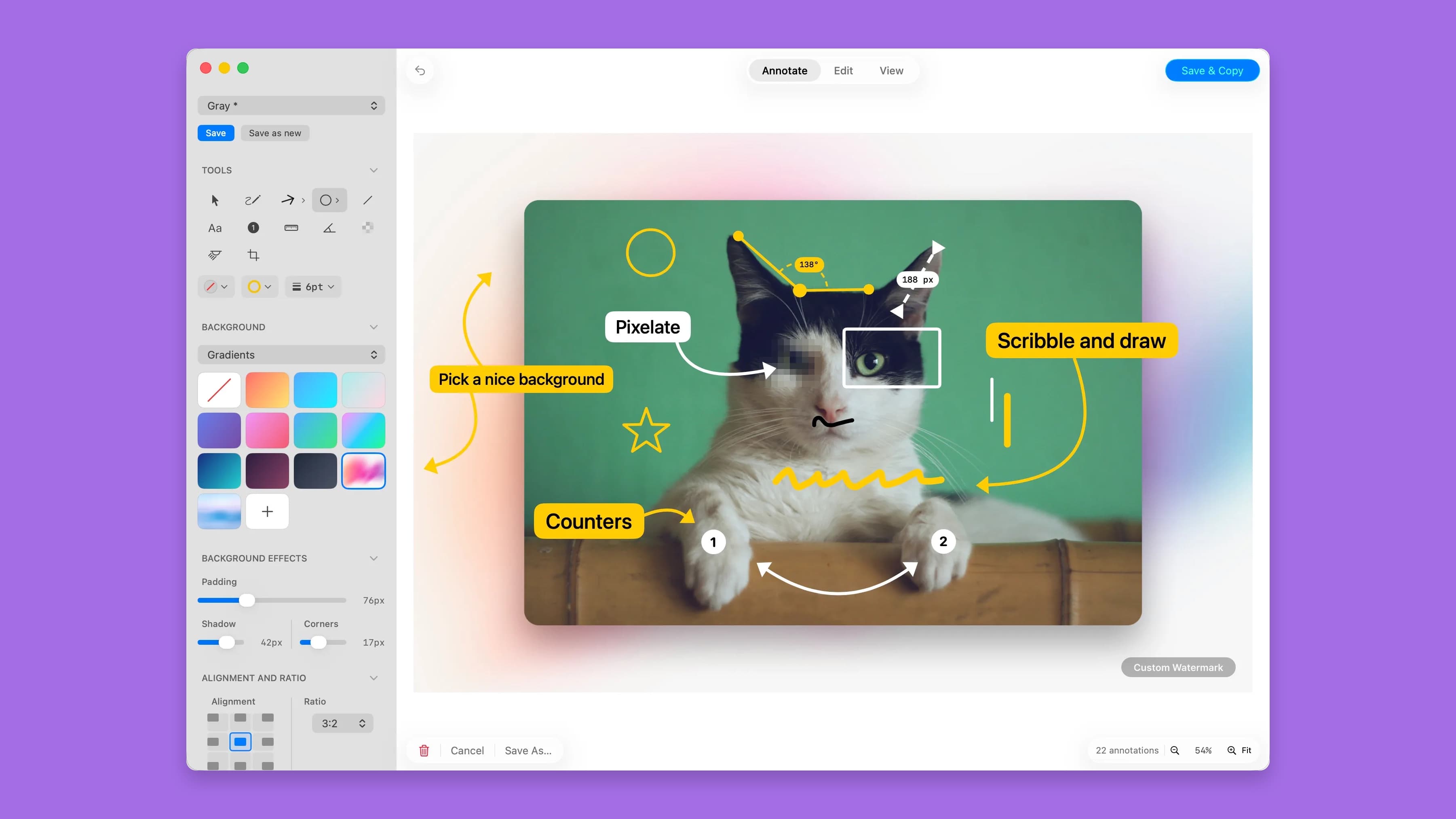
Free, open-source macOS app to capture, annotate, edit and polish screenshots, images, and PDFs. Batch capture, reusable templates, OCR, watermarks — no account needed.
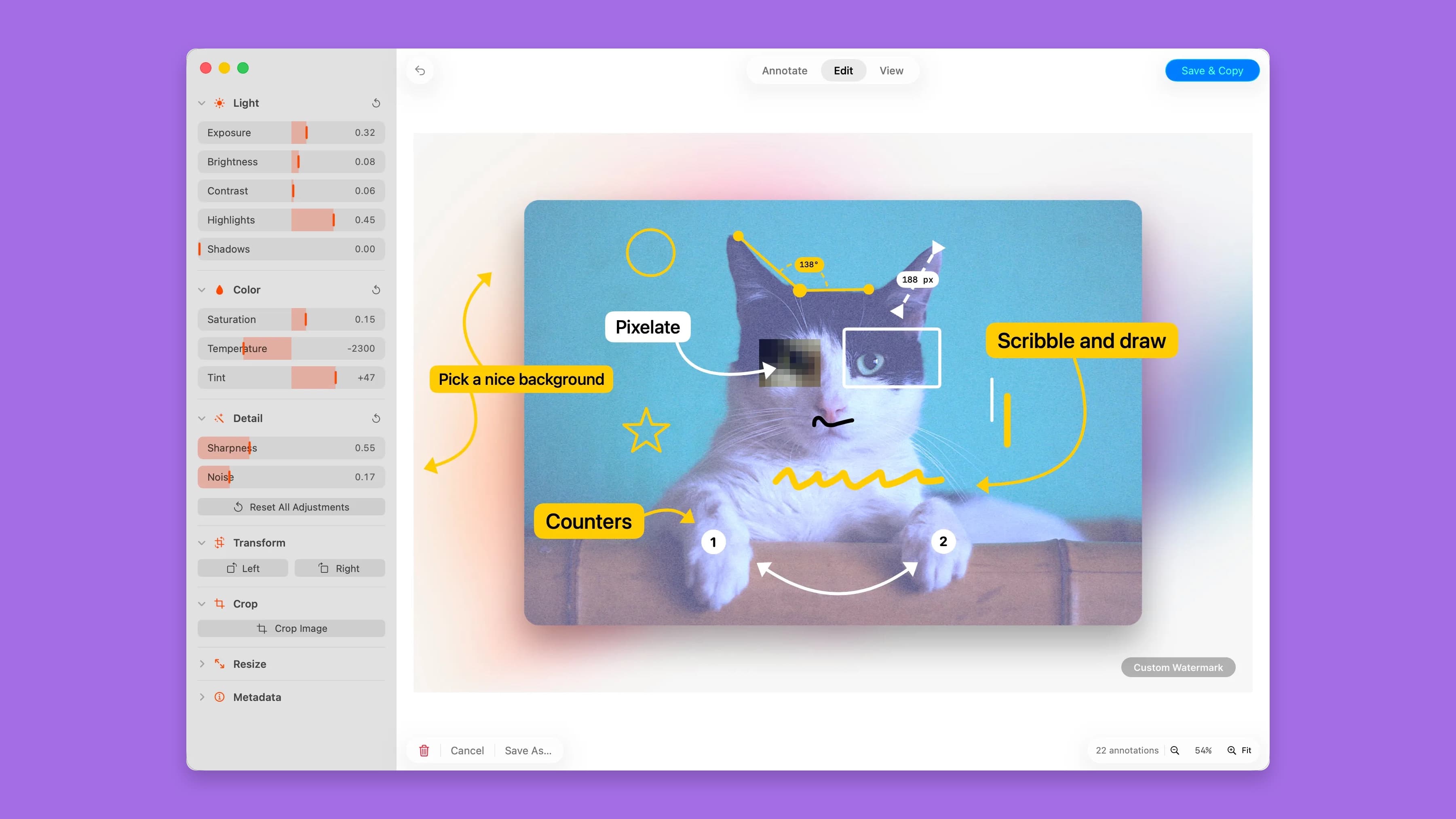
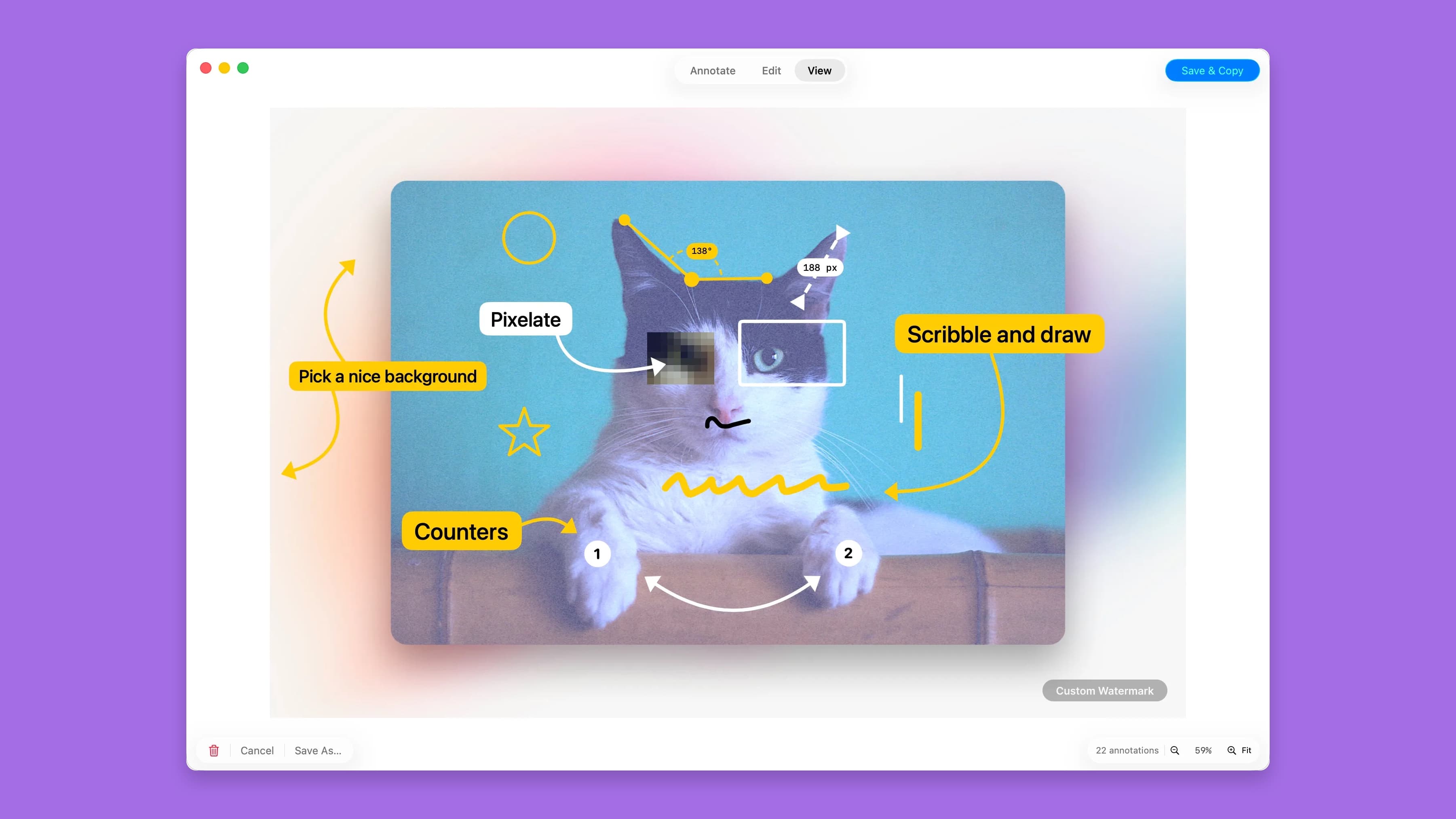
SimplShot is a free all-in-one tool for capturing, annotating, and refining screenshots, images, and PDFs. Add annotations, apply quick edits, use templates, and export polished visuals in seconds.
Built for everyone who captures, annotates, and shares.
SimplShot fits into your workflow whether you're annotating a PDF, editing an image, filing a bug, or shipping polished screenshots for docs and tutorials.
Capture your macOS app at every required size in one click. Annotate spec PDFs or edit screenshots without switching tools. No manual resizing, no back-and-forth.
Save a template once and apply it to every screenshot instantly. Annotate PDFs with callouts and highlights just as easily. Consistent, polished output across every format.
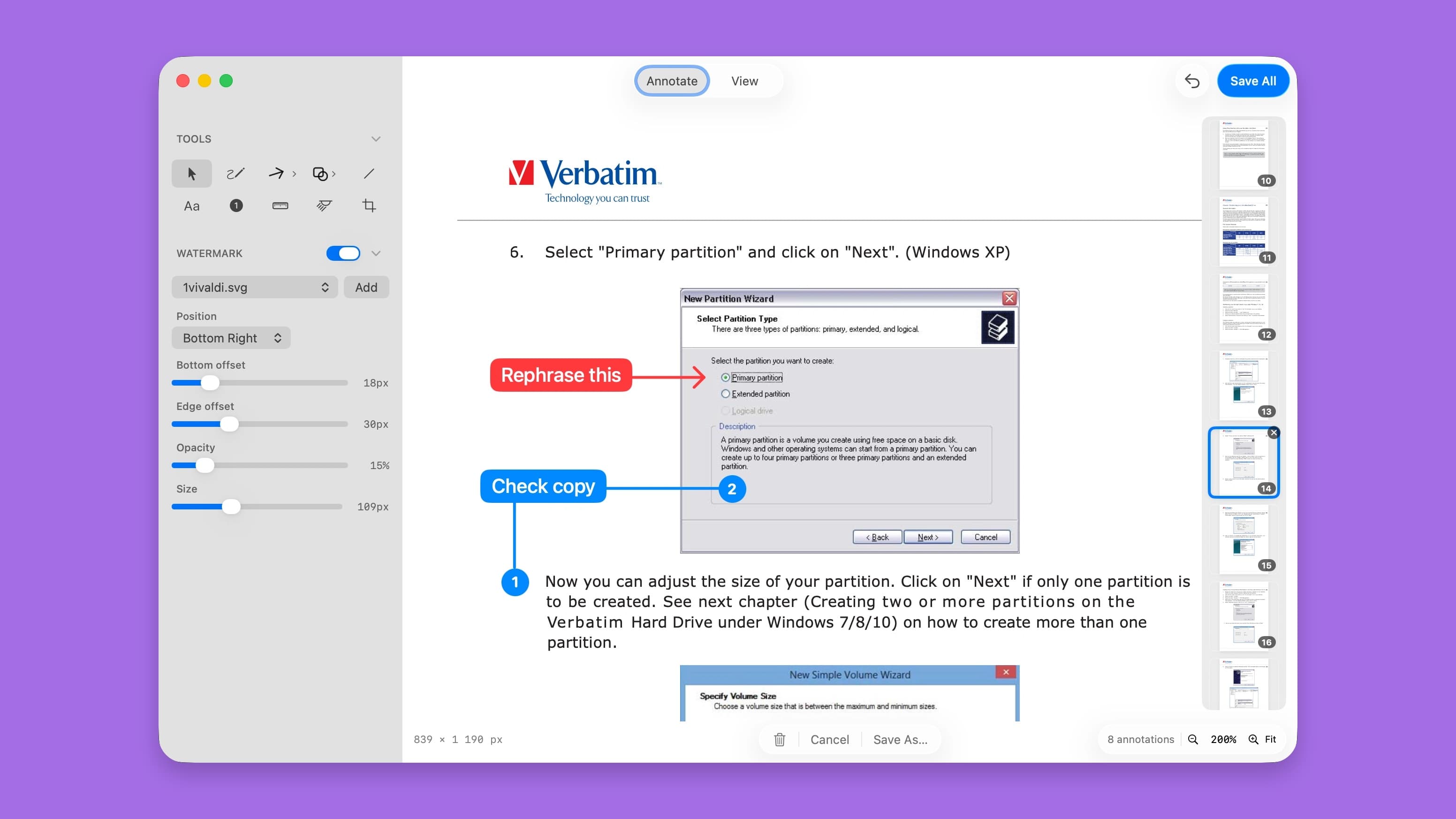
Annotate screenshots and PDFs with arrows and numbered callouts. Blur sensitive data before sharing. Resolve tickets faster — no matter what file you're working from.
Turn any screenshot or image into a polished launch asset. Edit directly, frame it, and batch-export at every size — website hero, Product Hunt, social post — in one shot.
Make every tutorial screenshot or annotated PDF look professional with custom backgrounds and consistent framing. No design skills needed.
Annotate bug screenshots and spec PDFs with arrows, shapes, and measurements. Edit images directly.
Who SimplShot is for
Developers, Technical Writers, Support Teams, Indie Makers, Course Creators and QA Engineers
Written up on SpacerrApps
Apps like SimplShot

Nijia10 clicks
Understand what uses your Mac's storage—from System Data and caches to build artifacts and Git worktrees—then review what can be rebuilt before cleaning up.
Developer tools, Productivity, Utilities

Memoe7 clicks
Hold one key from any app, say it, and Moe answers out loud. You can also type. Uses the ChatGPT or Claude plan you already pay for.
Productivity, AI, Utilities
Gatterie46 clicks
Browse photos, RAW files, videos, documents and 3D models in your existing folders. Find files with search, tags and stars, explore GPS photos on a map and view models in 3D. One-time purchase.
Photo and video, Design, Utilities

Strata17 clicks
Mac disk cleaner: see what fills your disk, clear junk, backups and System Data to the Trash. macOS 13+, universal. 14-day free trial, $9.99 once.
Productivity, Utilities

Heicjpg.online6 clicks
Converts iPhone HEIC/HEIF photos to JPG, PNG or PDF for free. No account, no premium plan, up to 60 files per batch, ZIP download.
Image, Utilities, Photo and video

4 comments
Aisha Rahman
Can batch capture automatically create screenshots at multiple preset sizes in one click?
AnonymousMaker
Yes! Just select the app you want screenshots of in the menu list, add all the sizes you need, a ratio and click "Capture [Name of App]". If you have enabled templates, that template will be applied automatically to all sizes as well.
Nora Callahan
Can the OCR text in screenshots and PDFs be searched or copied after processing?
AnonymousMaker
This is OCR capture, meaning you can copy text from any source on the screen and then paste anywhere else. I guess you are referring to search and find in a "photo of text"? That is not yet included, but a good idea. I will implement that. You can obviously search in PDF's already, as long as it's text and not an image of text. Hope that helps.