


Magic Knob
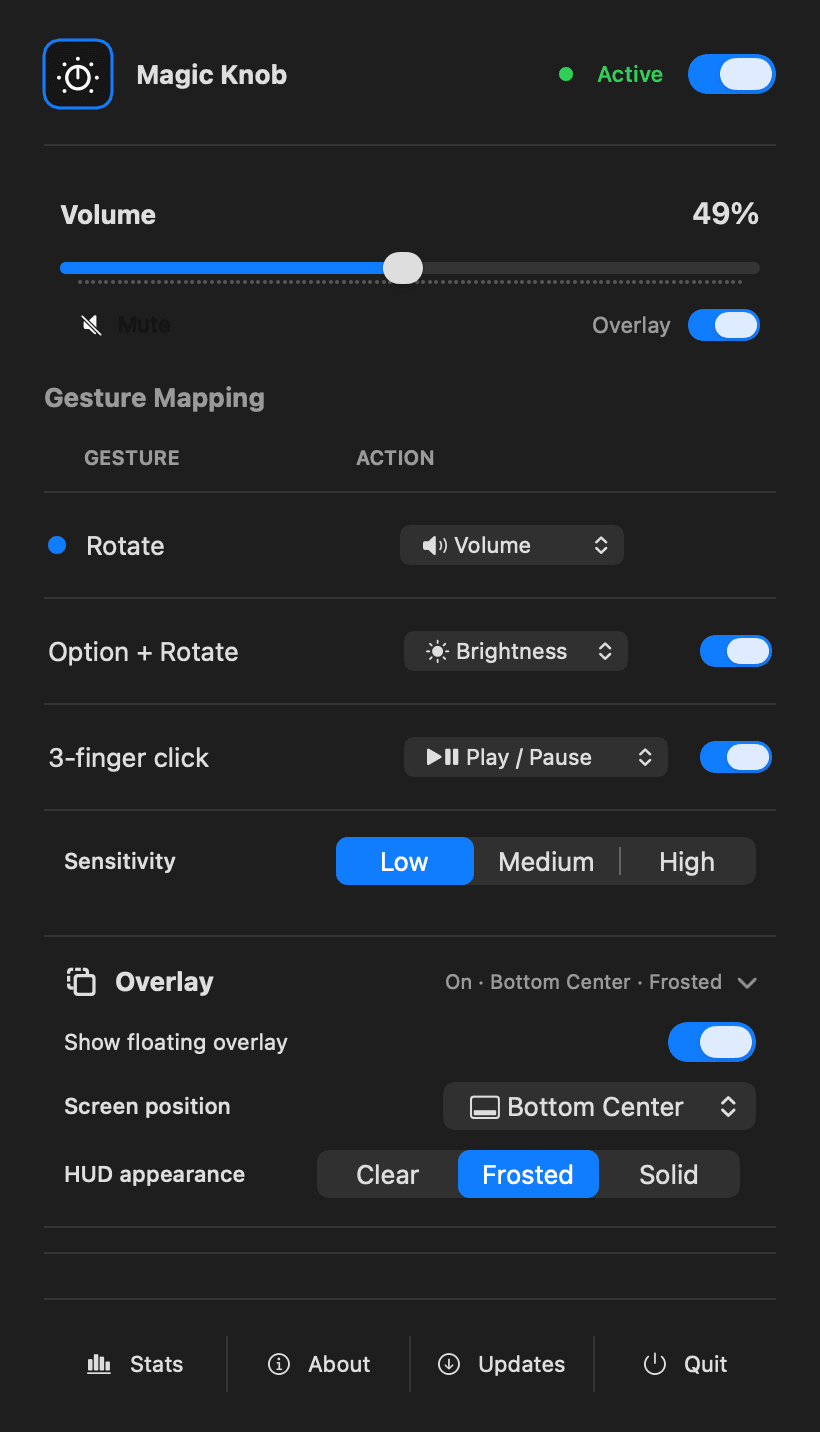
Two fingers become a precision dial for volume and brightness. A three-finger click plays and pauses. All from a quiet little icon in your menu bar.
- Launched
- Clicks
- 3
- Category
- Utilities
- Runs on
- macOS
- Pricing
- Paid
About Magic Knob
Magic Knob is a native macOS menu bar utility that turns trackpad gestures into everyday controls. Rotate two fingers to adjust volume or brightness, and use a three-finger click to play or pause media or trigger a custom keyboard shortcut. Adjustable sensitivity and an on-screen overlay help you tune the gestures to your preference. It works with built-in MacBook trackpads and external Magic Trackpads on Apple silicon Macs running macOS 14 or later. A free trial is available, with a $9 early-bird one-time license for one Mac.
Who Magic Knob is for
Mac users who prefer trackpad gestures for quick volume, brightness and media control while staying in their current app.
Written up on SpacerrApps
Apps like Magic Knob

Reeded0 clicks
Catalog coins, photographs and provenance on your Mac. Import CSV and export PDF reports. Free for 25 coins, with a one-time purchase to remove the limit.
Lifestyle, Utilities

Nijia10 clicks
Understand what uses your Mac's storage—from System Data and caches to build artifacts and Git worktrees—then review what can be rebuilt before cleaning up.
Developer tools, Productivity, Utilities

Memoe10 clicks
Hold one key from any app, say it, and Moe answers out loud. You can also type. Uses the ChatGPT or Claude plan you already pay for.
Productivity, AI, Utilities
Gatterie55 clicks
Browse photos, RAW files, videos, documents and 3D models in your existing folders. Find files with search, tags and stars, explore GPS photos on a map and view models in 3D. One-time purchase.
Photo and video, Design, Utilities

Strata18 clicks
Mac disk cleaner: see what fills your disk, clear junk, backups and System Data to the Trash. macOS 13+, universal. 14-day free trial, $9.99 once.
Productivity, Utilities

2 comments
Ravi Menon
Can the three finger click trigger any keyboard shortcut, or only the built in media controls?
AnonymousMaker
Yes, you can choose any keyboard shortcut you want
You can even make it lock your computer