


Layometry
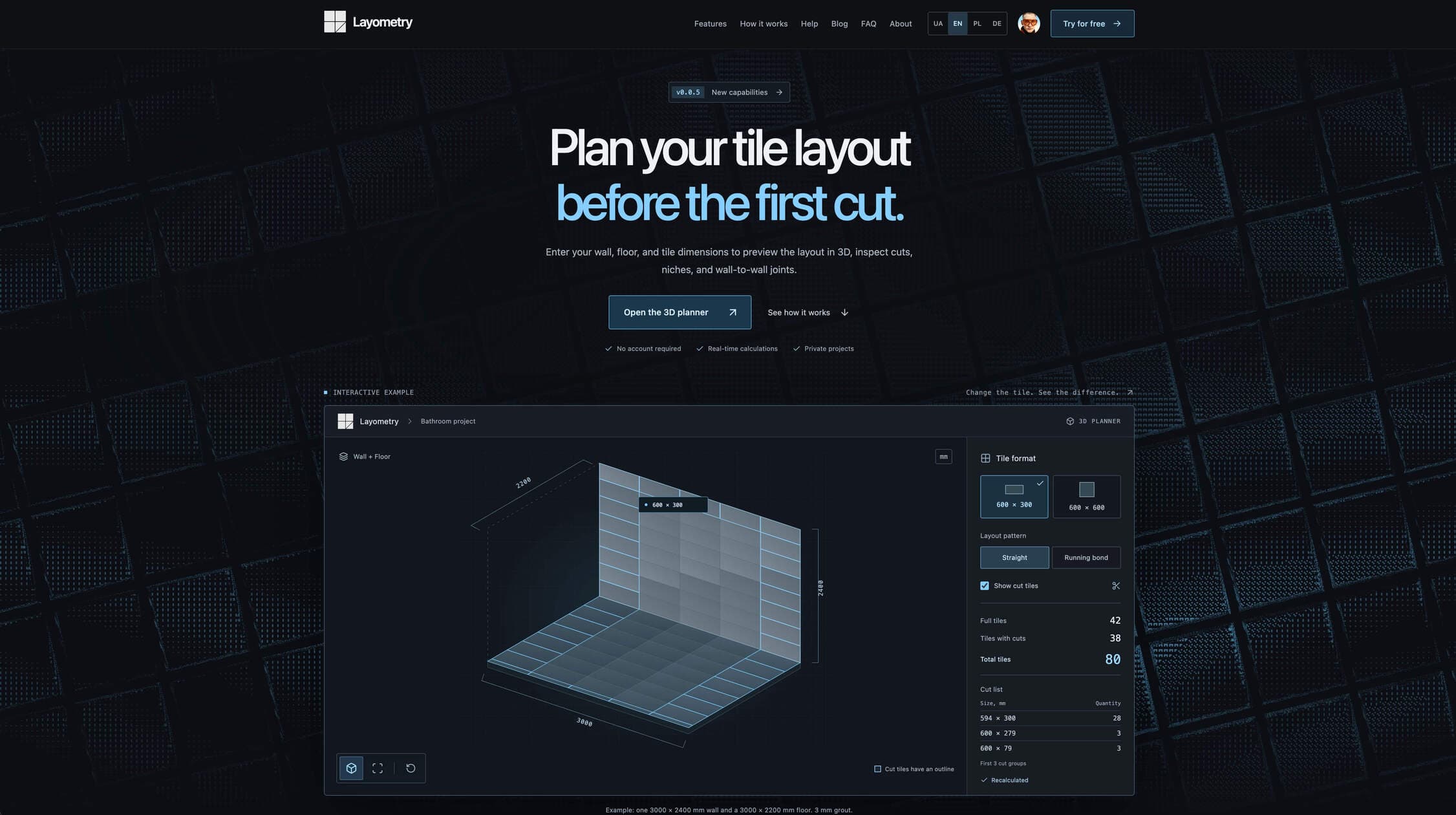
Plan wall and floor tile layouts in 3D. Calculate full tiles, cuts, niches, openings, and connected surfaces — no signup required.
- Launched
- Clicks
- 4
- Categories
- Productivity,Design,Utilities
- Runs on
- Web
- Pricing
- Free plan, paid upgrade
About Layometry
Plan wall and floor tile layouts in 3D. Calculate full tiles, cuts, niches, openings, and connected surfaces — no signup required.
Enter your wall, floor, and tile dimensions to preview the layout in 3D, inspect cuts, niches, and wall-to-wall joints.
The assistant reads your sentence, builds the walls, floor and elements right in the planner, and shows every step it takes. From there you adjust what you can already see instead of entering it from scratch.
Dimensions, tile format, grout, a niche or a window — in a plain sentence. The assistant turns it into surfaces, material and elements.
The activity feed shows what the assistant reads, calculates and changes. A finished batch stays as a card with an “Undo” button, kept with the project.
The agent works only with the project you have open. There is simply no tool for it to reach a database, a file or someone else’s layout.
The assistant sends operations that the same engine runs for your 3D view and your PDF. That is why the numbers on screen and in the report agree.
Before answering, the assistant checks a handbook: usual heights, grout widths per format, room sizes. And it says plainly what the planner cannot do.
Open to a limited group for now. We will announce it in the updates when it works for everyone.
Layometry accounts for what happens on site: uneven edges, corners, openings, niches, projections, adhesive, and tile thickness. See the outcome before opening a box.
One tool to validate the layout, junctions
Written up on SpacerrApps
Apps like Layometry

ZIPZAX0 clicks
ZIPZAX is a free collection of 425 online tools for everyday digital work. No account, no installation.
Productivity, Utilities

Display Inspect0 clicks
Free browser-based display tests for monitors, laptops, phones, TVs, OLED and LCD screens.
Hardware, Productivity, Utilities

Nijia10 clicks
Understand what uses your Mac's storage—from System Data and caches to build artifacts and Git worktrees—then review what can be rebuilt before cleaning up.
Developer tools, Productivity, Utilities

Memoe10 clicks
Hold one key from any app, say it, and Moe answers out loud. You can also type. Uses the ChatGPT or Claude plan you already pay for.
Productivity, AI, Utilities

Letlink0 clicks
A link shortener that records the whole click on every plan and sends each device to the right place from one link.
Marketing, Analytics, Productivity

Sellphotos.online0 clicks
An online store for event photographers. Upload with your watermark, share one link, and guests find their photos with a selfie and pay you directly.
Photo and video, E-commerce, Productivity
2 comments
Ravi Menon
Which features are free, and what requires a paid plan?
Vladyslav HavrylashMaker
There are no limits to the features. Paid plans include an AI agent that helps you quickly sketch an object with custom settings, plus a PDF report branded with your name as a professional or company.
Learn about the benefits and differences on the page https://layometry.com/en/price